Thanks. I don’t have a marked-up LaTeX version. It’s somewhat complicated, but here goes: 2/3rds of the text is a law. Because it’s a law, the numbering cannot be changed. Nevertheless, the law is incomplete: its 721 subsubsections lack names. Owing to this lack, the law is opaque. So I added names to inform readers about the contents of the law. A table of contents is key if it can capture the subsubsection article names.
This is a separate file.
The remaining 1/3rd is a summary and analysis. This too is a separate file.
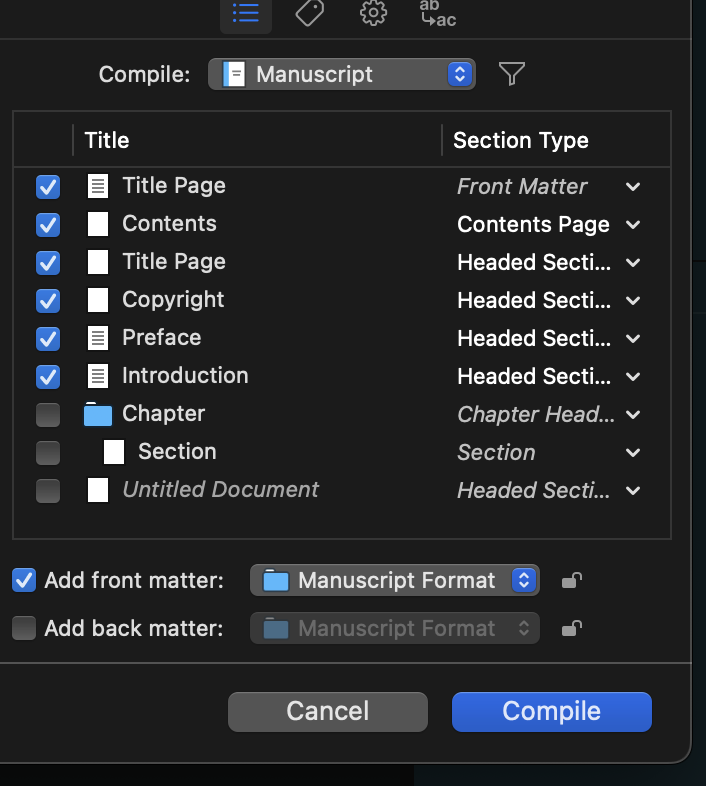
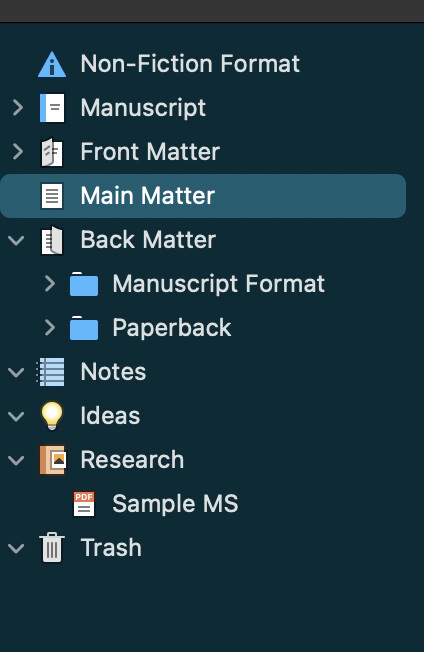
This third should be part of the book’s front matter–preface and introduction. The remaining 2/3rds is the main matter.
Page numbering doesn’t matter for epubs, so I guess I can join the two files together. Scrivener is good for doing this. But even though the subsubsection articles are styled, Scrivener doesn’t included them in the ToC. Thus, I get a three entry ToC: preface, intro and main matter. This is not as useful as a detailed ToC.
The workaround is to use the joined file and make an ePub. This seems to be working. But thee print version is another story.
Importing the joined text into Vellum is a work in progress. It looks like it’s not possible to include the detailed subsubsection article names in the ToC.
I’m not fluent in Scrivener’s treatment of front matter but it’s easy in LaTeX. \begin…
\end… But there’s still the matter of the 721 subsubsections.
Each article looks like this:
Article 1 All about article 1.
Article 2 Here’s another cool article.
Is there an awk command that will generate:
\subsubsection{Article 1. All about article 1.}
\subsubsection{Article 2. Here’s another cool article.}
…and ignore the second instance of “article 1 of the first item in the list above.” There’s two parts to this:
- add \subsubsection at the beginning of the line; and
- enclose the line, excluding the LaTeX subsubsection command, in brackets.
Miss a bracket in LaTeX and all hell breaks loose. Finding the error requires eagle eyes and an undocumented, trial and error technique.
I suspect that awk can mark up the subsubsections, so I could copy all the articles into a text file, run the appropriate awk command, and bring the result back into the file. That way, LaTeX will properly generate the front matter (Roman numerals) and the main matter (Arabic numerals).
My guess is that one of the AI platforms can generate the correct LaTeX mark-up, but I’m not sure.
The problem is in creating both a pdf for publication and an ePub for electronic distribution.
One other possible issue is that assigning styles in Word isn’t easy when the number of styles won’t fit on the menu bar. Sure, the menu bar can expand but that’s not quick and prone to error. So I’m styling parts, chapters, sections, subsections and subsubsections in Mellel, where it is very very easy. Mellel also exports to Word and will give me an ePub. But though I’m told that Mellel will give me front matter, I haven’t been able to properly generate it for a pdf (with Roman and Arabic numerals).
If the entire document were in Markdown from the beginning, things might be easier, but I don’t know how to generate a ToC in Markdown.
The Mellel/Word ePub looks good enough for government work. I may have to bite the bullet and convert the Word document to LaTeX (can pando do this?) and use awk or AI to for those 721 mark-ups.
I started experimenting with Lacuna to see if post-import corrections is less of an ordeal.
I had hoped that Scrivener would give me a ToC with all 721 articles included, but they are not in the binder and it would be easier to do LaTeX mark-up than bring them there.