Today I wrote 1,000 words and deleted perhaps 1,000 from the existing draft. Result - the session target comes out at zero. But I did write 1,000 words and I want to be able to track that regardless of how many I delete in any given session: is this possible?
No, there’s no way of doing this. Both targets give you the aggregate word count - the number of words you have added to the project. But see David Hewson’s post here on why this is a good thing:
There’s no need to post on the wish list given that I’ve answered here and it’s already implied that you would like this. I’m afraid there are no plans for it, though.
A workaround that I have found useful: When you need to get rid of a lot of text, either cut and paste it into a rubbish bin document in the draft folder, or split the document to get the unwanted text into a document on its own and move that document out of the way, but within the draft folder. Either way, the net loss from the draft is zero and the progress in the session target will reflect that.
You could even mimic the old-school editing process by highlighting the area you want to get rid of and setting the “strike-through” font setting.
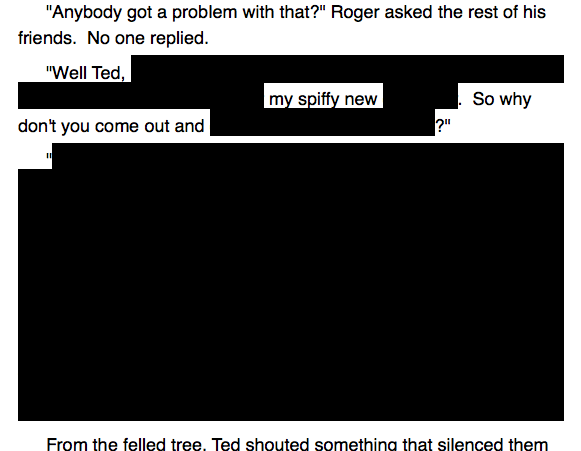
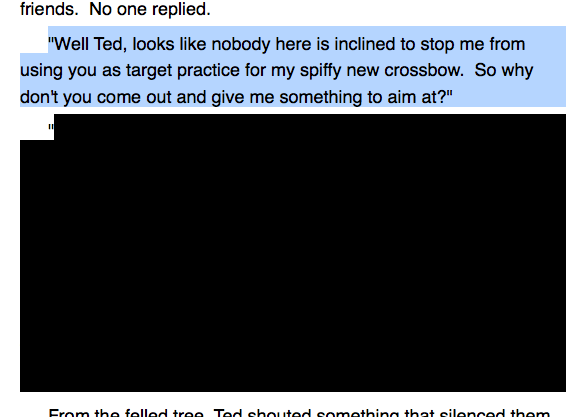
Or even more fun, use a black highlight to go for that chic “redacted” look. If you then highlight (drag the cursor over) the highlighted (colored with black) section, you’ll be able to see the original text.*
That’s confusing… you highlight text so that you can then highlight it… with color. Let me highlight my explanation with some nonsensical highlighting of highlighted text:
I actually use the black highlighter on purpose as an intended necessary part of formatting, in my novel that’s in revisions.
Something I’ll do within a scene, when I go a few paragraphs off-track then decide to try again but want to keep those in my word count (or just keep 'em b/c I’m not sure I’ll like my new tack any better), is turn that scrapped section into one big annotation. Command-shift-a makes it so easy to indicate things I don’t want showing up in the drafts that my betas see, but that I still want to see in mine. At least temporarily.
Once I reach the point in writing a chapter that I want to delete the annotations, I take a snapshot, then start deleting.
Using annotations for this is an excellent way to work for three reasons. First, you can use ghost notes to diminish the visibility of the deletions which accomplishes a similar effect as black highlighting. Secondly, you can omit annotations in word counts and compile as necessary. The only place this doesn’t work is in the footer bar, but for purposes of project statistics and session counts it works just as you’d intend. Third, it’s super easy to get rid of them once you are done. Like Caradee suggests, I snapshot before doing this as well, but you needn’t go through annotation by annotation to get rid of them, just use the Copy Without Annotations or Footnotes menu item in the edit menu, and then paste right back over the document.
So unless you are particularly fond of the government redaction look, I wouldn’t recommend using highlights for this.
I may be wrong, but I set up a Project Session target and found that moving text between scenes by cut and paste really confused the word count figure of the Session Target and I ended up with a meaningless figure. Did I do something wrong?
Nothing wrong, but if you paste text in then it will get added to the session count, and if you cut paste it will get taken away from the session count - Scrivener has no way of knowing the difference between cutting and pasting and typing and deleting.
All the best,
Keith
Thanks Keith. I hadn’t come across or ticked “allow negatives” and I cut and pasted a piece that was more than the number of words I’d written in the session which messed up the statistics.
I am loving the intraday persistence of 2.0.5’s session targets. Very helpful.
I wonder if at some point you would consider increasing granularity on the way Scrivener tallies progress against the targets. For example, the point raised in this message thread.
It would be great to see the total progress broken down into three pieces: additions, deletions, and net.
On days when I write 1,000 words but delete 700 from somewhere else, the progress tracker will only show me the net addition of 300 words.
If Scrivener tracked additions and deletions separately and allowed me to see this, even though the net was listed as 300 I could see that I’d done 1,000 words that day and that I had been productive.
In the longer term, I’d love to see Scrivener track and record the progress (against session targets) on a daily basis that I could look at, maybe in Outliner-type format, maybe in graph-format, so that I could understand my productivity over the course of weeks and months and look for patterns or insights.
I’m afraid it’s a fat “no” to all of that, sorry. I don’t think tracking targets over time really falls into Scrivener’s remit - a spreadsheet would be better suited to that.
As for granularity, there’s just no sensible way of distinguishing deletions and additions properly. It might seem clear cut: you delete a 200-word passage - that’s different to typing 1,000 new words, so surely it can be distinguished? But not so. Consider what happens as you type - often you will hit backspace, or rephrase a sentence and so on. There is no way from a technical standpoint of telling the difference between deleting a 200-word passage and deleting a word from a sentence you are composing, other than volume, which is no indication, really. So any such breakdown would be misleading at best.
Yeah. I like that idea too. It’s hard to feel you’ve accomplished anything when only the net figure for the day is shown and you’ve deleted a lot of text. But, in practice, I’m wondering how possible it is to actually separate the additions and the deletions.
Hi Keith,
Sorry, I didn’t see your reply for some reason. Cut and paste add their own problems to the impossible task. What I’m trying to do is check the word count for any block of text I’m about to delete, mentally adding that to the sessions count for the day.
It would be possible to add an option that doesn’t count deletions at all, but I think that would confuse many, too, especially those using characters instead of words (as many in Europe do): every typo and correction would boost the count. But the same for any first letter typo of a word: type a letter at the start of a word and the word count goes up by one; delete that letter and it goes down, type another letter and it goes back up. Without counting deletions, every time you had to correct a typo at the start of a word, it would get counted as two words; judging by the number of typos or changes I make as I type, I think this could quickly render counting only additions pretty much meaningless, reporting that you’ve typed many more words than you actually have…
I’m not sure how Scrivener would be able to tell which deletions constitute “progress.” Especially since not all users measure progress in the same way.
For instance, if my ultimate goal is to produce an article that’s 3000 words long, cutting 600 words is a very clear step backward from that target. But if my ultimate goal is to write 1000 new words in a day, cutting 600 words is neutral. If I simply want to spend two hours editing, deletions are just as much “progress” as additions are. I have no idea how Scrivener would incorporate all of these options in any kind of a coherent interface.
 I don’t think tracking targets over time really falls into Scrivener’s remit - a spreadsheet would be better suited to that.