I know there’s been some conversation about Track Changes vs. Snapshots in Scrivener—this isn’t about that.
Two separate issues:
When you import a word doc into Scrivener that has tracked changes, all of those tracked changes are instantly committed.
If someone has replied to a comment within the word file, only the most recent comment will show up in the Comments panel.
Are there any fixes in the works for these issues, or any good workarounds? Both of these issues could create major issues in the editorial process. I’m scared to know how many comments and suggested changes I may have missed over the years because I wasn’t aware of this limitation. Since I don’t have Word, my process has always been to drag my feedback docs into into the binder and look at the comments from there.
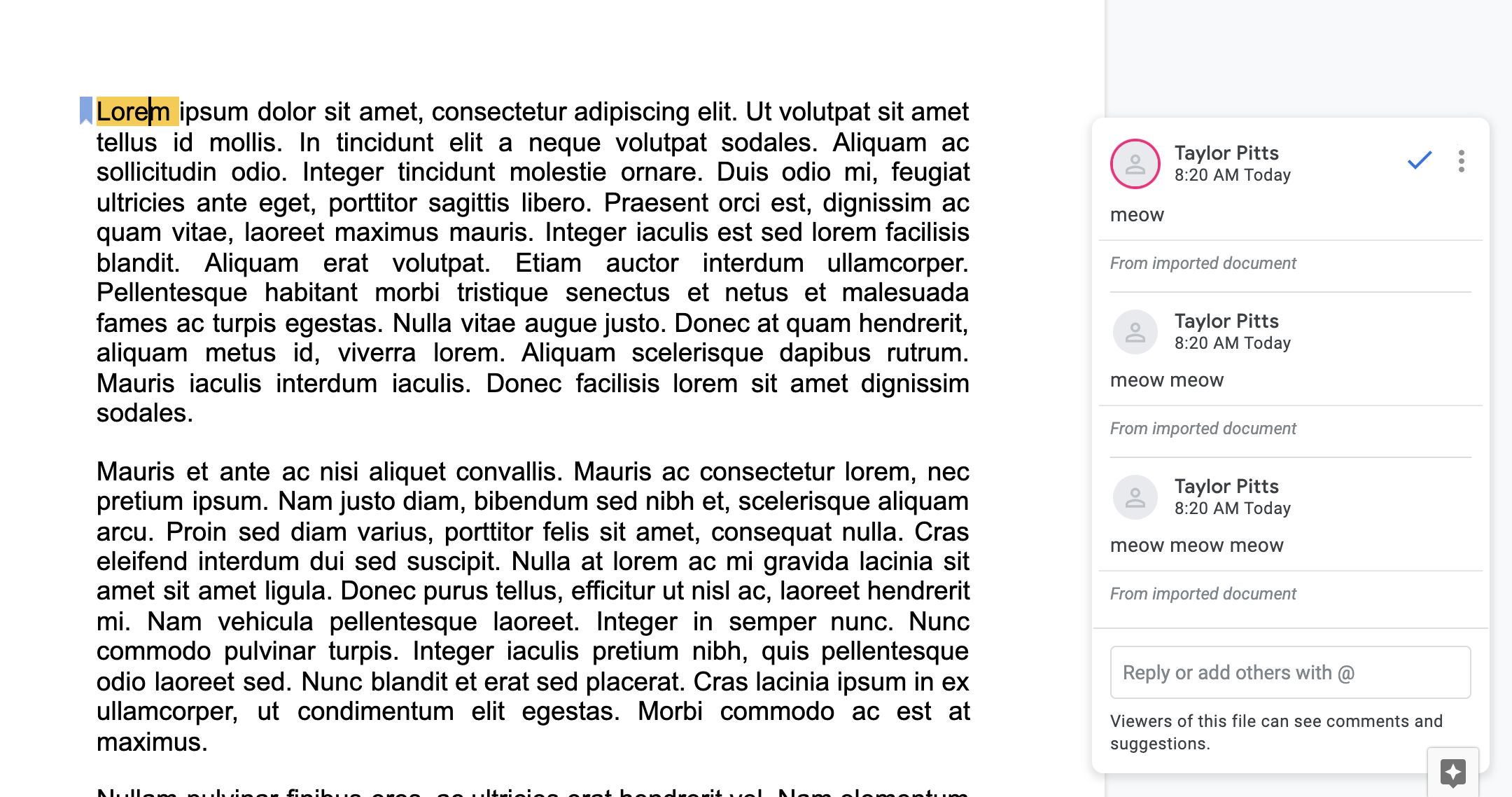
Just wanted to bump this question again, since it’s still a problem and the question is over a year old. Hope that’s okay. Here are a couple pictures to illustrate the problem. This is the exact same file .docx file dropped into Google Drive and Scrivener. You can see, for example, that two of the comments are missing in Scrivener.
Scrivener does not support Word’s track changes markup. You’ll need to review those changes in another tool before importing the file.
For comment threads, make sure you have the latest version of Scrivener, which is 3.2.2. If that doesn’t help, you may have identified a bug. Please open a support ticket, and include a sample file that you’d like to import:
That is doing it all in Scrivener, as far as possible given the fact that someone put changes in a Word document. Importing a Word file brings “field code” gremlins in, like nasty hidden viruses, and it generally means abandoning all the document metadata created while writing.
Tracked changes will not import, I meant. Sorry, I’ve clarified the post.
It might be feasible to import the track changes markup, so that struck-through text imports as struck-through text, for example. But I think actually interpreting the markup as a reviewable change history depends on functionality that is proprietary to Microsoft.
If you’re using a Mac, as indicated by the Scrivener for MacOS tag on this thread, then Pages is free and is compatible with MS Word’s track changes feature, if I recall correctly. You can review the changes there, accepting or rejecting them as you see fit, and then import that version (save it as a MS Word formatted doc, since there are no Pages importers available to third parties like Lit & Latte).