Hello!
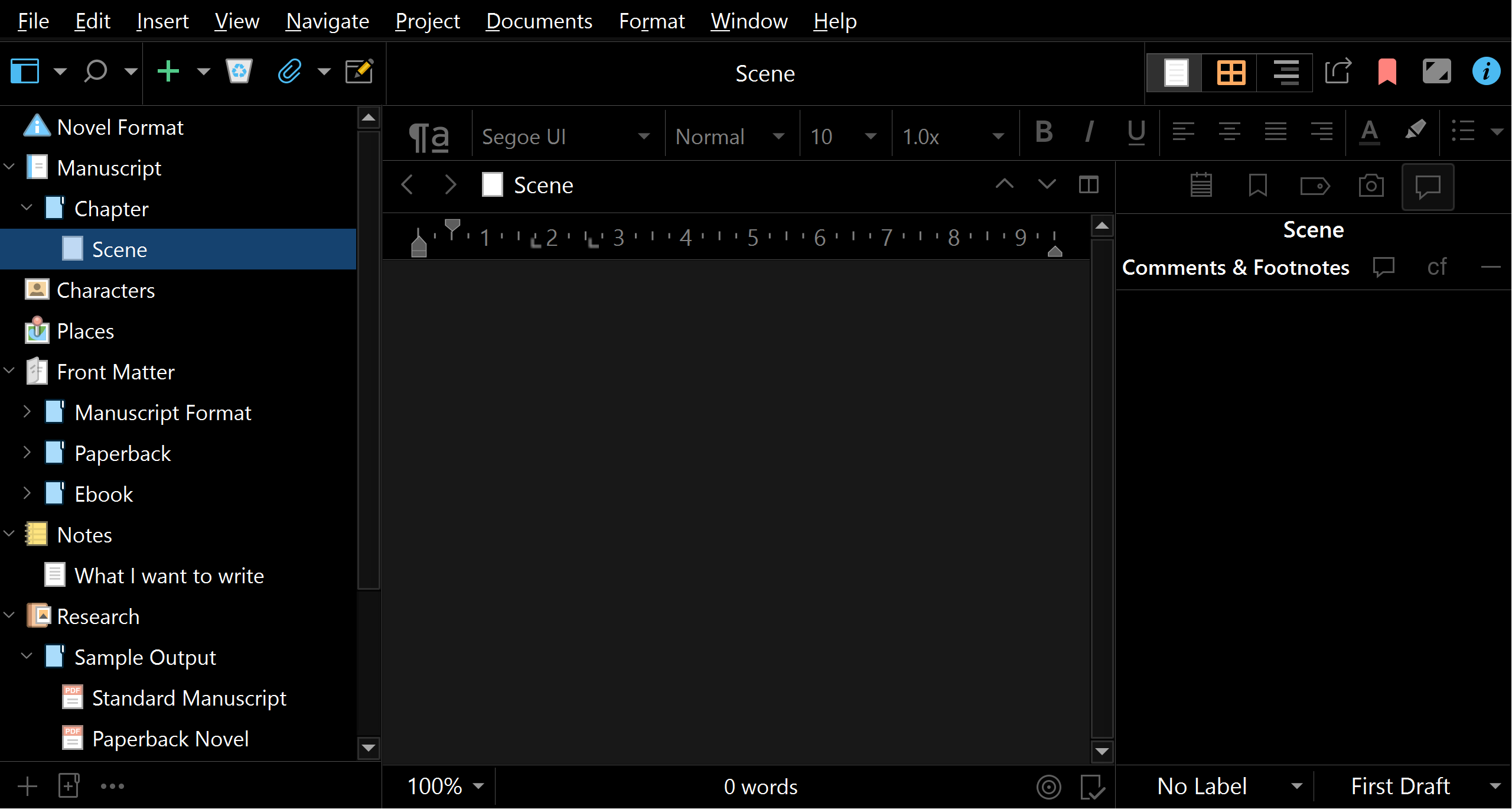
I have encountered a weird bug. My UI interface became unwieldy because it was scaled too high after returning to my PC from letting it idle for a bit. Here is a screenshot of how it looks. Consider that these two screenshots are 2560×1369.
For comparison, this is how it should look like:
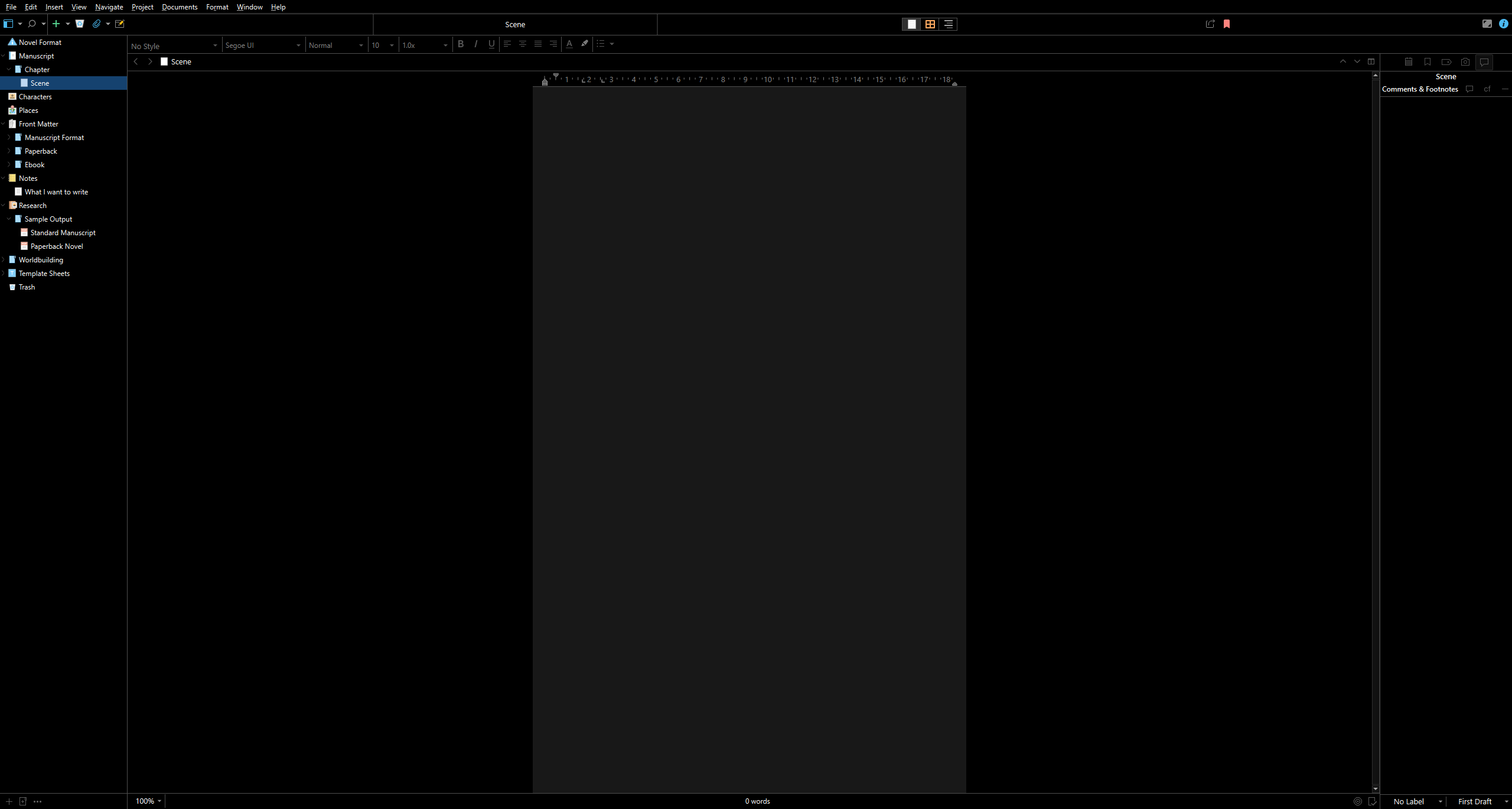
I should note that the top bar menus (such as File and Help) were in the correct scaling, and were offset enough to be on my right monitor, off the Scrivener interface. The menus worked just fine, just out of place.
Finally, closing and opening Scrivener restores the user interface to normal.
Reproduction
I don’t have a set of reproduction steps because I don’t have a reliable way to get this combination of events to happen, but hopefully I can explain it well enough to hint about what might be going wrong.
On my PC, my monitors are setup from left to right as such (resolution @ scaling):
- 1080p @ 100%
- 1440p @ 100% (primary)
- 1080p @ 100%
- 4K @ 300%
Whenever I let it idle for long enough, it is likely (but not always) that the primary 1440p screen device is disconnected from Windows (you can hear the notification sound it makes whenever you disconnect a device).
Today, I had Scrivener on this primary screen, maximized on the primary monitor. I stepped away for a few minutes to handle some other things. The computer idled long enough to put the monitors into standby, which naturally lead to my primary monitor to be disconnected.
When I returned, the UI of Scrivener had scaled up significantly from its usual as can be seen on the screenshots above.
Thoughts
I suspect that the core blame is in how my setup is arranged, and some weird Windows scaling shenanigans.
My monitors are setup from left to right as such: 1080p, 1440p, 1080p, 4K. Under normal operations, I don’t deal with scaling issues as the three I actually use are all 100%, so all an application ever sees is that it gets more resolution.
However, when the primary 1440p monitor disconnects, I believe that the windows get shoved around to the other monitors, and primarily to the right one. Because of the resolution differences, anything maximized will not fit within that 1080p monitor, and may spill over to the 4K TV. Because the workspace is shifting, the application may get wrongly told that it should scale to 300% because it is in the 4K screen, even if it eventually ends up on another screen.
I would expect that when the primary 1440p monitor gets plugged back in, and the windows are shuffled back into it, the windows scale back down. Somehow, this doesn’t happen. Scrivener is not the only software to suffer from this.
It also wouldn’t surprise me if I am the only one, or one of the few to ever experience this particular behavior.
Specs and Version
Scrivener for Windows version 3.1.6.0 (2862669) 64-bit - 02 Sep 2025.
Windows 11 Pro 24H2, Build 26100.7623.
Plugged in monitors:
- 1 × Monitor AOC Q27G3XMN @ 1440p 100%
- 2 × HP 24F @ 1080p 100%
- 1 × Samsung Q65A QE55Q65AAU @ 4K 300%
Specs:
- Intel i7-8086K
- 32GB RAM
- AMD RX 6800 XT