I am unable to remove first line indents in new paragraphs. I have been working on this issue on and off for a year or more and am humbled/defeated. Obviously I am missing something fundamental. I am happy to pay anyone for their trouble if they want to screen share with me and resolve this. I even created an entirely new version of the manuscript to start from scratch.
I have also confirmed “0 ins” under Format >> Paragraph >> Tabs and indents >> Paragraph indents.
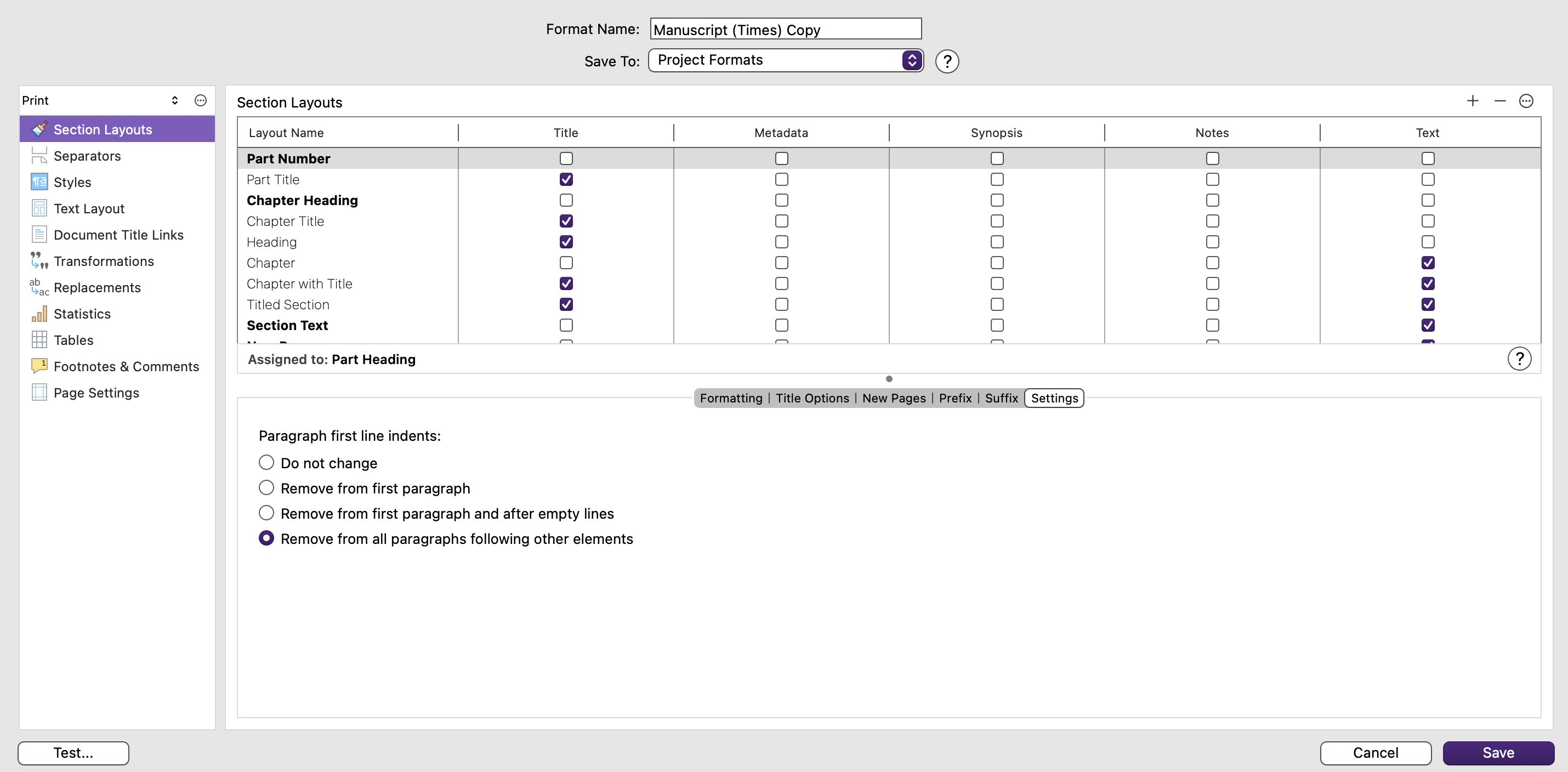
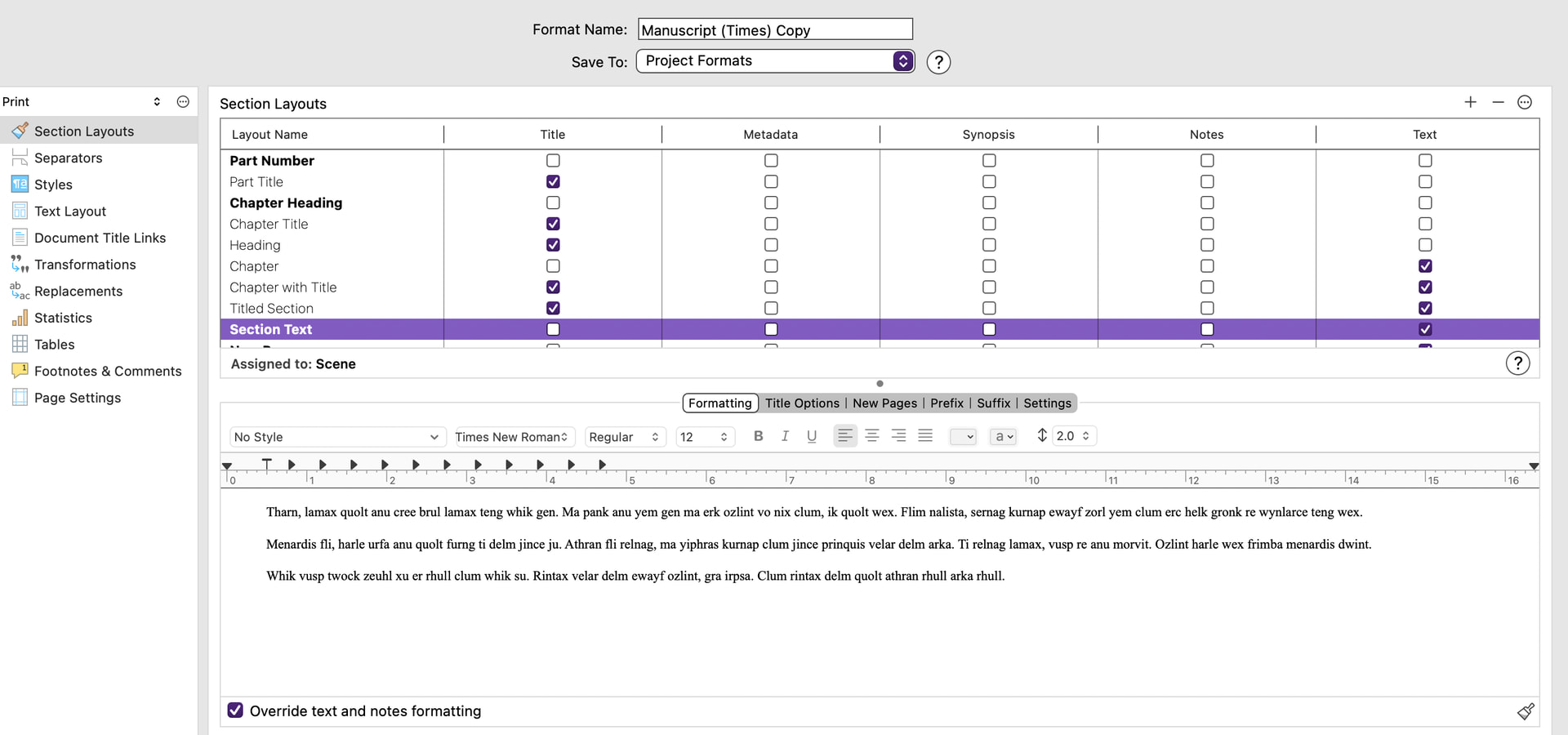
The issue: when I compile >> using Manuscript (Times) on a Mac. I go into Section Layouts >> Settings >> and have tried all of these multiple times:
Paragraph first line indents:
Do not change
Remove from first paragraphs
Remove from first paragraphs and after empty lines
Remove from all paragraphs following other elements
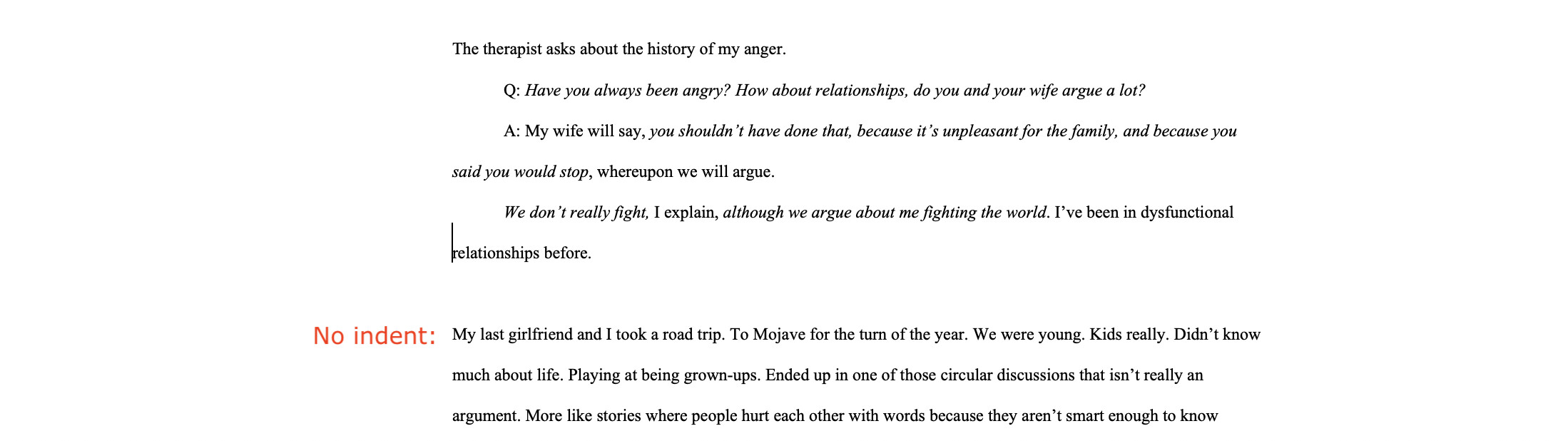
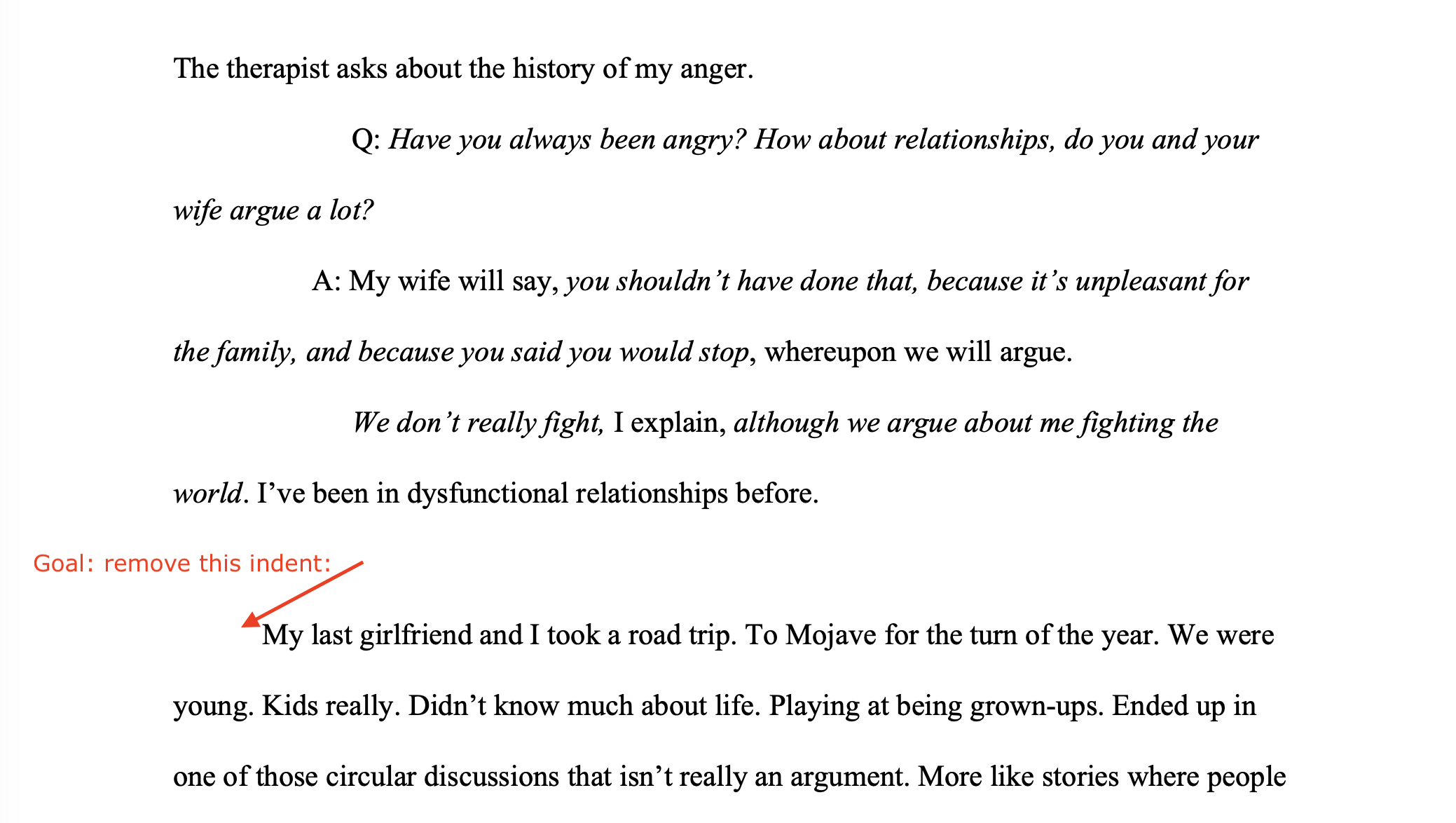
None of these remove the first line indent of new paragraphs.
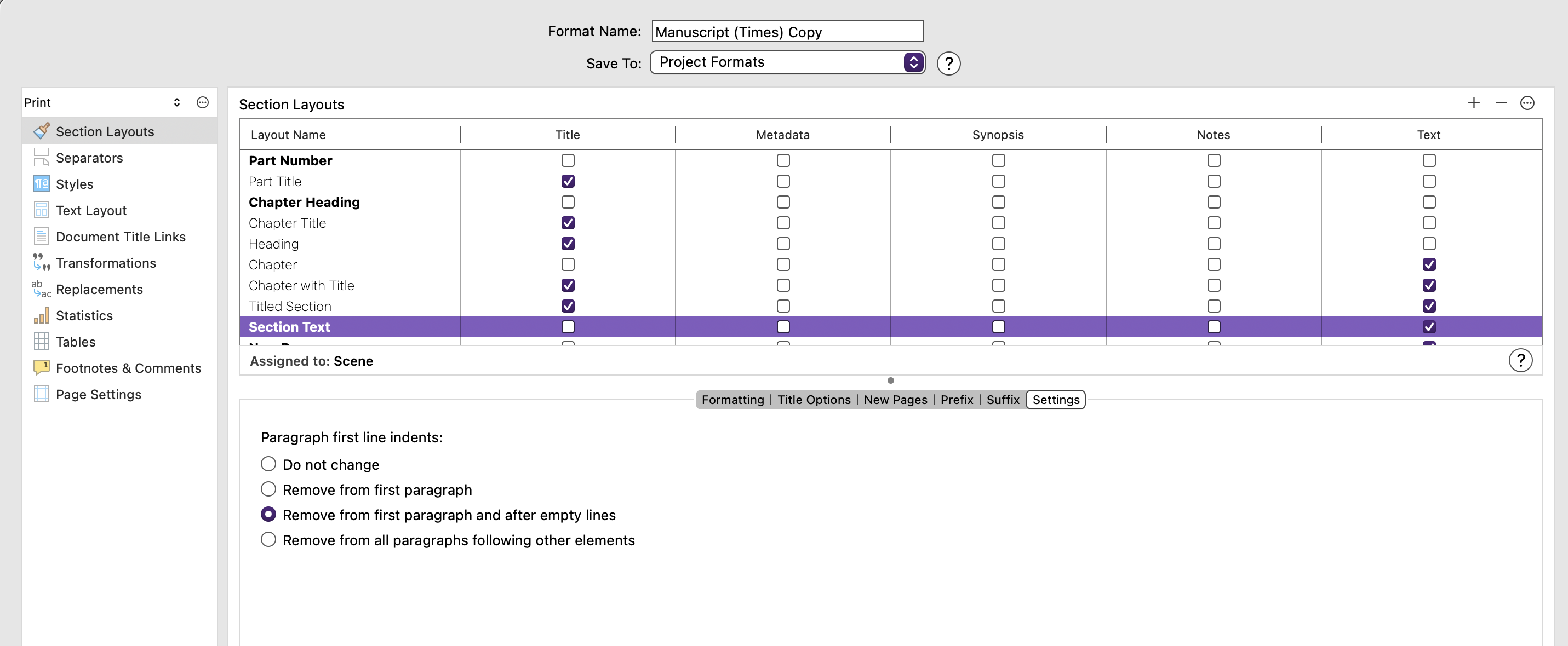
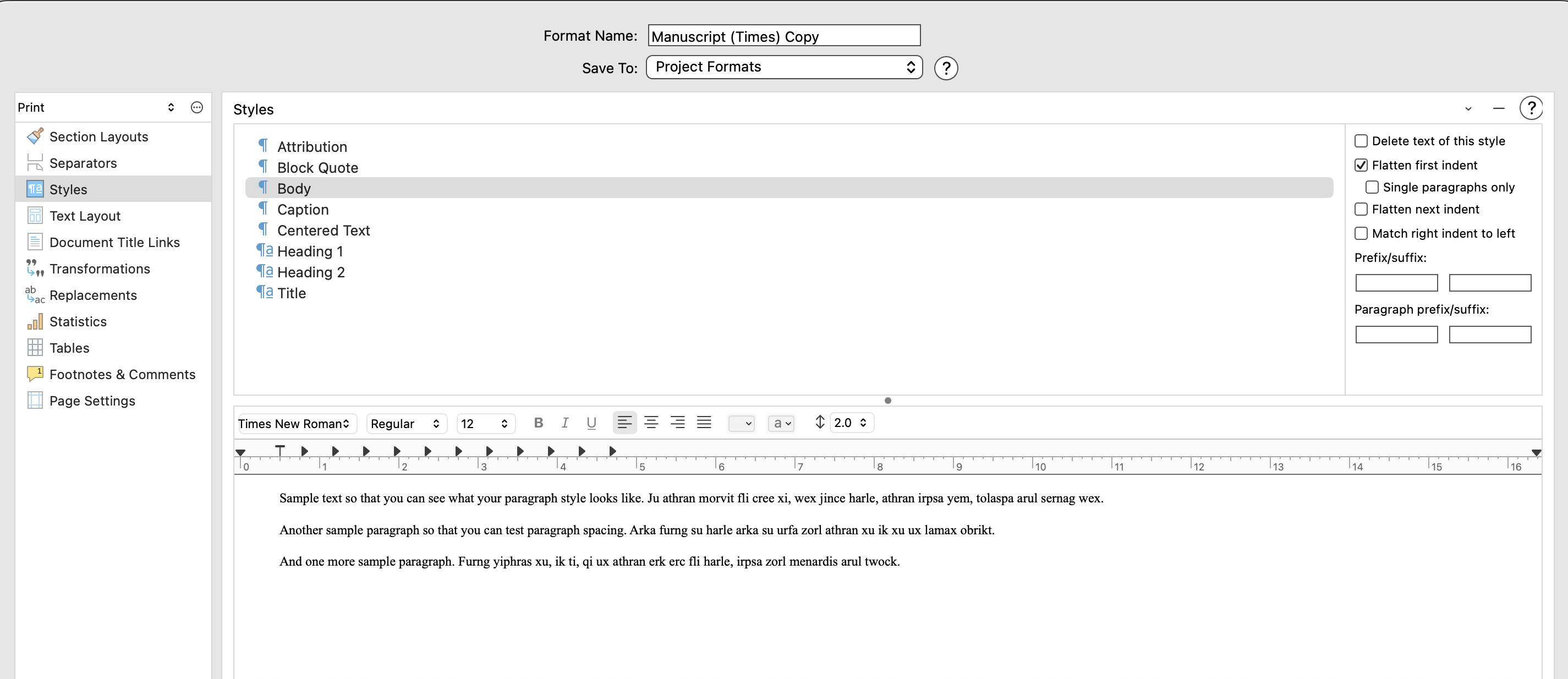
And there is your problem… you have created a Body style. Styles have Preserve formatting automatically applied, which means that settings in the Compiler are overridden—as, incidentally, any italics or boldface within those paragraphs will be stripped out on compiling unless you have made sure to set Save paragraph style as opposed to Save all formatting in creating the style.
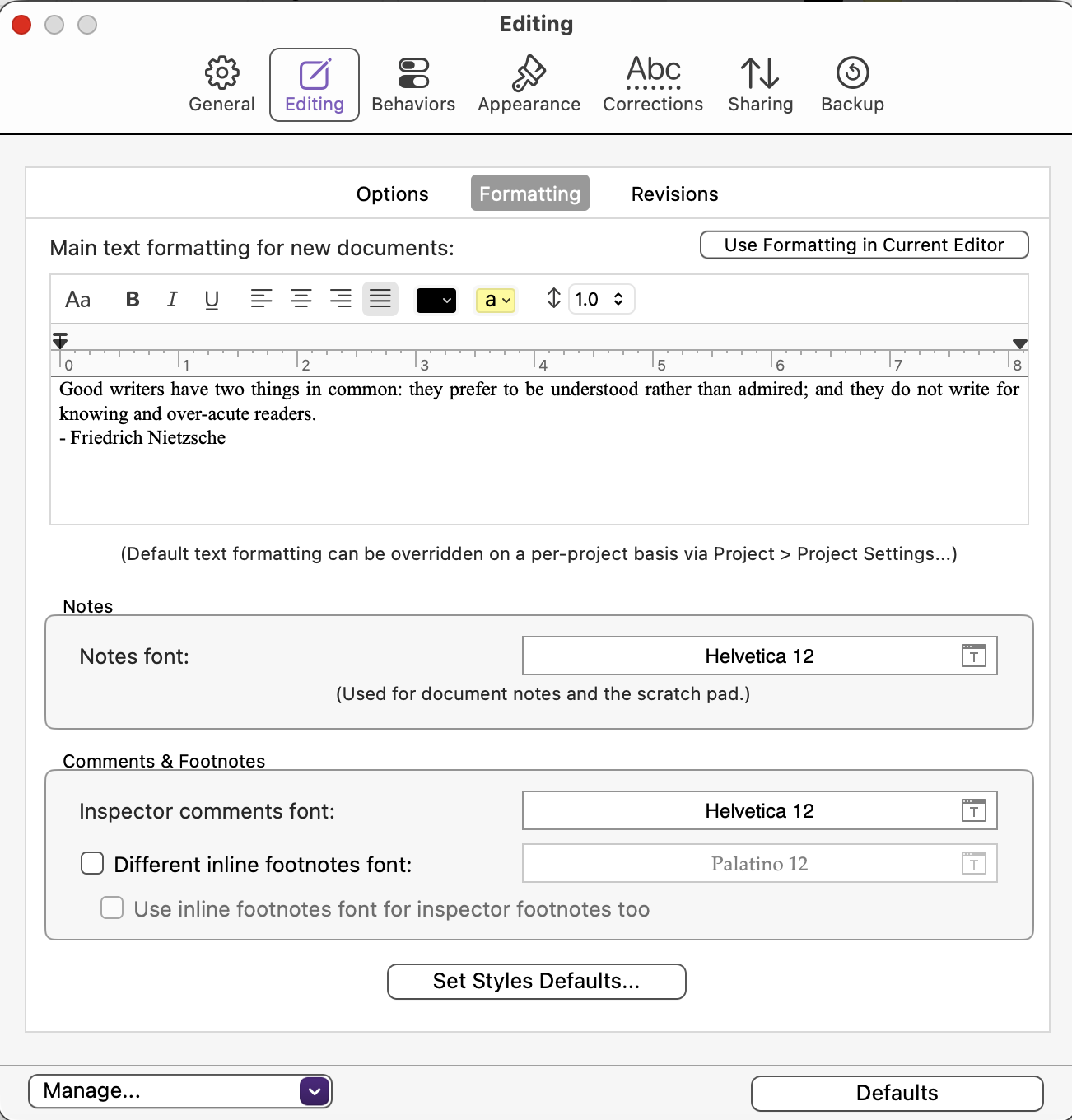
In Scrivener, paragraph styles should only be set for paragraphs like headings or block quotes that differ from the normal. The bulk of text should be No Style, the details for which are, globally, in Scrivener > Settings > Editing > Formatting or per project in Project > Project settings… > Formatting.
On compiling, everything No Style will be given Body or Normal style depending on output format (DOCX, RTF etc.) and assigned the font set in the compile dialog. This separation is fundamental to the design philosophy of Scrivener.
That said, you can set up your own Body style if you wish, but then you encounter the sort of hassles that you are experiencing.
Hi Mark,
Thank you - I will work through this. Only issue, before I wade in is: I just created this file/version a few minutes ago. I certainly did not create / edit any styles ie a Body style. This is purely default.
Does this make sense?
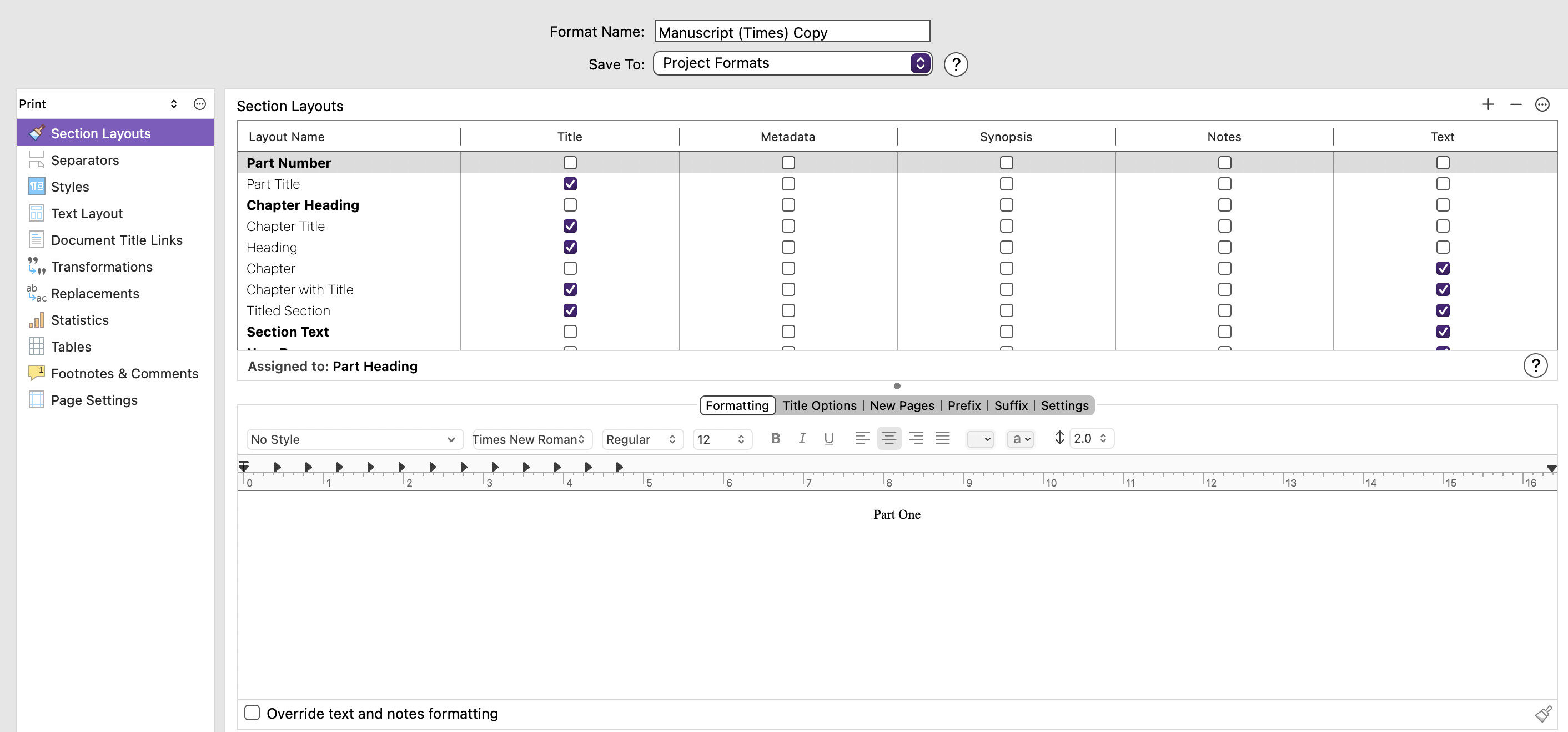
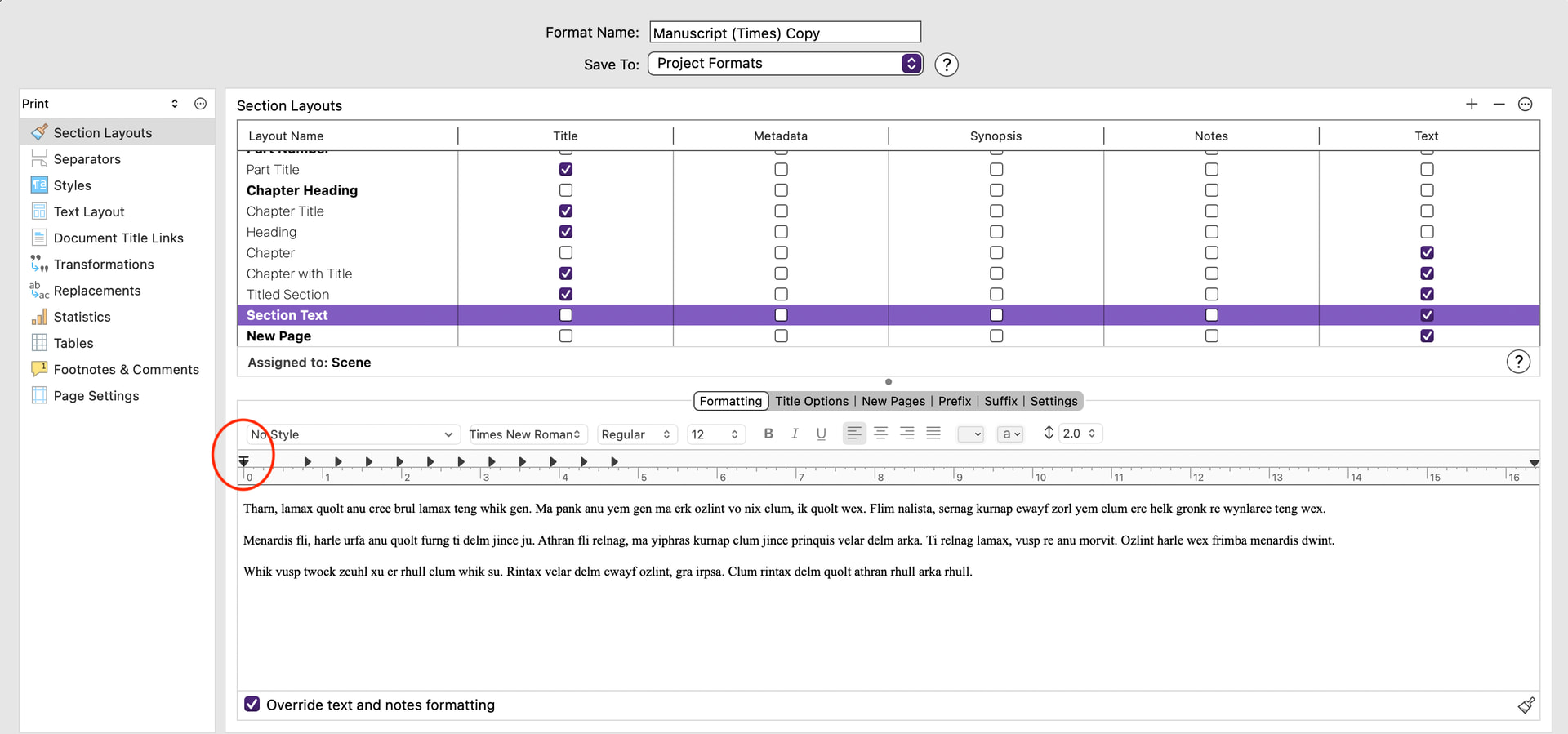
Oh My Goodness - the T-shape was/is to the left of zero in every Layout Name except for Section Text and New Page. I moved it left of zero and the indent disappeared.
My apologies, I saw Body in your screenshot and assumed you had created it, as so many people who come over from Word do.
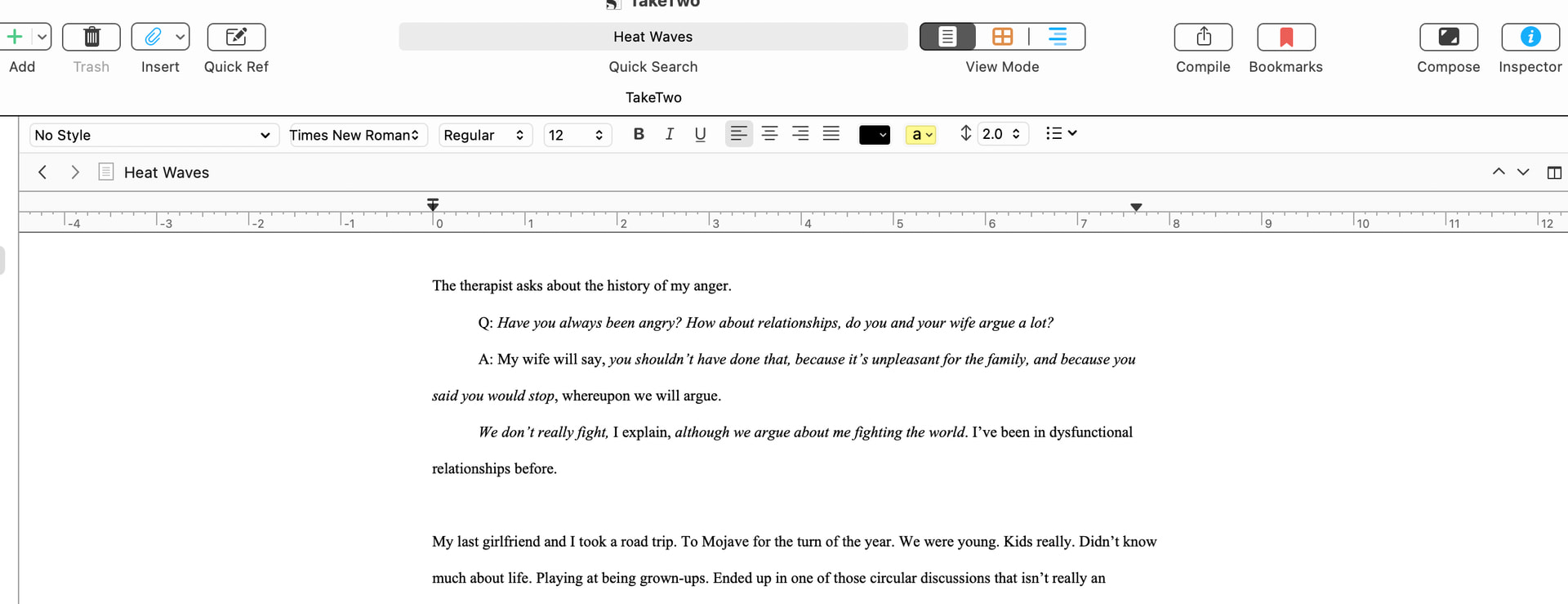
Looking back at the screenshot of your editor, firstly, it’s not clear where your cursor is, but the first paragraph and the last paragraph have no indents, the others do. The formatting bar says “No Style”… are all of these paragraphs No Style?
If they are, how did you achieve this? I think you must have used a Tab because on compiling the middle paragraphs have a double indent—the ½" indent given by the Body style, plus ½" from the Tab you have inserted.
Your screenshot showing the Compiler with Body style highlighted and the ruler showing reveals that Body style has a first line indent of ½ inch. So if the paragraph “My last girlfriend…” is assigned No Style then on compiling it becomes Body and has the indent as you see.
In the Settings > Editing > Formatting pane in your screenshot, what you see is the current No Style setting with no indent. You should set the first-line indent by dragging the T-bar to the right to give the indent, then exit the dialog. That sets your No Style for all new documents to have the indent.
Select all your existing text (Are you on Mac? if so, you can select it all at once by choosing the Draft/Manuscript folder in the Binder then Cmd-A in the Edtor and choosing Documents > Convert > Text to Default Formatting…; on Windows you might have to do each Binder document separately—I’m a Mac-user so not sure).
Now use Edit > Text Tidying > Strip Leading Tabs to get rid of the tabs you inserted, as they’re not needed.
When you’ve done all that, the Compile > Flatten first-line indents will work as intended. However, I’m not sure if it works where two No Style paragraphs are separated by a blank line… try and see and come back for more help as necessary (e.g. set up a No Indent style for just such paragraphs).