Scrivener has started linking any new Comment to the last word my cursor was on in the text. The “remove link” doesn’t work when I highlight the linked word. If I delete that word, the system also deletes the comment. How can I make it stop?
By definition a comment must be linked to text. I highlight text first I want the link associated with. If nothing is selected, then will default to nearest previous word. If want to insert a comment without highlighting text consider using annotations which can be excluded when compile in settings area of third compile panel.
That was not the case until about a week ago. It’s disrupts flow. “Comments” were notes to self about the content in general. Footnotes were links to sources, further information, clarifications–all expected to appear in final doc. Why was there a change? I haven’t yet needed to learn “annotations.” Why was another speed bump created? This is a bug, not a feature
I think perhaps you were using Document Notes before, in the first tab of the inspector, rather than comments. Comments are specifically for highlighting text and remarking upon the highlighted text in a way that hides the remark until you open it. That is all they ever have been.
1 Like
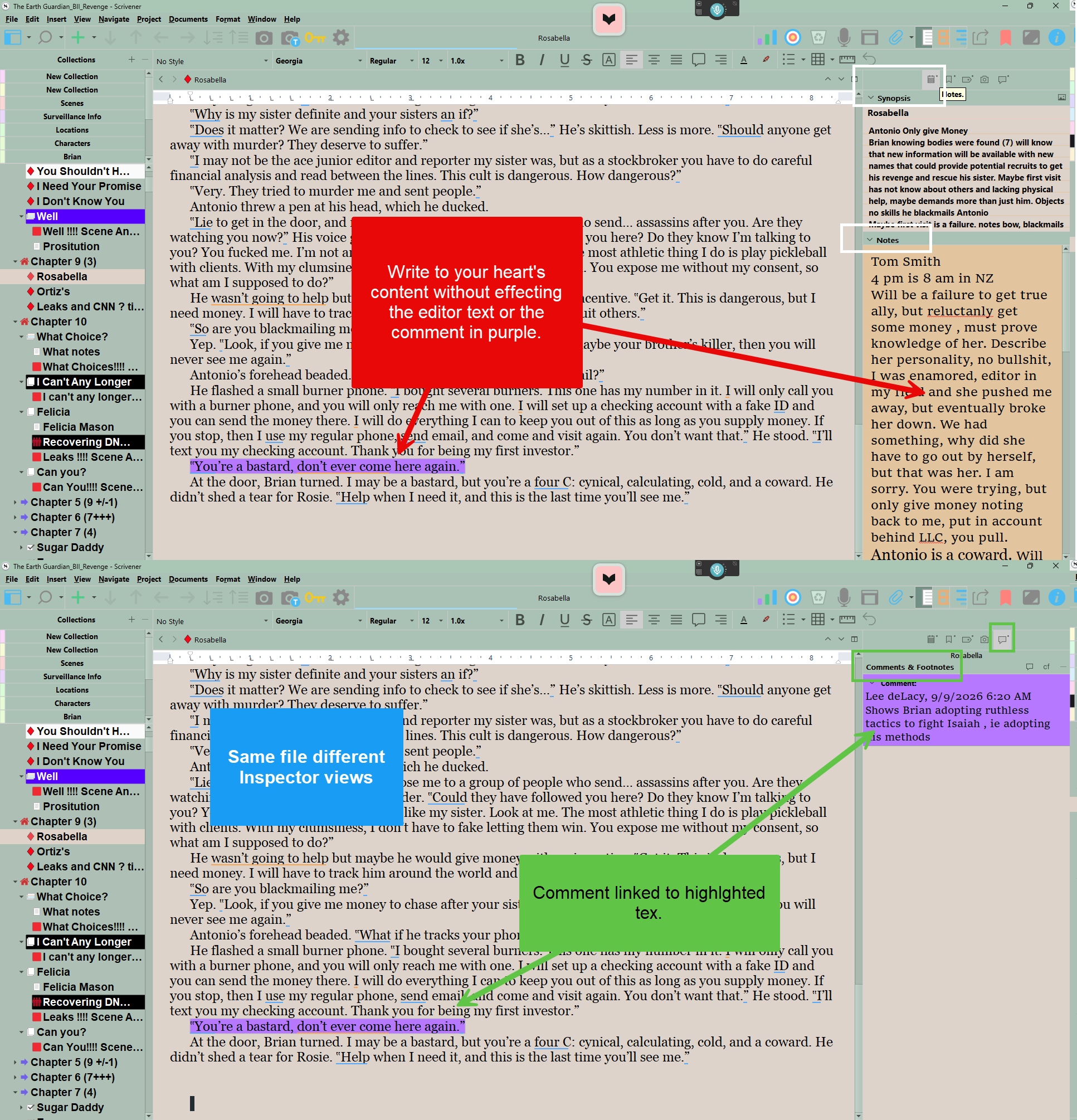
To “detach” the comment, first copy the narrative of the comment and paste it to Notes beneath Synopsis.
Then delete the comment.