Urgent request. I need to Modify QSS file

I need to fix some details of scrivener, I hope to get help, it’s too hard to write code.

The first place
This is the header font size above the editor, which cannot be customized here, it is too small.

the second place
The indicator icons on the search results screen are small and dark
I want the correction to get bigger and the color to white

the third place
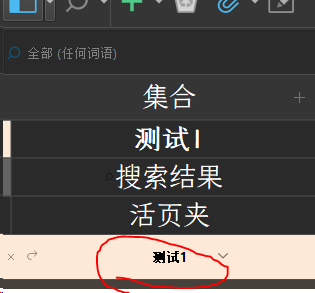
This is a list of titles under the collection interface, the font size is too small
The title font at the collection is small, and there is no customization

the fourth place
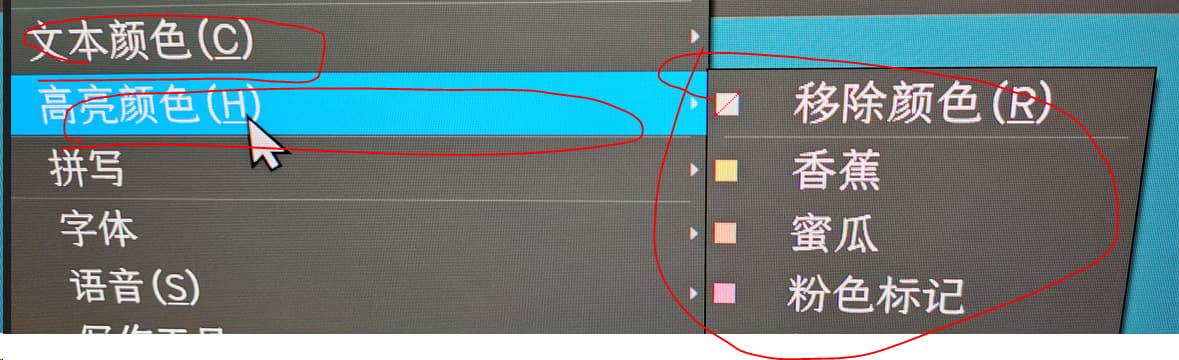
Customize the highlight and text colors of this interface
In night mode, the highlight color is light, which coincides with the font color, making it difficult to read. The font color is a very dull color and very ugly.

the fifth place
The font presented by this search and the post-search list is too small and would like to be changed
I mean, the results screen that comes out of this place, those fonts are also very small and not customized

the sixth place
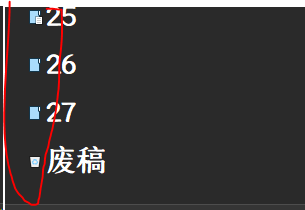
The binder’s icon is too small and hopefully can be customized

the seventh place
In the tooltip bar at the bottom of the interface, the colors of various icons are too dim, and custom fonts are not supported, nor do you support modifying the font size

The eighth place
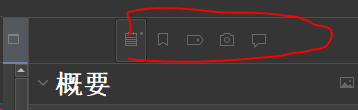
These icons above the binder are very dim and small, which is visually difficult to judge, and I hope that they will be corrected to become larger

In all of the above, as far as I know, the software settings interface cannot be customized, only by editing the code.
Maybe these should be added to the wish list


My permissions are not yet able to embed images, and hopefully my description is sufficiently descriptive of my needs.
Functionally speaking, all kinds of minor problems can be overcome in this software, but some problems with the details of the interface design must be modified. Otherwise, it’s hard for me to use.

Hi, I do like a challenge, but have little time to spare. I think some of the items on your list cannot be changed, but I’ll have to investigate…

What’s the Base Theme to start from? The Dark Theme?

The Binder Icon size is changed in File > Op­tions > Appearance > General.


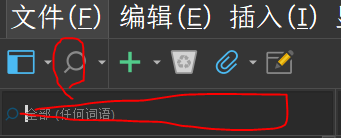
At the moment, the thing that bothers me the most is the font size in these two places.
Especially the search area above the editor, its search results, the list font is very small. I think this is something that programmers ignore when developing.

Thank you very much for your help, the reply post can be posted, so I re-posted it.
I’ll elaborate on that next.
I’m using the default night mode, dark mode
灰色.scrtheme (18.0 KB)
This is a custom setting because it’s so hard to find the code, and I think it’s hard to do.

I need to fix some details of scrivener, I hope to get help, it’s too hard to write code.

The first place


This is the header font size above the editor, which cannot be customized here, it is too small.

the second place


The font interface of this search box is very small
image
The indicator icons on the search results screen are small and dark
I want the correction to get bigger and the color to white

the third place


This is a list of titles under the collection interface, the font size is too small
The title font at the collection is small, and there is no customization

the fourth place


Customize the highlight and text colors of this interface
In night mode, the highlight color is light, which coincides with the font color, making it difficult to read. The font color is a very dull color and very ugly.

the fifth place
image
The font presented by this search and the post-search list is too small and would like to be changed
I mean, the results screen that comes out of this place, those fonts are also very small and not customized

the sixth place


The binder’s icon is too small and hopefully can be customized

the seventh place
image
In the tooltip bar at the bottom of the interface, the colors of various icons are too dim, and custom fonts are not supported, nor do you support modifying the font size

The eighth place


These icons above the binder are very dim and small, which is visually difficult to judge, and I hope that they will be corrected to become larger
【In reply to your guidance, this is that the icon of the document tree is difficult to change, and the document tree font size can be defined.】

That’s what I really want to say. These places are hard to modify, and perhaps should be turned into a wishlist.

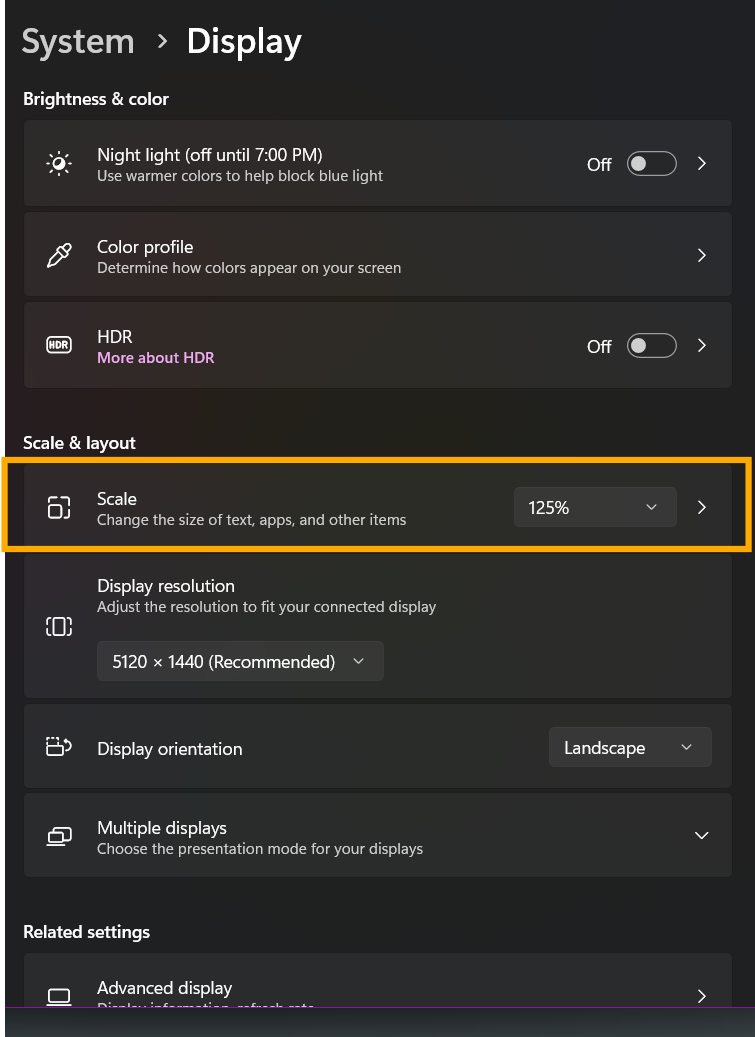
I don’t have time to test this, but have you tried changing the display scale setting in Windows?

1 Like

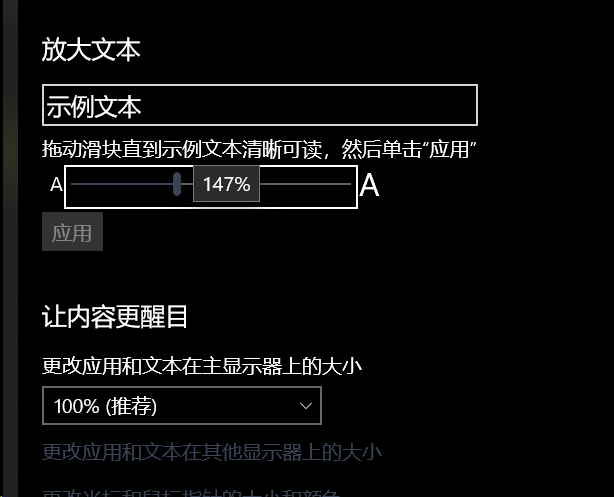
Thank you for your reply, but adjusting this zoom should not work. All settings of the scrivener are done within the software and are not affected by the settings of the computer. In fact, I’ve even tweaked the setting below.
This means “enlarge the text”.
I think it’s an issue with code control, adjusting the zoom affects the rest of the UI.

It looks like your setting to change the size of apps and text on the main display is set at 100%. Did you try adjusting this particular setting? That’s the one I had in mind.