What does this binder icon mean? I don’t see it in the binder icons list in the manual.

What does this binder icon mean? I don’t see it in the binder icons list in the manual.
Looks like a custom icon, not one of the standard Binder icons. So it means whatever the person who assigned it wanted it to mean.
remember any png file can be used as an icon and added to the icon manager.
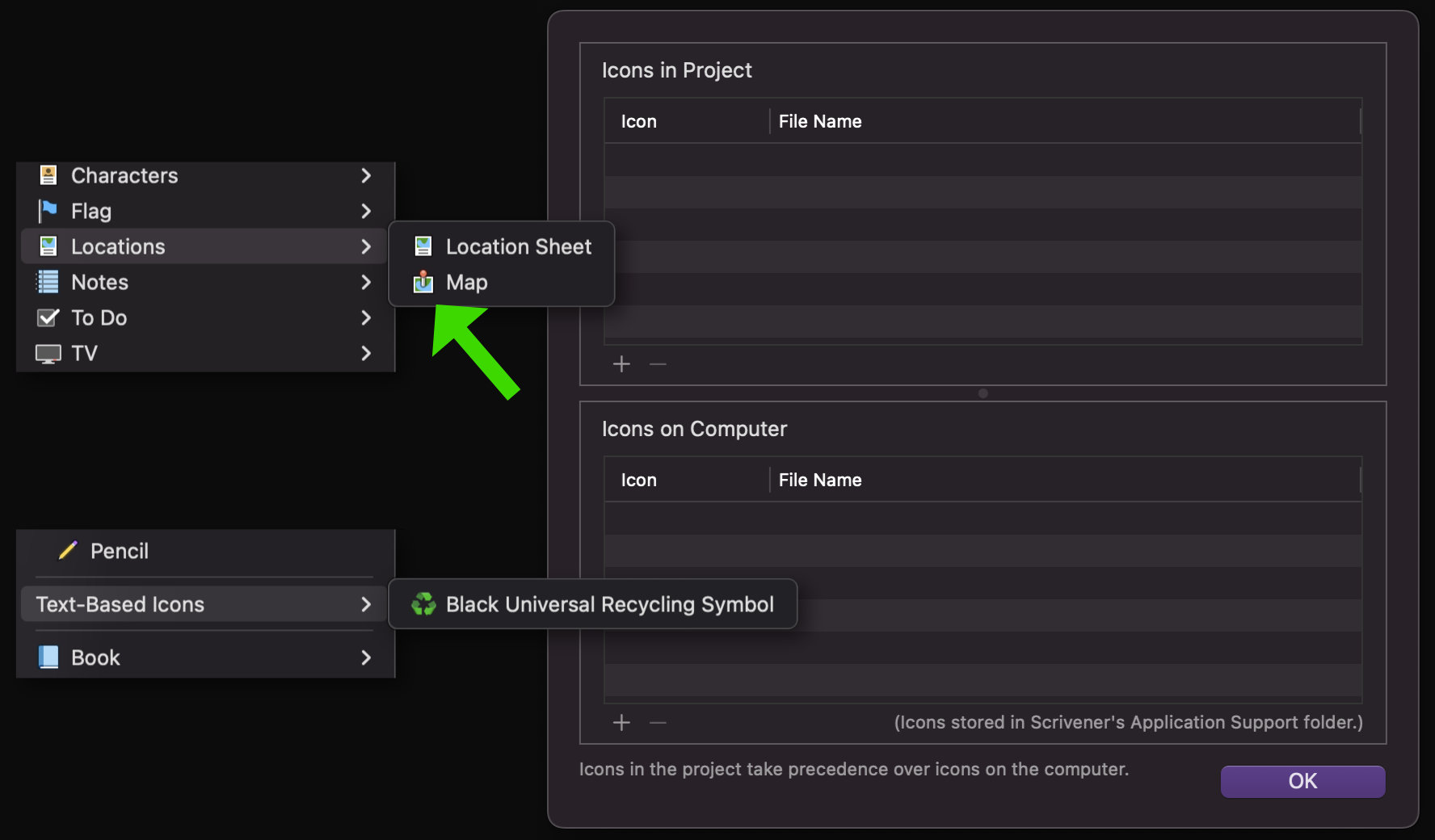
And to answer in a broader sense, the icon is meant to depict a map, upon which a red pin has been inserted. So it’s meant to be used for diagrams of locations, drawings of areas, actual maps, etc. But of course, one can use it for whatever they want. It could be a lifeguard diving into a swimming pool, if you squint at it just so.
Thanks for the reply – and the laugh.
I had forgotten that the icon menus shows the name of the icon. I’m now reviewing the section of the manual about icons.
It’s a Scrivener icon. Either that or there’s a secret method that Scrivener uses to pull additional icons from other (system) resources?
I have none added, except for a single text-based one (or was it already there? can’t remember), and the same map icon is avaiable.
Sorry, I was being sloppy with my terminology.
It is an icon assigned by the user (or a template), not automatically assigned by Scrivener. Its origin is irrelevant to its function.
Clearly a lone toddler standing in a wading pool. There does not appear to be any lifeguard on duty.
In this text section we are obviously building suspense.
So it’s not the standard icon for a Settings Template? I must catch up with my iconography.