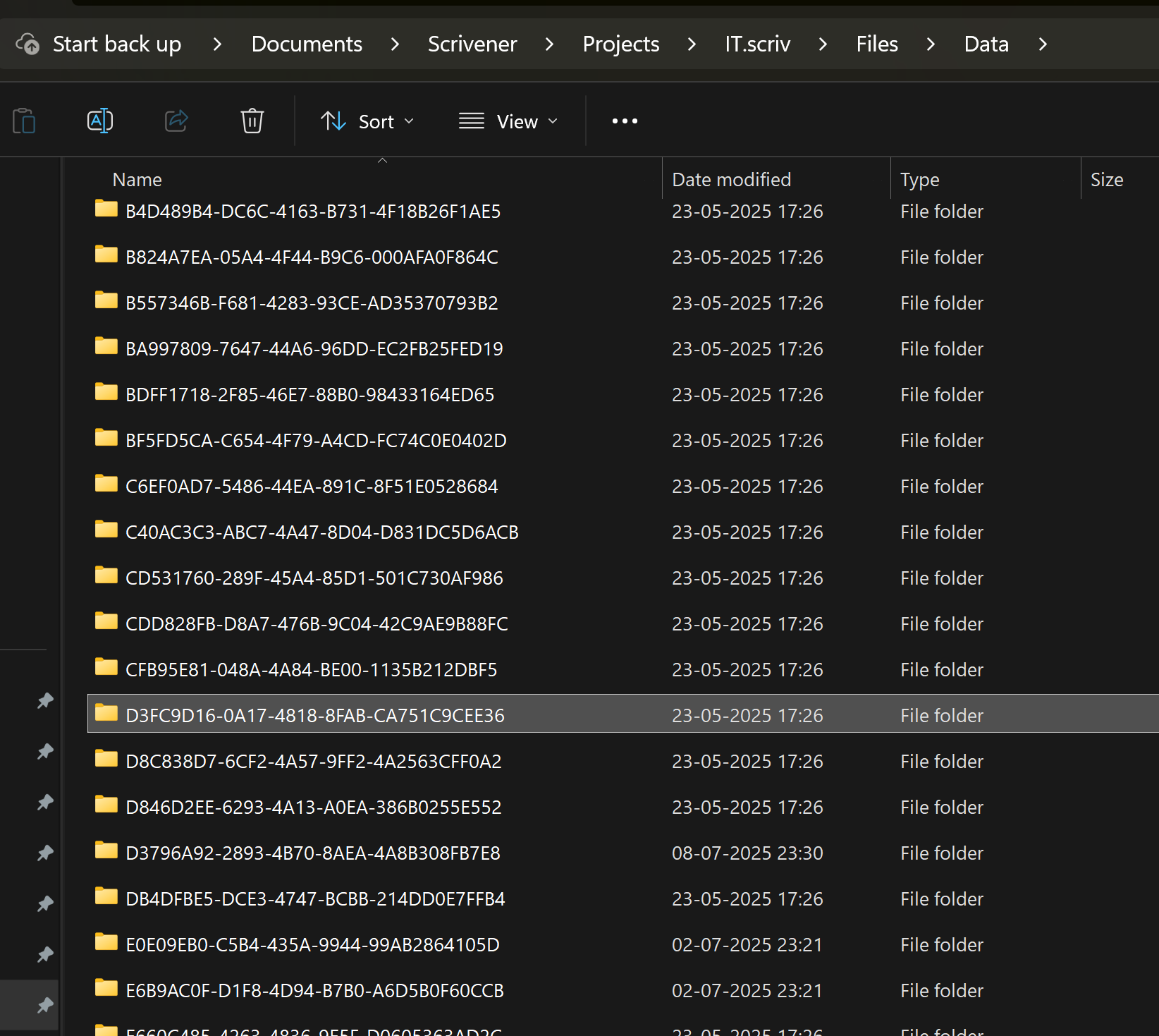
Okay, well the “Import Project” command is meant to be more “robust” in the sense that if what it is given isn’t a valid project, but looks like the remnants of one, it will just do its best. So often it can be used to restore things mostly the way they were, but depending on the damage it might be even that doesn’t work.
Worst case, there is the fact that Scrivener’s projects are standard files for this very reason (among other reasons too), you can just import the “Data/Files” subfolder as normal files, drag and drop from Explorer. It will be a bit of a tangle since the binder names won’t be used, the internal IDs will be used instead, but at least the words will be there.
If you want a “key” to all of these internal IDs, you could locate the “search.indexes” file in the Data subfolder, copy that somewhere temporary and rename it to “Old Binder IDs.txt”, then import that into Scrivener. You can then search for binder titles, and relatively simply see which ID matches it.
If the search index is broken or incomplete, then the .scrivx also has all of these pairings. I suggest trying the search index first because it is more human-friendly, but the .scrivx isn’t difficult to read either, it just has more information clutter in it. Either way don’t try to import those files directly, copy them and rename them to .txt extension so they are “inert”.
You mean the folder structure of one or both of them in a file manager (as the project to be reconstructed does not open anymore)? But wouldn’t / mightn’t that cause inconsistencies in the back up?
Not quite, for that approach I was recommending dragging and dropping between open binders. The file system wouldn’t be involved in that equation. But if you can’t import the project at all anyway, it’s rather academic.
And I guess, Scrivener could not properly handle 7,4 GB big projects according to his general behavior (as it seems to be here, alone by overloading the RAM).
It really depends on the usage pattern. Scrivener isn’t going to load all of your project at once into memory under normal usage, but I suppose one could get to that point on purpose—say if all ~4GB are RAW photos dropped into RTF files in the Draft folder, and you select the Draft and view as Scrivenings mode. That will necessarily load everything, and probably crash anything but a pretty powerful computer. I don’t know, I’ve never tried it.
Normally though, it only loads what you click on, and normally if someone has gigabytes in their project it isn’t in the Draft but in hundreds of PDF files, videos or whatever else was imported as research—stuff you can’t bulk load accidentally.