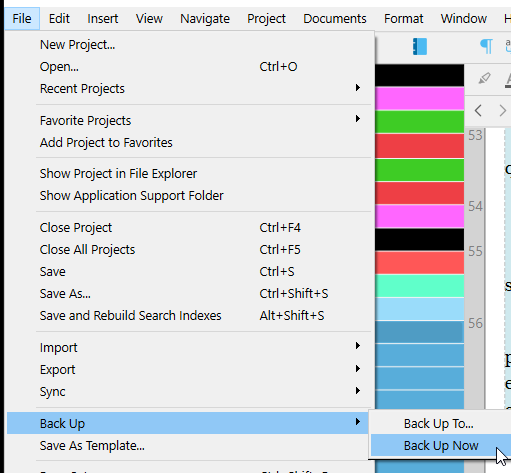
When I finish the program, the backup crashes at 87%.
Backup at startup and manual storage works.
I first thought it had to do with an encrypted storage space or slow USB stick.
However, the problem also arises under other conditions.
The dilemma can only be ended by restarting the PC.
One thing to try, to know whether the issue is with your current setup or Scrivener itself, would be to make a copy of your project directly on your computer and see if it behaves well. If it does, the issue is with your thumbdrive. (Perhaps in this case search the web about interrupt issues.)
━━ HINT ⮟⮟
Hello
I have tried unsuccessfully to save it on the PC.
It changes nothing. It has nothing to do with the USB stick. It would be USB 3.1.
I save in a digital safe because Scrivener has no encryption on board. Saving in a normal folder on the PC does not change anything either.
I have already decoupled the settings for Save, Quit and Backup. This also had an effect
I want to use Scrivener offline. Can it have an impact if I am not connected to the Internet or if I do not let the firewall Scrivener into the Internet?
I’m sorry, I am having a hard time understanding what you are saying.
…I’ll assume that you mean you’ve cloned your project on your computer’s HD and that quitting Scrivener still hangs during the automatic backup on quit.
Two things come to mind:
Backup location on SSD/HDD.
Project size, which may be large because of embedded content like pictures, unprocessed PDFs.
If you can get the backup to auto save on close to your c: drive somewhere setup under File → Option → Backup, I can provide you with an AutoHotKey script to backup to your vault on your USB stick.
You’d need to install AutoHotKey version 2—reputable freeware.
The script runs in a second, and completes in time it normally takes to manually copy between devices. The advantage is you run it anywhere/anytime your computer is on, using a unique keyboard shortcut that’s intuitive to your need, like Ctrl+Alt+B.