I have two almost identically-named PDFs in a project’s ‘Resources’ (Research) folder. Effectively duplicates; one is really redundant, being a copy!
Because these two docs are essentially the same, I want to delete one and rename the other… for consistency’s sake.
How do I find out where and in which Text each PDF is being referenced, please: I always add such a resource using the Insert > Insert Linked document, then navigate to my Resources Folder?
If you have linked to the PDF that you want to delete via drag and drop, the name of the document would be in the link anchor unless you’ve modified the said anchor.
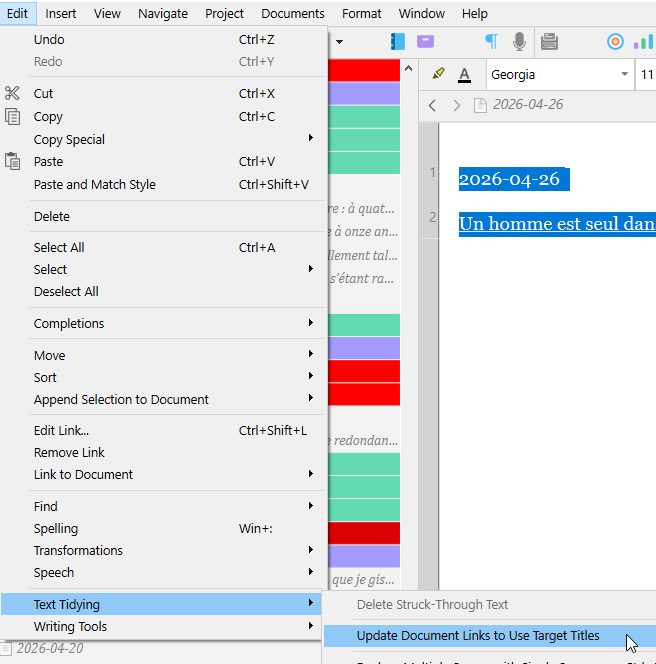
You could use project search, search in your text documents for that name, then select the link and drop the one PDF you want to keep on the selection (the link) in the editor, or right click the link and (“edit link”, 2nd from the top in the menu) modify the target.
I thought I had linked to it (old project) using Scrivener**’s Insert menu**, so the anchor wouldn’t come into it, would it?
Strangely, I cannot find either document by searching the entire project!
So am I not right to think that - in that case - if I can’t find a reference or link to the PDF in Resources, it really is safe to delete either one, aren’t I?
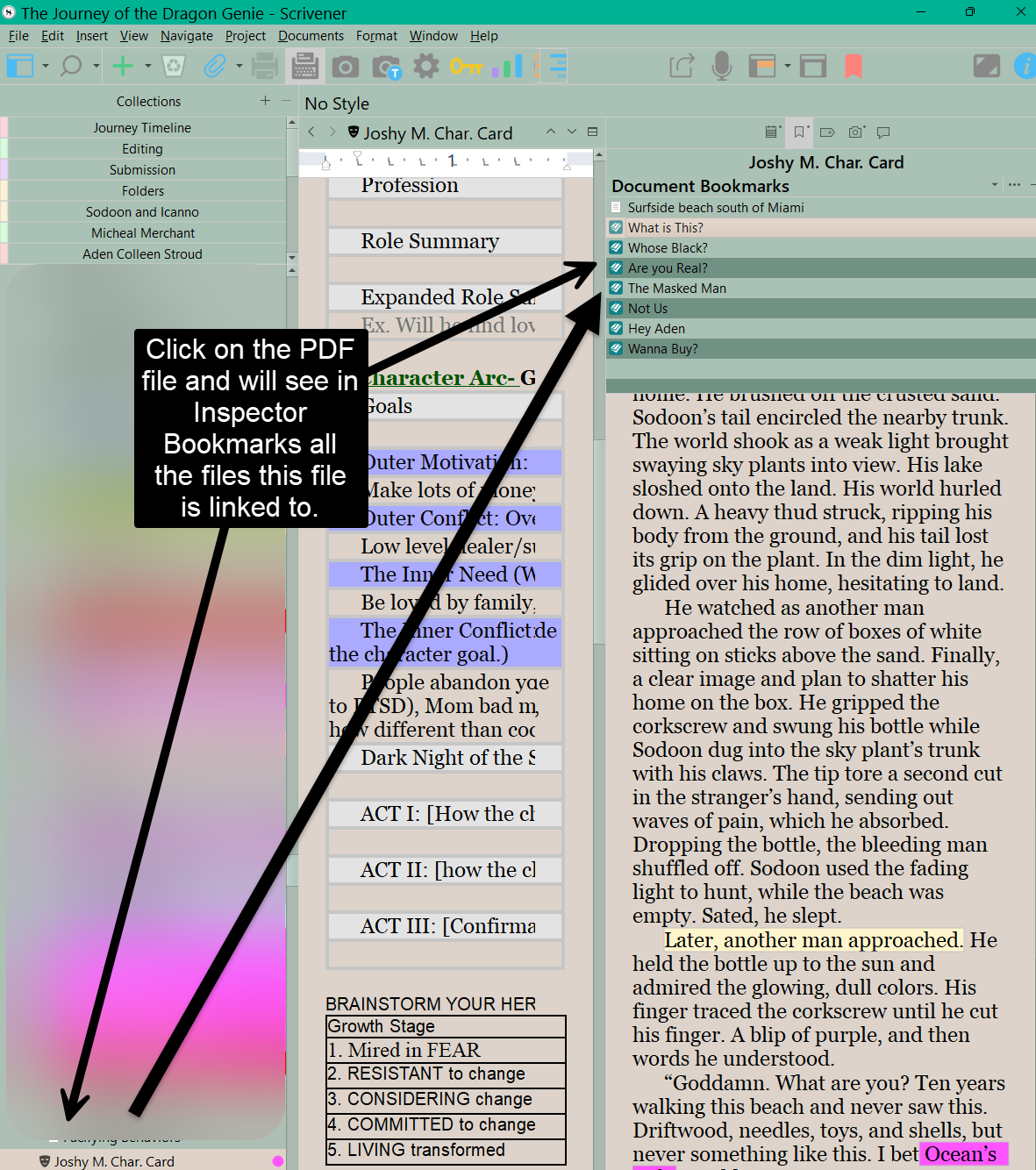
You can also check in the inspector / document’s bookmarks of your PDF’s binder element. If you have the back-link option activated, there’d be a list of the documents with a link to the PDF in there.
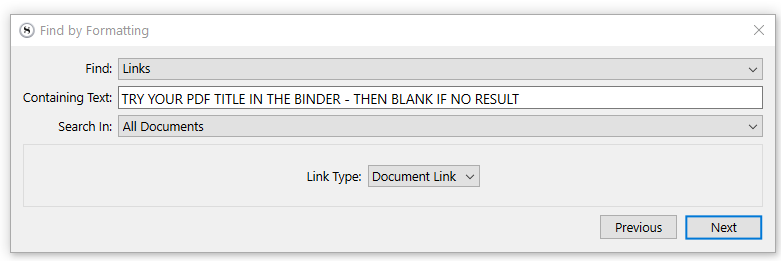
Another thing you can do is to rename the PDF you want to delete “XXXXXXXXXXXXXXXXX” in the binder.
Then :
I now feel pretty confident that I must simply have added the same PDF (with two different names) into my Resources twice… I’m usually more careful. The Scrivener Project (in my defense!) is over ten years old and hardly returned to in that time.
Have you checked the Document Bookmarks tab in the inspector yet? By default, whenever you link to something (or create a Bookmark to it, in this same list), a link back to the originator will be added to that list, and so it should help you find links that no longer use the same title.
Was just about to suggest that. See image below and you see every document the reference file is linked to. You could then update by linking the correct pdf to these files by adding to a collection to then link to.
If you select all the bookmarks, then can right click and open in the current editor. Now click on the Editor icon and choose reveal in the Binder. These documents are highlighted and can be added to a collection. Now you can change what needs to be done and remove documents from the collection as you correct the issue.
 .
.