I switch between a 24-inch iMac and a 15-inch MacBook Air often with my book, and I have custom Layouts setup for each, which works great for the different screen resolutions / real estate in regards to the Binder and Inspector windows. However, the one thing that drives me nuts is that the Main Editor text scaling zoom isn’t included in the saved Layout (I use 210% scale for the iMac and 180% for the MacBook Air. Will this ever be included in future Scrivener updates, at least as a checkbox option?
1 Like
Hi.
You can set the default for each install in the preferences.
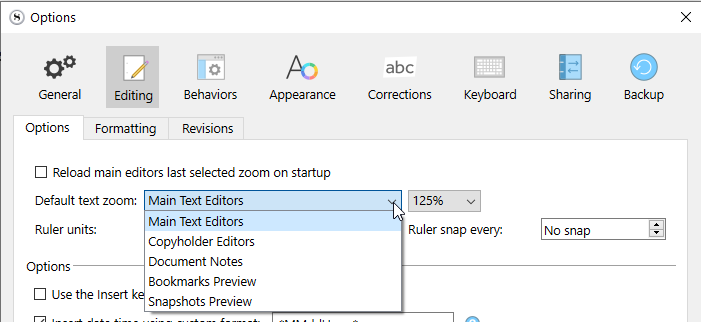
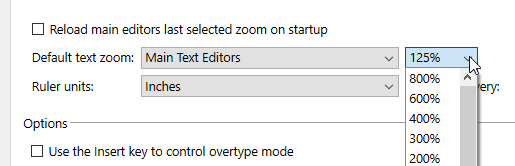

(Windows screenshots, but it should be the same.)
Else, if your request isn’t related to having multiple computers, and what you want is really to be able to have different zooms per layouts (for a single machine), yes, that’d be a good feature to have.
2 Likes
Nope. This is what it looks like on macOS:
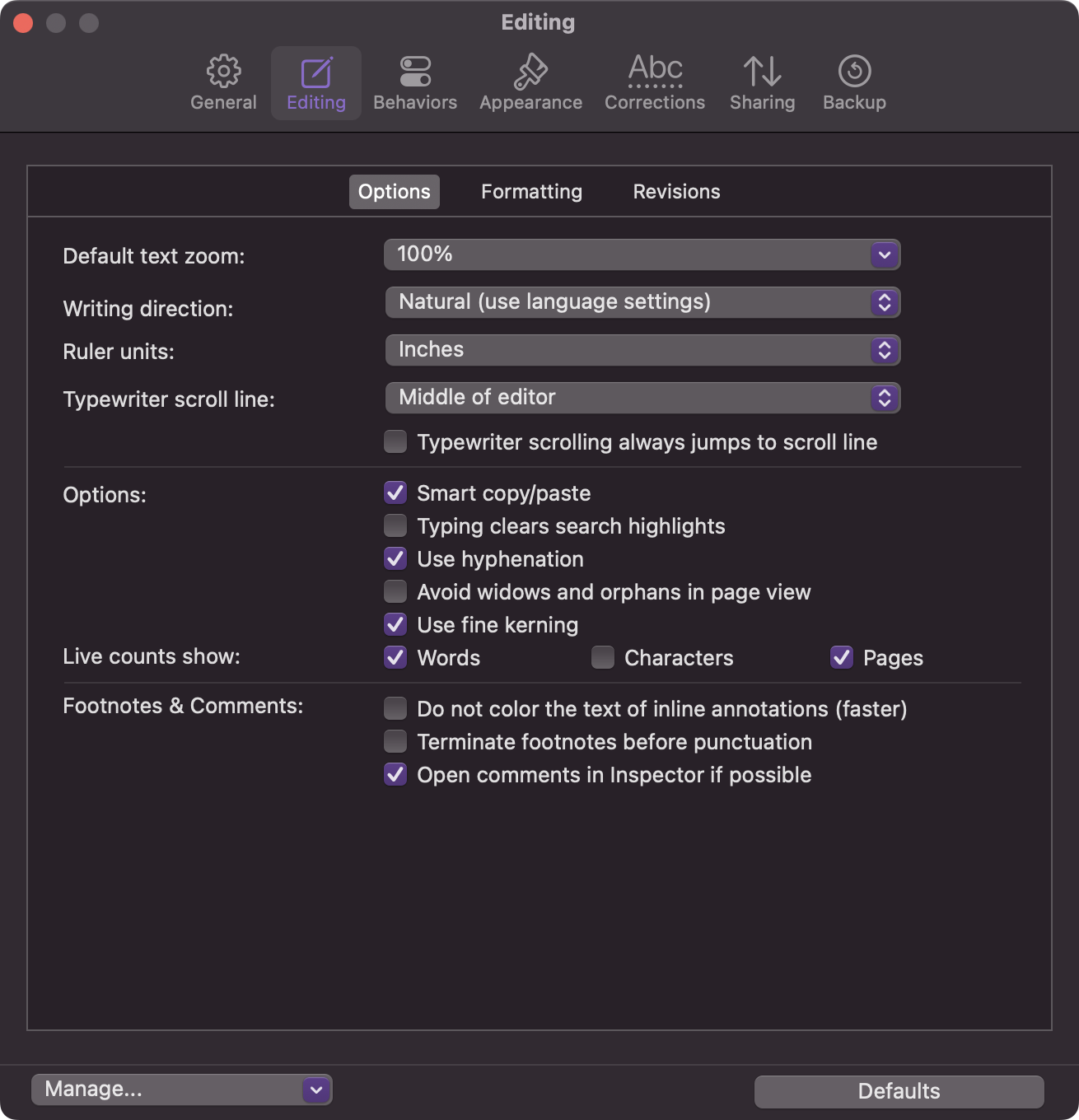
If there is a comparable setting, it’s located somewhere else.
2 Likes
It is always a big surprise when (which is not often) it is actually the Windows version that can do something the Mac’s can’t.
At least you’ve got a global default text zoom that can be set per install…

1 Like
Unfortunately that doesn’t do what you suspect it does (and thus the OP requested). E.g.:
- My default is 100%.
- Zoom Editor to 150% on “Computer A”.
- Quit. Sync.
- Open same project on “Computer B”. It’s now 150%.
- Zoom the Editor to 200% on “Computer B”.
- Quit. Sync.
- Open same project on “Computer A”. It’s now 200%.
I just tried this on my Macs as well - the text scaling percentage set in Settings sticks per device, but the Main Editor zoom seems to be saved with the project from whatever machine accessed it last, if it is adjusted on the lower-left corner of the Main Editor window. So I gather these percentage settings stick per device on WIndows PCs? Nice feature - wish that translated to Mac (with Macs I need to manually reset each computer’s Layout as well, every time).
1 Like
While you are waiting for your wish to come true…
On each Mac, use Apple > System Settings > Keyboard > Keyboard Shortcuts > App Shortcuts to set a key command for Scrivener app for the preferred zoom level on that Mac. Make the key command the same on each Mac.
In this way, no matter where you are, there is a key command to zoom the Editor to the preferred scale for wherever you are working.
3 Likes