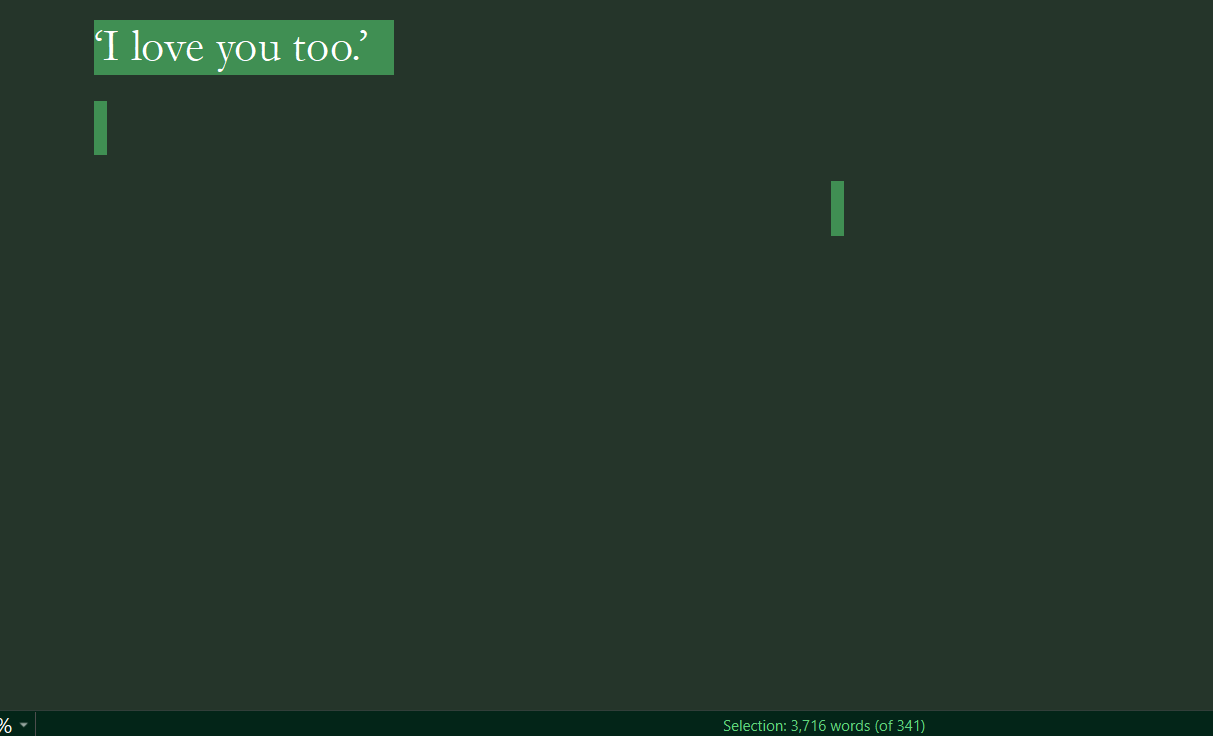
I’ve had this happen to me for a while now. And I wonder if its an issue with my autosaving or whatever? But occasionally, and I think this happens if I don’t manually close Scrivener and like say, my computer shuts down unexpectedly, my word count in a document doesn’t update.
Okay I can’t insert a screenshot but basically when I highlight the document it says 3716 words (of 314). So it’s only reading 314 but theres actually 3k words.
I haven’t lost any words at all, but it mucks up my word count which can be annoying cause I have adhd and I sometimes forget to check my word count for the day with my goals. If i now type in that document it’ll update the wc and make it look like ive written 3k for the day.
You should be able to post screenshots at this point. It typically only takes a little browsing and searching to get past the “new user” phase.
Are you referring to how the editor footer bar might sometimes show an x/y readout? If so, that isn’t an x of y, in the sense of the second number being the total. The x is the total (3716), and the y (314) is the goal you have set for this section. So if that is what you are seeing, then in this case you are way over target.
When a goal is set, you will have this x/y readout, and a progress bar in the footer bar along the right hand side. Click the progress bar to set (or remove, by setting to ‘0’) the goal.
its definitely nothing related to a goal. There is 3000 words on my document but Scriv is only reading or detecting 300. When i go to continue to write in that same document, scriv updates the word count and in doing so it updates my word count for that day in my writing history, which skews my word count and causes inaccuracies
Oh yeah, that definitely doesn’t look right on multiple levels. The count is weird, as you note, but the selection looks weird too, like some of the text is invisible?
I’d try this first:
With this section selected in the binder, use the File ▸ Export ▸ Files... menu command to export it by itself. Select plain-text (TXT) as the file type.
Drag the exported TXT file back into the binder. This will strip out all formatting of course, but since selection seems weird, it will also avoid any bugs related to selecting text in the software (otherwise we could just try Select All, and then Paste and Match Style (which also strips formatting to TXT) into a new section.
Depending upon the results of that, we can go from there, but if that restores the full text, you might just consider trashing the original and replacing it with the imported copy, repairing any formatting by hand.
oh for the ‘invisible text’ comment, that’s just cause i have typewriting scrolling on so that when im writing my text sits in the middle of the screen not at the bottom and there’s probs some added spaces in there by accident or something XD
OKay but i dont have any issues with the text itself. there’s no missing words or content. It’s just scriv reading the word count wrong or not updating it when the program closes. I’m not particularly sure what the error is.
Understood, I’m just curious to see if the file imports as 314 words properly. If it doesn’t then there is something weird about the text itself (maybe a bunch of junk characters, which being characters, will survive TXT).
You could also try holding down the Alt key and clicking on the File menu, to reveal some troubleshooting commands. The one I’d try is to Save and Rebuild Search Indexes. We often use search indexes to speed up the software, rather than reading actual data (for example, the corkboard uses the index so we don’t have to open and load potentially hundreds of cards from the disk). In theory the two should always be the same, so we might as well use the faster one, but some odd scenarios can cause them to get out of sync—hence the command to resync the index to the actual data.
okay I tested the out exporting for you and the text has no missing content. Meaning it def feels like there is a problem not with the saving but something else. I’ve also found that when i quit scriv occasionally it doesnt open up to my last opened document within a project. For example i might be say working on chapter 2 of something but when i close the project and open it up next day it opens up to chap 1.
All right, so it shows 314 in the footer bar like it should, I take it, and the other original item is still showing the bizarre 3k total? Have you tried the command to reset search indexes yet?