Yesterday my word count was at 19k words and now it’s at 17k words but when I click on the word count it still says 19k instead of 17k. I finished chapter four and had started chapter five last night. Chapter five is still here, not a single thing deleted but half of chapter four is completely gone. It says 1,191 words, but again when I click on the bottom part it says 3,424 words. I’m so confused and wondering if my work is gone for good. I didn’t save it under anything different, and the backups don’t go to the bits I’ve lost, can anyone please help me?
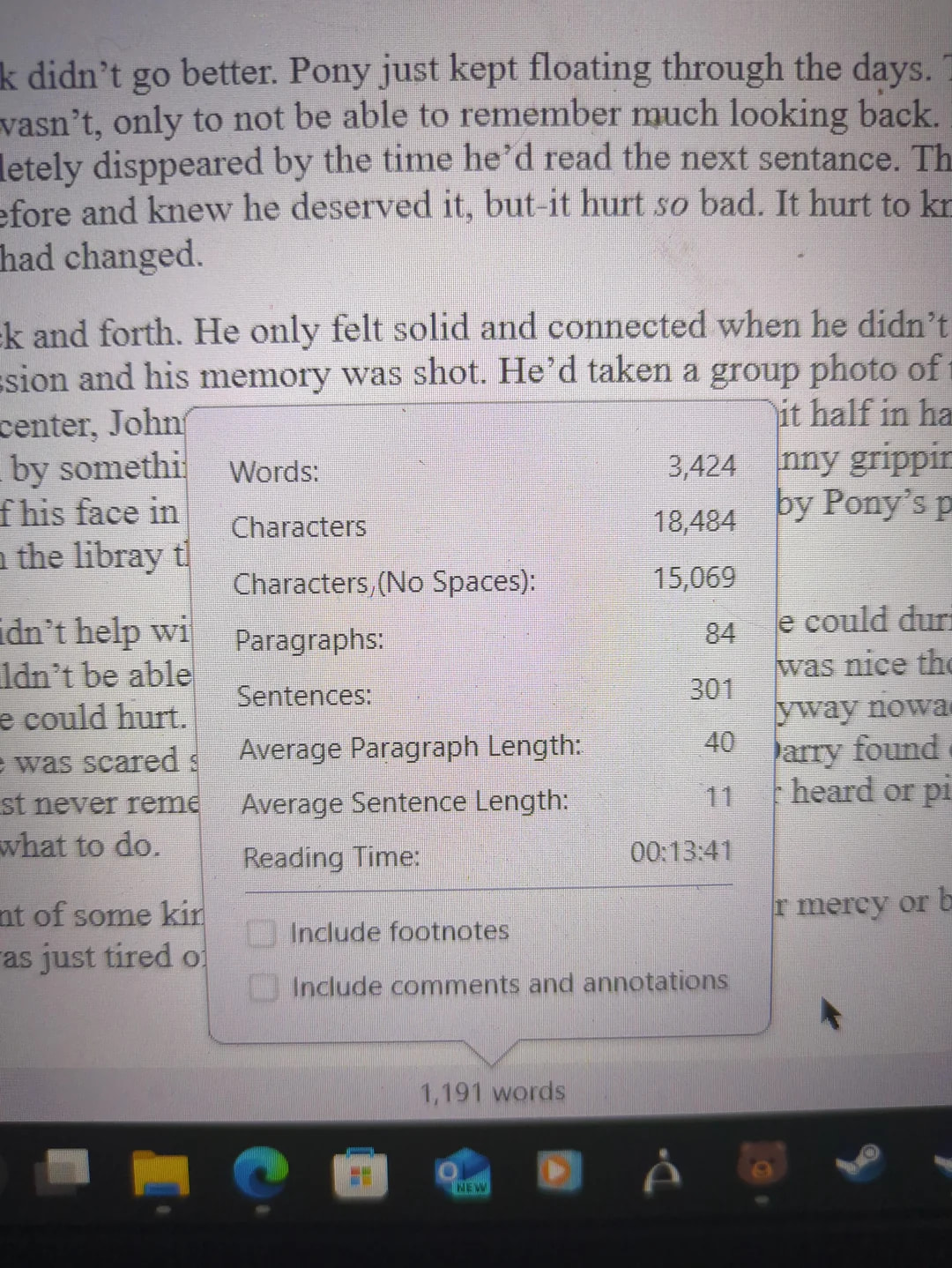
To be clear, the word count tool in Scrivener is reflecting that the words are there, but you cannot see all of these words in Scrivener but they should be there (you haven’t intentionally deleted anything). Correct?
If so, this is usually a cloud issue. Where is your project saved? Go to File → Show Project in File Explorer if you aren’t sure.
2 Likes
Yes that is correct, the words just vanished and I didn’t delete anything. It’s saved on my computer itself, I don’t know how to use dropbox or onedrive
Are you using those services? Like have you setup iCloud to “optimise” disk space? Where are your Scrivener projects stored on the local drive?
OneDrive is pretty integrated into modern Windows computers, so if you’re not terribly aware of how to use it, it’s possible you’re using it without realizing it. What is the file pathway for where the project is saved? (feel free to omit your system username).
2 Likes
Normal files are
C:\Users\username\Documents\document name
Backups are
C:\Users\username\AppData\Local\LiteratureAndLatte\Scrivener\document name-bak