I generally cannot recognize in which of the main folders / in which area I am, so what is(name of) the highest folder of the sub folder, item I am just in, writing. Where could I find such imformation quickly, easily?
I would like to give all the sub folders, (sub) docs, the entire area of / within a main folder a special background color. E.g. if there are main folders, areas like “Vegan recipes”, “raw food recipes”, etc. all the items, sub folders in “Vegan recipes” shall have a green background color to show alle these green items belong to (the area) “Vegan recipes”.
And each new folder, doc created under that main folder (e.g. “Vegan recipes”) shall get the same beackground color automatically. How I could I achieve this?
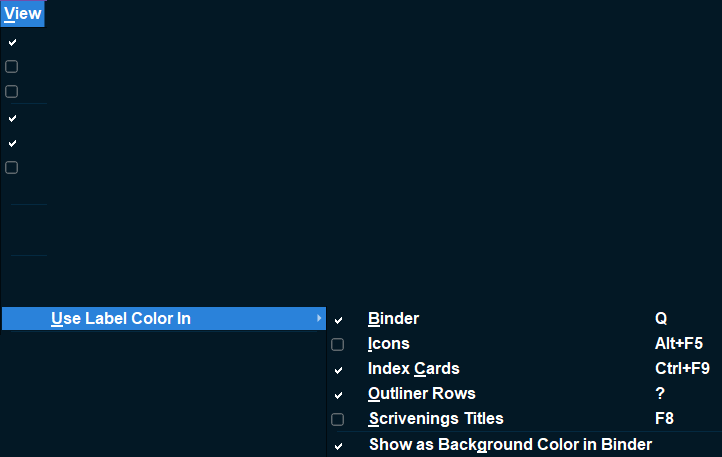
You cannot get subfolders to have the same color of the parent folder automatically, but can choose multiple folders at once by select and shift or ctrl and click and then assign label color at once. Make sure your settings are as below.
If look at picture see is off the view column across the top and the two options in use label color in to achieve this effect are checked. I purposefully blocked out extraneous info to make clearer, but obviously did not make clearer.
This is achieved by a combination of setting a Label on folders and documents, the menu option View > Use label color in Binder, and the menu option View > Show as background color in Binder.
Set Labels in Project > Project Settings > Labels. Double-click the color swatch in front of a Label to change it’s color. Right-click any Binder item to apply a Label (and thus it’s color) to that iten.
You may have renamed Label to POV or something else. In that case look for Use xxx Color In, just under Outliner Options and before Zoom on the View menu.