I was attempting to compile a document and went to create a custom format since I wanted to do something a little different from what I already had. Unfortunately, every time I open the Format Designer, it just shows a blank white box and never adds anything there to do or click on. The only action I can take is to close the box back down. I did an update, but that didn’t resolve it. I don’t see anything in particular causing the issue and haven’t had a problem in any other area of the program.
The forum won’t let me embed pictures yet since I am still a new account, but when I open up compile in Scrivener 3 and click the little icons in the bottom left corner (to either edit an existing format or duplicate and edit one) it opens the Compile Format Designer screen without anything there. From what I have seen in the manual and online tutorials, this is not supposed to be the case. It should be allowing me to make changes to or add new options for how I want different formatting to look.
Once it allows me to embed pictures, I do have screenshots.
What is your screen setup and resolution?
I wouldn’t expect any miracle from it, but who knows : perhaps try resizing that blank panel a little, by dragging the edge. (?)
Single monitor (technically a television) with 1366 x 768 resolution. Sizing is set to medium and scaling is default.
Pressed reply too early. As to resizing, it remained blank, but that was certainly worth a try.
1 Like
When you say “technically a television”, you mean that you are actually going through a video card, right?
I am asking because in the past I tried to make a gif video of Scrivener rather than a screenshot. And the resulting video was blind to any panel but the main Scrivener interface itself. (I looked like I was clicking here and there for no reason at all.)
I’m thinking this could be somewhat related.
If you’ve got a screen somewhere (a real one) and can test it, if all is fine, that’ll answer the question.
(I am pretty used to the forum, and it’s the first time I hear of such.)
→ I can’t seem to find anything related either.
I have use a television as my monitor since it was twice the size of the monitor I had years ago. My computer has a proper video card and to date I have never had any issues with Scrivener opening any of the systems onboard until this one. I might have a more standard screen somewhere in storage I can dig out, but it would be a day or two before I can test that since I’m not sure where it would be in all the boxes.
You may now post images / screenshots to the forum.
Trying this again.
When I go to compile and click over here to edit an existing format or copy and duplicate a format to edit it….
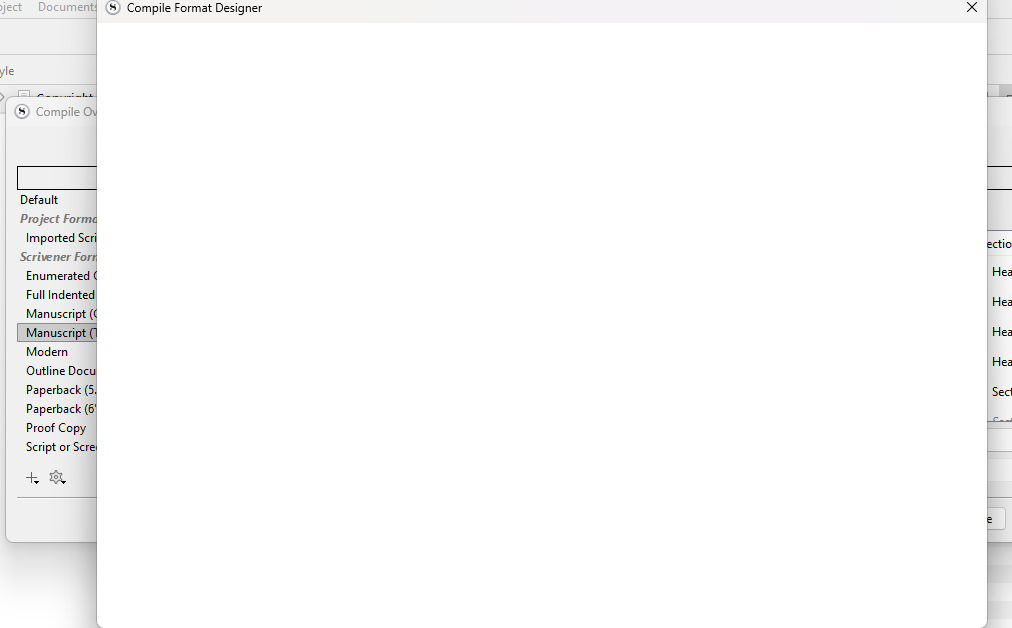
This is the designer opening to nothing. From what I have seen, it should be opening to an actual layout designer where I can create or adjust the section styles to my liking.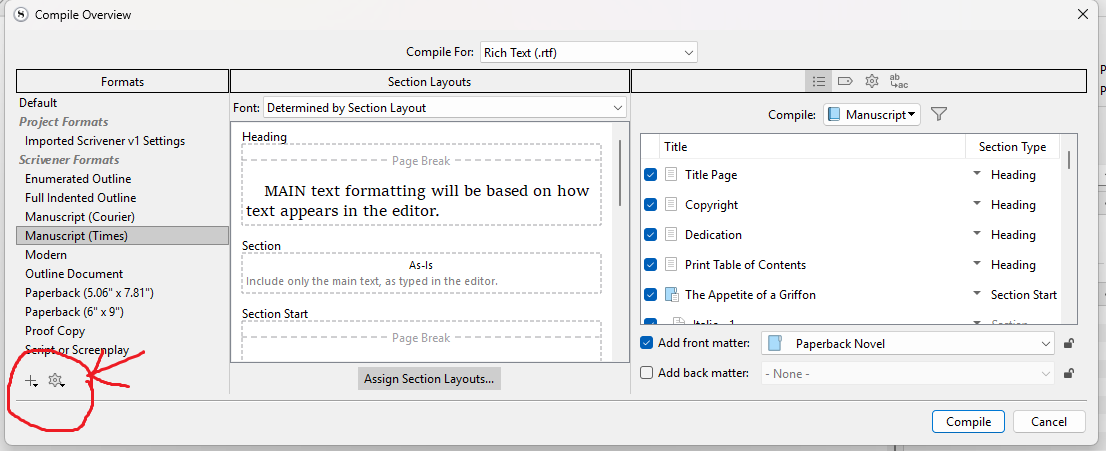
When you click a compile format, the second pane gives a preview of what your output will be. Right click format to see option to edit which opens format. Or double click the compile format to open the compile format designer and may make changes.
I have no idea whether this suggestion is worth anything at all, but perhaps try different settings here :
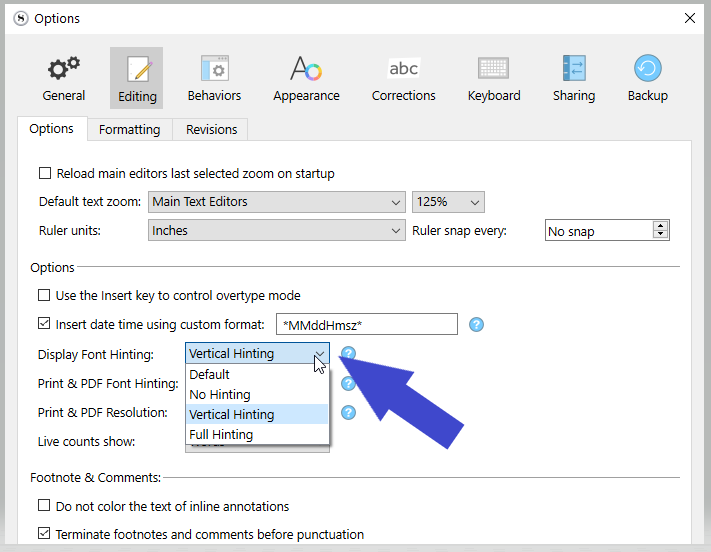
Just a shot in the dark.
. . . . . . . . .
I wonder if the fact that your screenshot is actually blank too could be a clue. (To rule out your monitor setup or not.)
Trying to directly click a format gave me the same set of options and same results.
Although I am noticing the option to simply edit /any/ of them isn’t there. Only the option to create a new one or to duplicate and edit. Direct editing is greyed out.
Altering this did not resolve the issue, no.
You tried all three other settings than the one you were initially on ?
What if you slowly move the blank panel? Like very slowly, perhaps now and then bits will show? That could be another clue. → [Another shot in the dark. – That’s all I have at this point ; shots in the dark.]
Tried all 3 along with a restart, no change.
Slow movement around the screen remained blank.
Side note: looked up the grey edit button, that’s normal on any of the built in defaults.
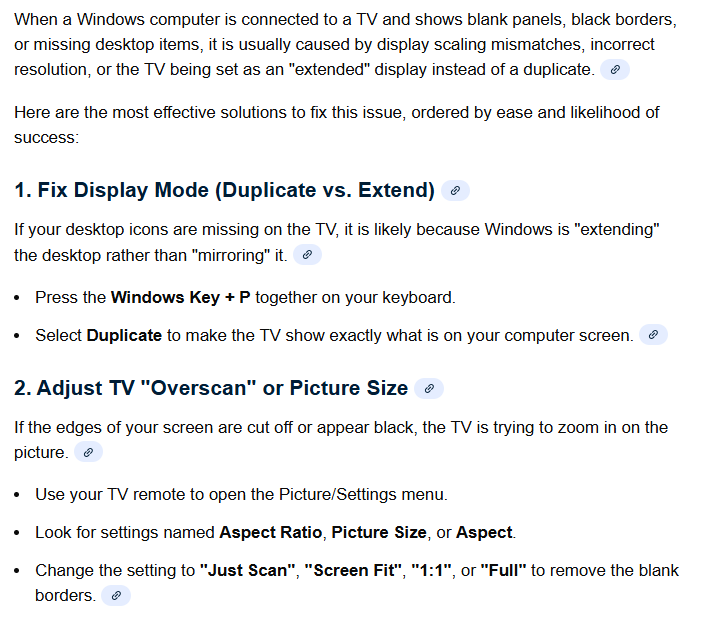
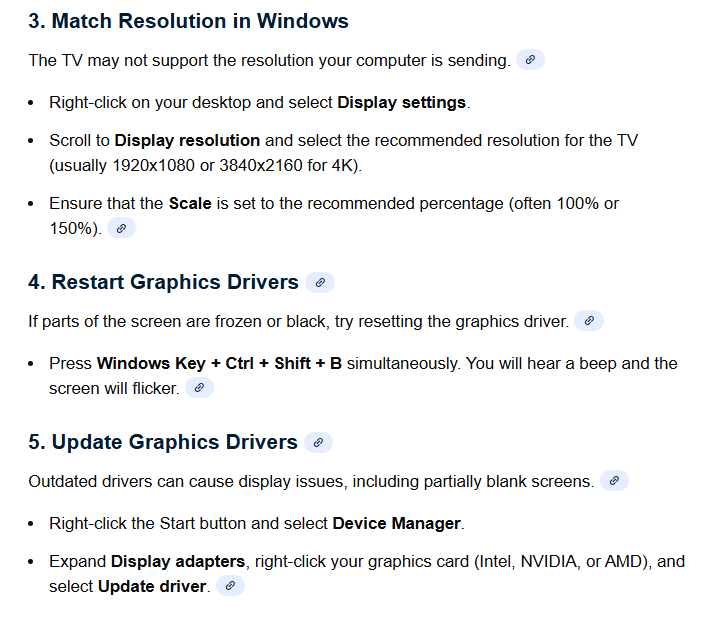
Well, I managed to screw up my display pretty badly and now it won’t revert… but still didn’t fix the issue. I need to work on getting my screen right again, so won’t reply for a bit while I am working on that. None of the options changed it though, so there’s that.
Sorry to hear that 
Another thing to try :
Quit Scrivener.
Disconnect from the internet.
Turn off your antivirus and try again.
[Don’t forget to turn your AV back on afterwards, regardless of the result. If that’s the issue, I know what you have to do.]
I can’t seem to get the edges back on my screen. Did about a dozen things without any of them working, including restarting everything. I ended up just making the browser smaller for now so I am not losing the edges. I’ll figure that out tomorrow. As for the issue with Scrivener, that did not resolve it either. I’m really puzzled as to what is going on with this. Nothing has worked at all, so it’s a real mystery. Given how late it is though, I am probably not going to keep poking around tonight. Maybe there’ll be a better solution in the morning.
I did consider a full re-install as well.