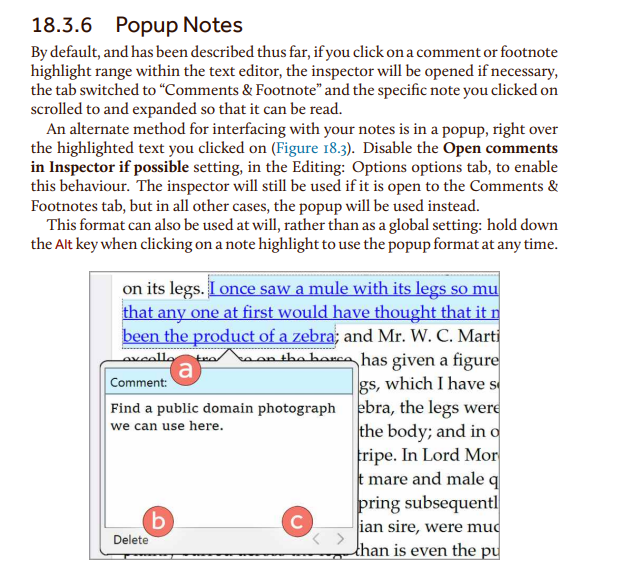
To rather get the preview of the comment/footnote the way I do, CHECK THIS OPTION :
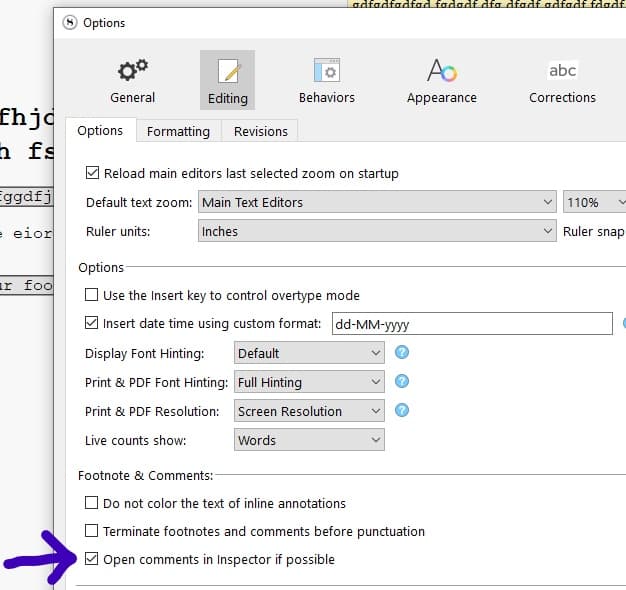
P.S. @AmberV , there seems to be a bug here as I can’t get the popup to work by clicking on text that is assigned a comment/footnote. I uncheck

… but it doesn’t change anything for me.
→ Even Alt+click on the comment/footnote doesn’t work.
[EDIT : OK, I managed to make it work. For some reason, it seems that I had to first click on one of my comments/footnotes once with the inspector hidden to trigger the behavior. It works as it is supposed to now.] (I undertand that it has to be “impossible” to display the comment/footnote to trigger the popup, but before that, being on another pane didn’t work either. Unlike now.)
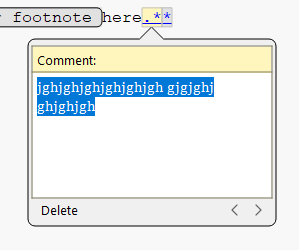
Alt+click when the option is checked still doesn’t work tho.
[EDIT2] And now that works too. (Don’t ask me by what sequence I “fixed” it, I have no idea.) Although I get a strange mix of the two :
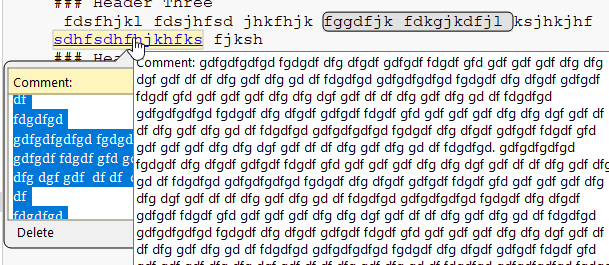
And that

is just not happening if the comment & footnotes pane is visible… (Perhaps what I was doing “wrong” just before EDIT2)
[/bug report]