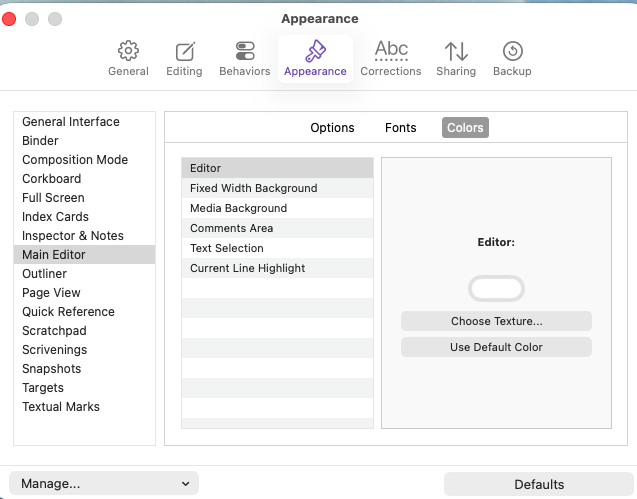
Hello! I am attempting to change the color of the text in the main editor, however, I am not seeing an option to do that. I see in a previous post that someone mentioned there should be an option called ‘Text’ in the colors section of the main editor, but it seems to be missing from mine. Does anyone have any ideas of what could be happening here? I have the latest version. I have deleted and re-downloaded Scrivener from my computer. I’m not sure what else to do.
FYI, I also saw your support ticket. I’m going to keep the conversation here for anyone else who might have the same issue.
Could you post a screenshot of your Scrivener → Settings → Appearance → Main Editor → Colors pane, please? (I’ll check your trust settings to make sure you can.)
Also, what version of Mac OS? Apple has changed quite a lot of the interface toolkit we use lately.
Huh, wow, I switched to dark mode, and there it is. Definitely would be neat to have it as an option for light, but I’ll stick to dark mode for now.
Thank you!