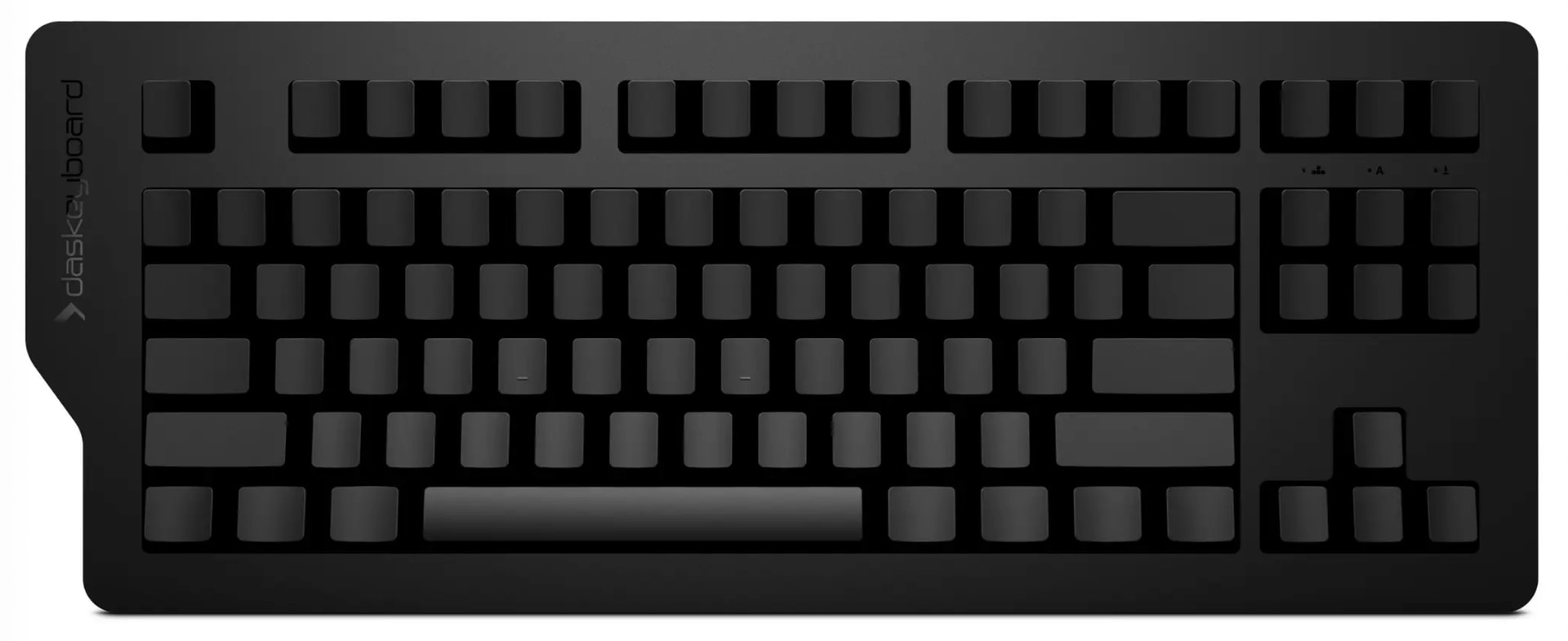
Most of us spend the whole day typing. Let’s say half the day. Every now and then, we should take a moment to think
What I’m getting at is that we’re mainly dealing with text. We move the cursor around, select text, copy it, and paste it somewhere else.
How do you do that?
The conventional way with the arrow keys and modifier + c/v, etc.? That seems pretty cumbersome to me, not least because you always have to look at the keys instead of the text.
Or does anyone have a different “system”? A better one? I have a Mac, but this isn’t a question of the operating system. Thanks for your thoughts
I was just about to ask you that—in a completely friendly way, of course
I type with all ten fingers, using the conventional method, blind and pretty quickly.
The keys are always in the same place; I’ve noticed that too Unfortunately, that doesn’t mean I can find them if I have to move my hand that far (arrow keys) or contort my fingers (Cmd + C)
Okay, that was unexpected. So you touch-type the letters and numbers, but everything else is “searching for”-territory? Did you start out on typewriters?
Yes, it works great. ⌘ is left and right of the space bar, so just a slight inward movement of either thumb away. Try using the right thumb, and the left hand fingers for XCV, that removes the contortion part and unnecessary re-adjustments. (Basically the same way you operate Shift, with the opposing hand.)
As for the arrow keys… It’s a straight diagonal movement (whole hand) from the home row until the pinky goes over the keyboard’s edge and the middle finger rests on the up-down-rocker (this explanation makes only sense on a Magic Keyboard). The left pinky meanwhile handles Shift for the selection stuff.
I have to look sometimes when switching keyboards, of course, some are a bit too creative when it comes to reinventing basic layouts…
Okay, now I get it. Thanks for the clear explanation. Damn, it’s easier to get a stork than to learn how to do that. I mean the part about the arrow keys.
Now this is getting embarrassing Do you know how long I’ve been typing and never came up with this really simple idea? I’d have to get used to it, of course, but that should be doable.
Can I ask how you select text? With the mouse? I’d like to find a way to do it with the keyboard.
The Windows / Linux folks have it easier with Ctrl+C/V and such, a relatively comfortable one-hand-combo. It doesn’t translate well to the Mac.
Depends. Sometimes it’s easier to select with the mouse (especially larger chunks that start / end somewhere in the middle of a text) and operate copy / paste / cut with the left hand (middle finger on ⌘, index for C and V, ringer finger for ⌥, ⌃ and pinky hitting ⇧ if necessary. Only makes sense for longer “reorganization sessions”, otherwise too much finger re-adjustment.)
“Small stuff” (within mainly typing) only using the keyboard. Holding Shift and then the usual arrow-key-stuff. You can speed it up with ⌥ to move the cursor at word level. (There are more shortcuts of this type.)
In lazy-mode only with the mouse. I mapped Copy and Paste to two of the thumb-buttons. If it’s mainly moving stuff around between different applications, and I’m really lazy, I just do that one-handed using the mouse. And eat with the other.
Programmers, in particular, use additional software that lets you do some pretty cool stuff. Things like holding down “f” and using ‘j’ and “k” to move the cursor left or right.
I’ve tried that, but it doesn’t work when typing fast. Even though fans always claim the opposite.
Programmers also move stuff around a lot more and type in shorter bursts. It’s a different use case.
Avoiding unnecessary movements, reaching for other devices, having to reorient your eyes on the screen all the time… If you cut that down to a minimum, that will do.
Definitely a good place to ask. It’s weird that nobody else chimed in already.
Something came to my mind while working on a completely unrelated chore:
Often the processes we try to optimize are the wrong ones to begin with. You probably know this, e.g. moving paragraphs around – for some reason most people select and cut/copy them, then navigate to the target location (often adjacent or close by) and paste… While it’s nice being able to do that faster, nothing beats ⌃⌘↑ or ⌃⌘↓.
I also noticed a baffling lack of interest in storks. Not saying there’s a connection, but man…
If you need labeled caps, you don’t buy this keyboard to begin with. Otherwise the chances of encountering one accidentally are slim to none. It’s like telling a glider pilot “this thing is useless, it has no jet engine!”
People buy this keyboard because they think it’s nice. That’s fine.
But you do buy it because you don’t need the labels? Do people buy something because something they don’t need isn’t there? Usually it’s the other way around: people buy what they need.


 (muscle memory)
 Do you know how long I’ve been typing and never came up with this really simple idea? I’d have to get used to it, of course, but that should be doable.