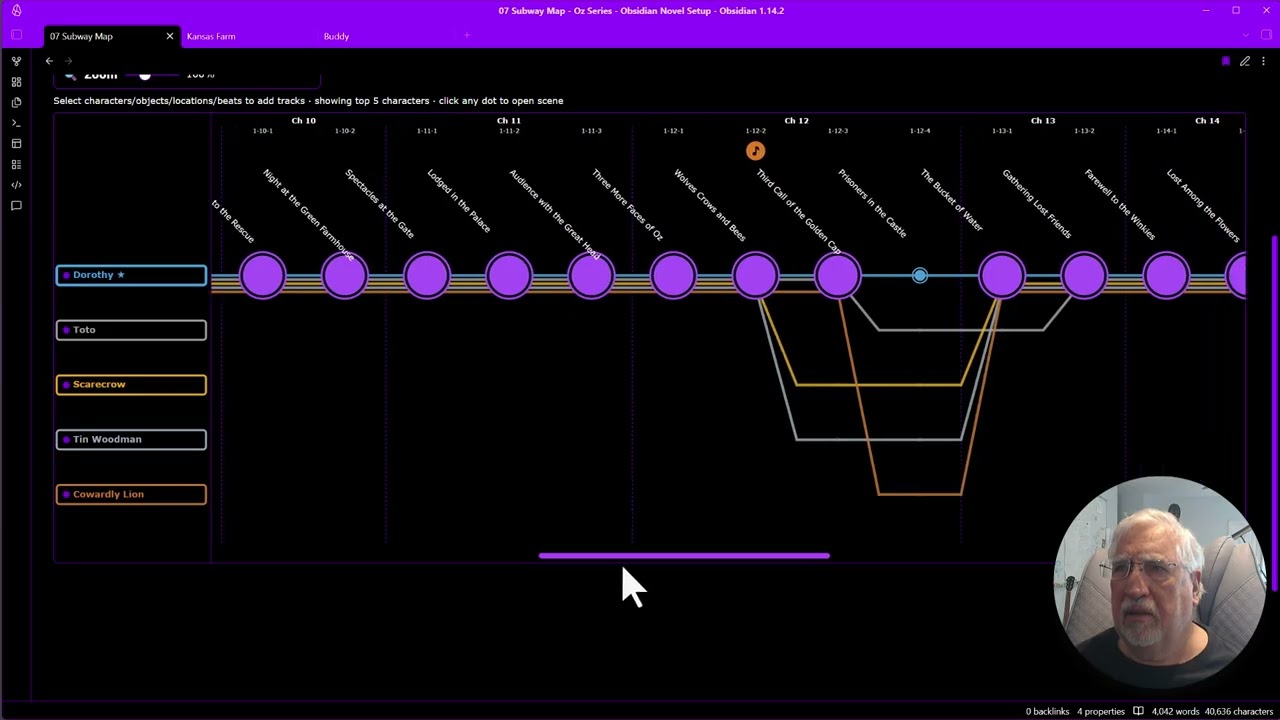
I’ve done it. I’ve created the perfect single writing app for my fantasy novel series. By perfect, I mean perfect for me because I included the exact features I want, nothing more, nothing less. I did it by building the features I actually use from Scrivener and Aeon Timeline, plus several neither has, inside of Obsidian. I’ve already written and published a nonfiction book with it, and am now in the revisions stage of my fantasy novel. I made this video for another writer’s group but thought to share it here, as well. In it, I walk through the features, using the Wizard of Oz books as the example. (I recommend expanding the video to full size. If you’re already an Obsidian user, skip to 10:00.)
I really like what you’ve done with obsidian here. I’m keen to play with the tool, even if I don’t use it. If scrivener became non-viable for who-knows-what reason, I’d much rather invest time in an open source tool like obsidian than some online-only subscription tool. When I look at alternatives to scriv, generally I see one new killer feature, but many more downsides. The only downside I can see with obsidian is the learning curve investment. I would aim to use syncthing to get it going on multiple devices, but I am yet to try whether that actually works as a viable solution.
Well. Technically… the source code is publically available (hello Electron!), but it’s still proprietary software (legally, per license). Ask the Obsidian staff.
Very impressive coordination of the various softwares into one unified package. Do you intend to share this, or just show what is possible? How if you leave things to detail later do you track that.? Can you search the whole document for example for plot holexxx and find the link or do you have a revision, detail clean up link that you send these do later things to?
My goal was to show what’s possible with Obsidian and the Datacore plugin. My time is limited, as I have my head down in the revision stage of a fantasy novel that is the first in a series. I wish I could do more, but honestly, if someone is determined to extend Obsidian for novel writing, they would probably forge their own path anyway. I just wanted to show what’s possible with little more than Obsidian and the Datacore plugin (both free).
When I create a story bible entry, I don’t currently track whether I deem it complete. That’s mostly because I’m constantly refining entries as I write the story. That said, I could add a Properties checkbox to denote whether it’s complete or not, and then create a Datacore view to display which items are complete versus incomplete. It would probably take 10 minutes.
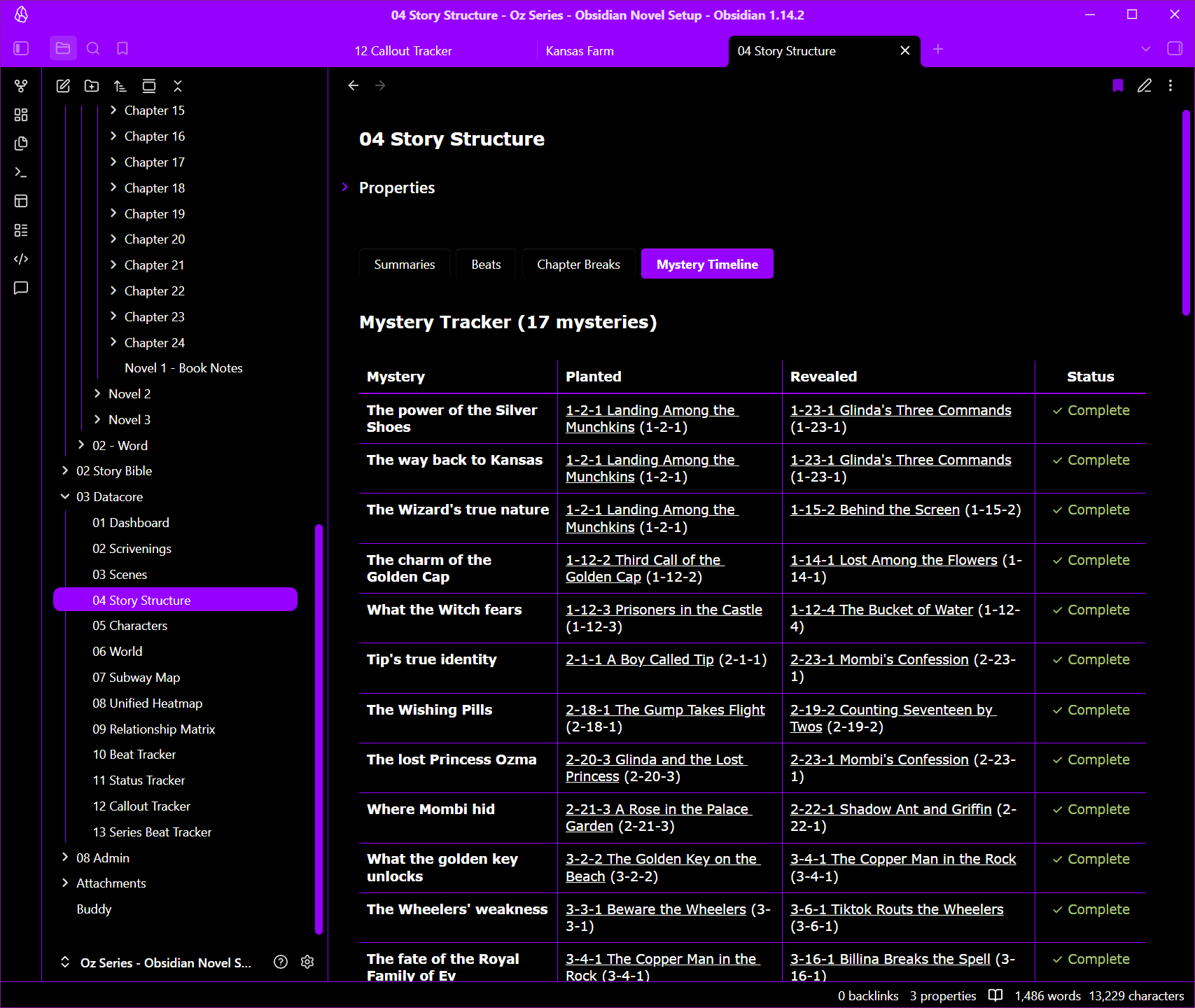
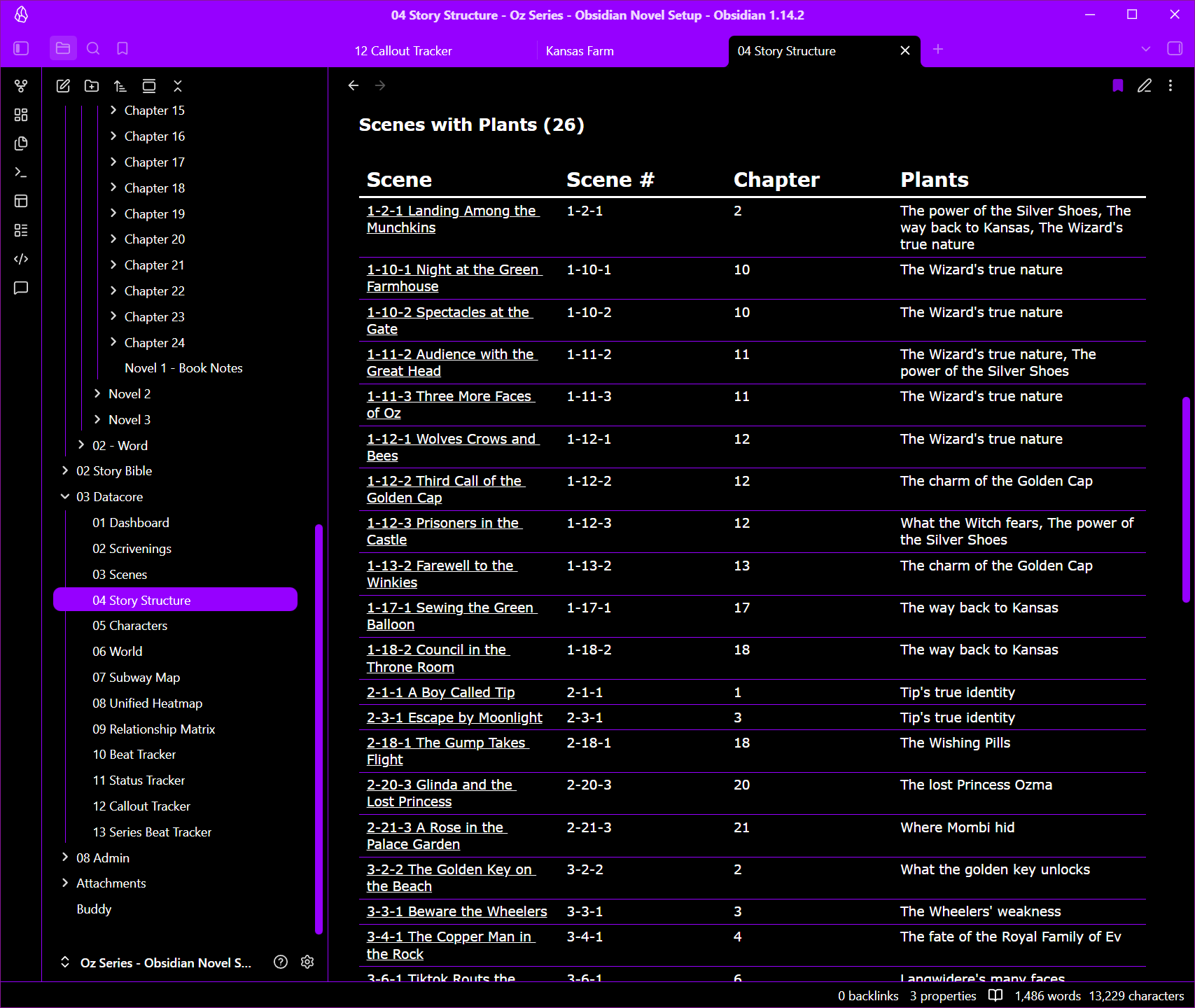
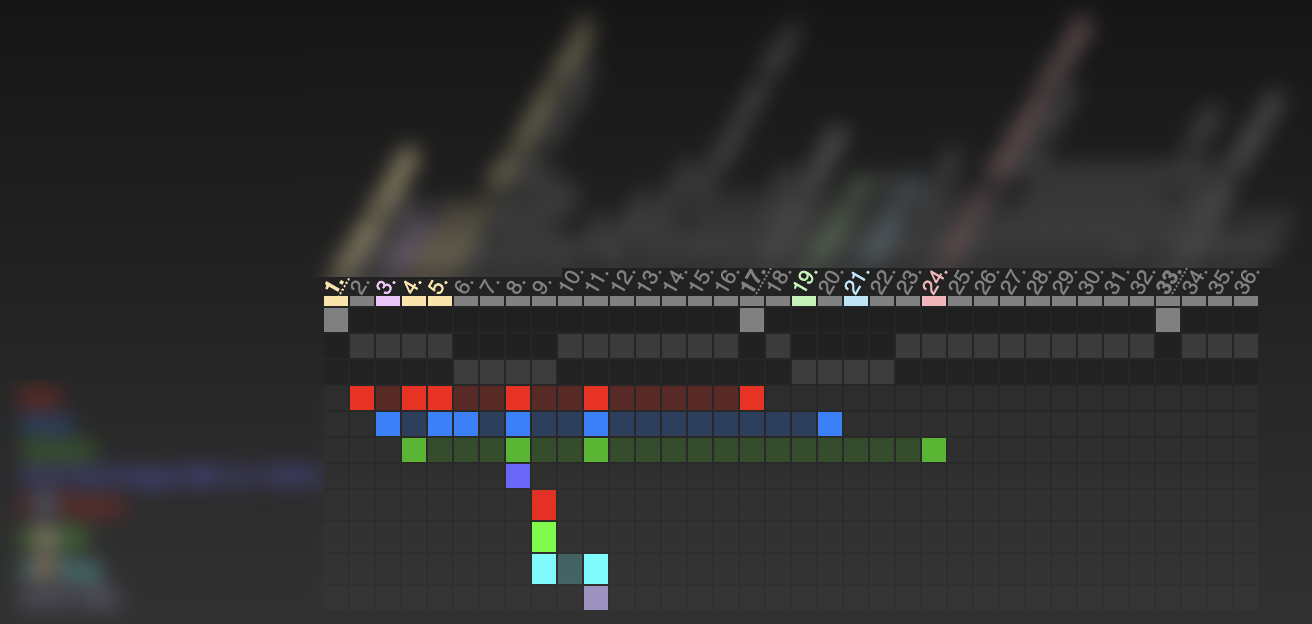
Plot holes tend to arise when something is planted and there isn’t a corresponding payoff in that novel. (There are times when the author deliberately teases the payoff for the next or a future novel in the series, I note.) Yes, I track that for the full novel in my “Story Structure” view under the “Mystery Timeline” tab:
As you can see, it’s not limited to just one novel, so it can also track something planted in one novel but not paid off until a later one (risky for the author unless the author is careful to signal to the reader the author knows it’s an unsolved mystery).
One tip for anyone short of time or who doesn’t have the technical skills for this: You can use the Claude Code desktop version to build pretty much anything you want in Obsidian. Personally, I enjoy working these things out myself but lately I’ve been using Claude desktop to make new features for me in Obsidian. Though I thoroughly dislike AI for writing, and do not use it for that, I find that its use in extending Obsidian gives me more time for working on my novel, and that’s a good thing.
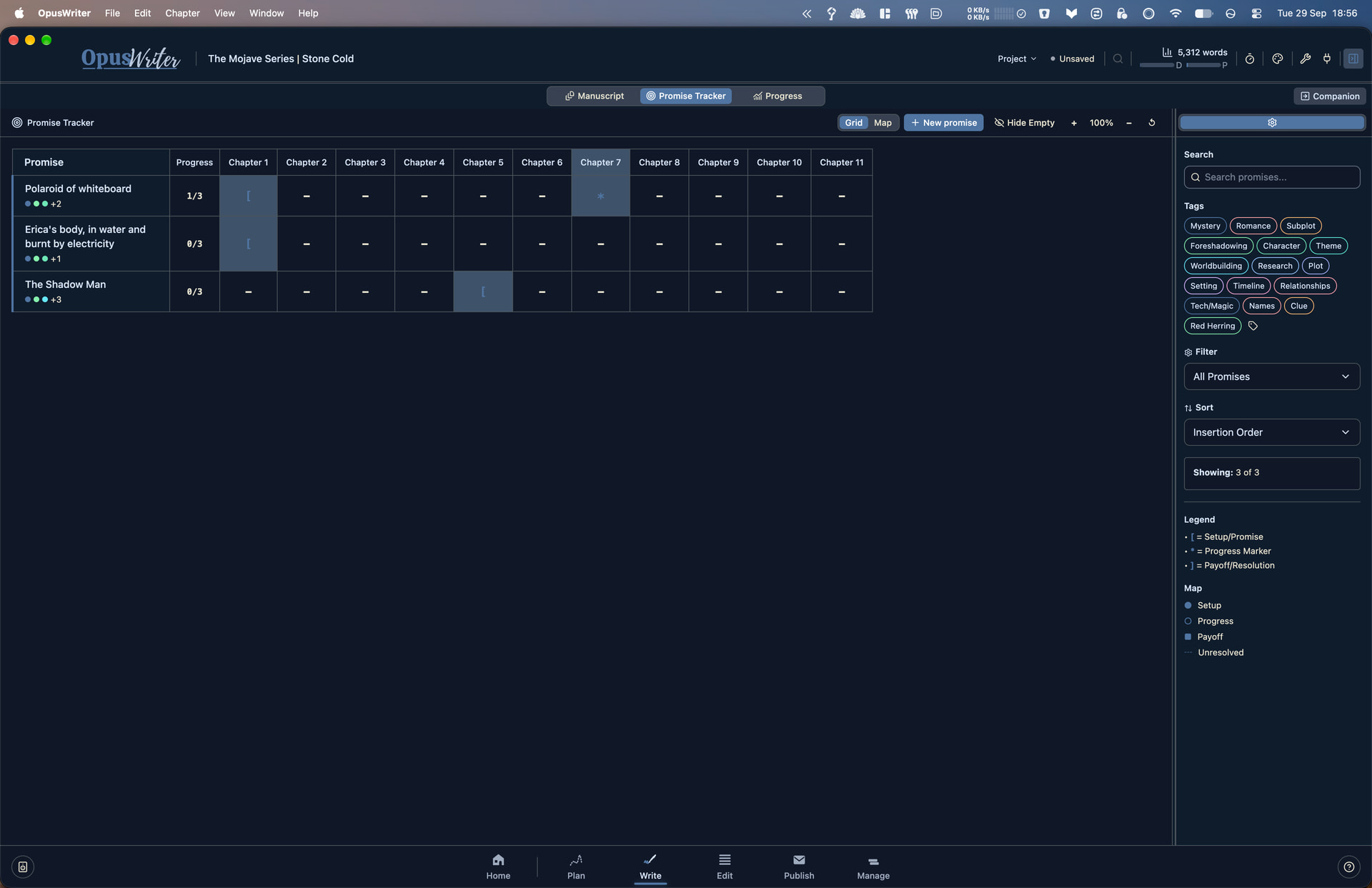
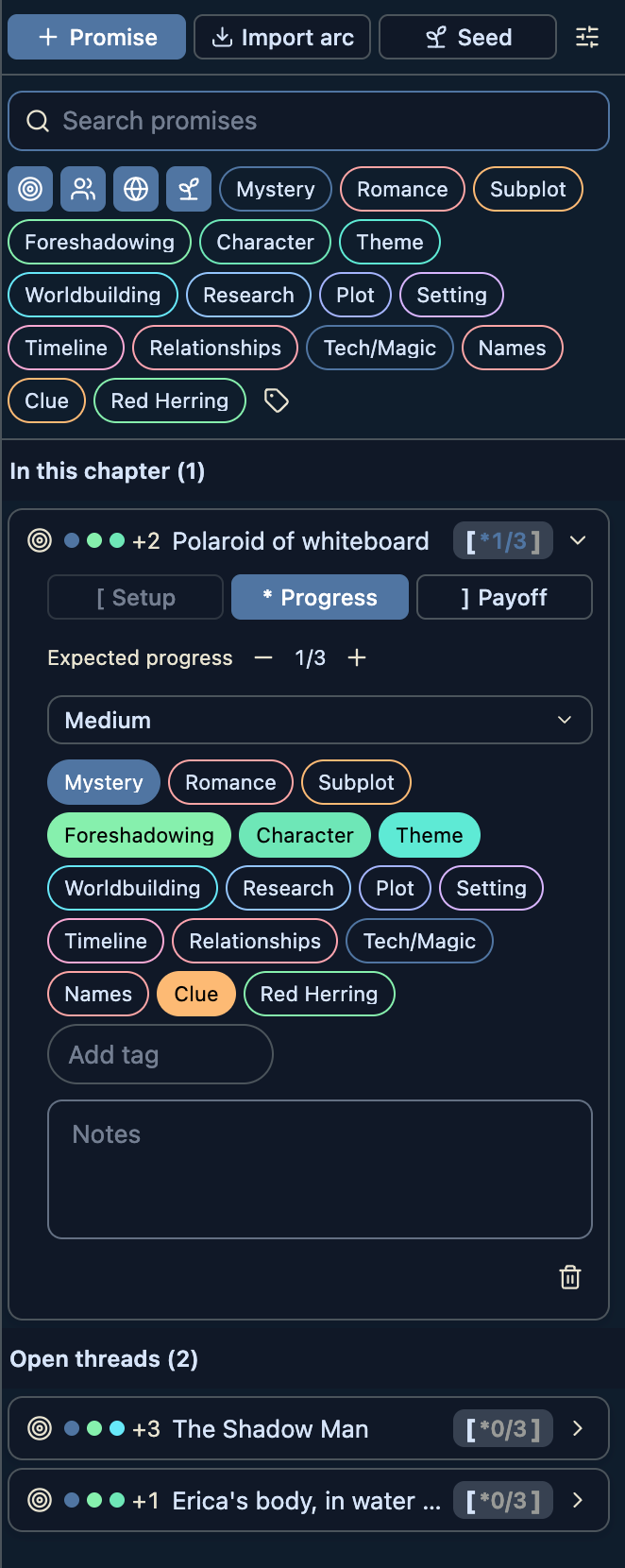
This is really cool. OpusWriter has something similar where it tracks Promises the writer makes to the reader and tags progress throughout the manuscript through to the Payoff. It also has a series wide version known as the Seed Tracker.
It took a few days to get the hang of Datacore, but once I did, it went faster.
Honestly, Claude Cowork (desktop version) is perfectly capable of building anything you want in Obsidian and going forward, I’d probably just use it for that (but never, ever touch my writing).
That’s a really interesting question. It’s sort of the opposite of a plot hole, more of a plot “island” just floating out in an empty sea of story possibilities. I suppose the answer is to imagine the series of events that bring us to that scene, sort of the bread and butter of imagining and writing a story. But tracking via software to see if the story you come up with truly pays off in that last scene? I dunno. I think that’s so purely artistic that I don’t see traditional software doing that. AI could, but ick, no thanks.
Yes, that’s more or less exactly how I handle it. And as I don’t write linearly, it’s not at all a hypothetical question. It comes up in large and small ways throughout the story, not just with the Big Finish, but also “okay, so where did that Magic Widget come from?”
FWIW, in Scrivener I handle this by using comments and Document Links to link back to the documents where the setup will eventually occur, with the Status field to keep track of what I’ve actually done.
I don’t know if it’s possible to evaluate whether the payoff succeeds programmatically. It certainly should be possible to track the appearances of key elements of the payoff scene: When did the physical object get in the hands of the character who needs it? When did the detective learn this critical fact? Does the reader already know that this character is prone to hysterics so their reaction will feel real?
Yes, it has something called Change Log which can be used to highlight where changes need to be made earlier in the draft and flags the previous chapters to act as a way of tracking whether the changes have been made. Also the Promise Tracker can be used to track in reverse.
I can’t help but notice that all of the different approaches seem to include some kind of visualization that has no equivalent in Scrivener. A combination of the Corkboard lanes and the Outliner, kind of.
I toyed with something like that, too
Looks like shit, I know. But it reads a Scrivener project, structure, labels and keywords and associated colors and all, and creates a bird’s eye view of everything inside a specified root element.
Would be nice if Scrivener had something like that. (What gets tracked and what it means depends on the author, and needs to be maintained by the author, it’s just about the visualization.)
Ultimately, yes, with some added tracking features built into the sidecar (think Inspector) in OpusWriter, to give context to how the plot thread has progressed in each chapter or scene. But ultimately the power lies in the visualisation across the length of a manuscript.