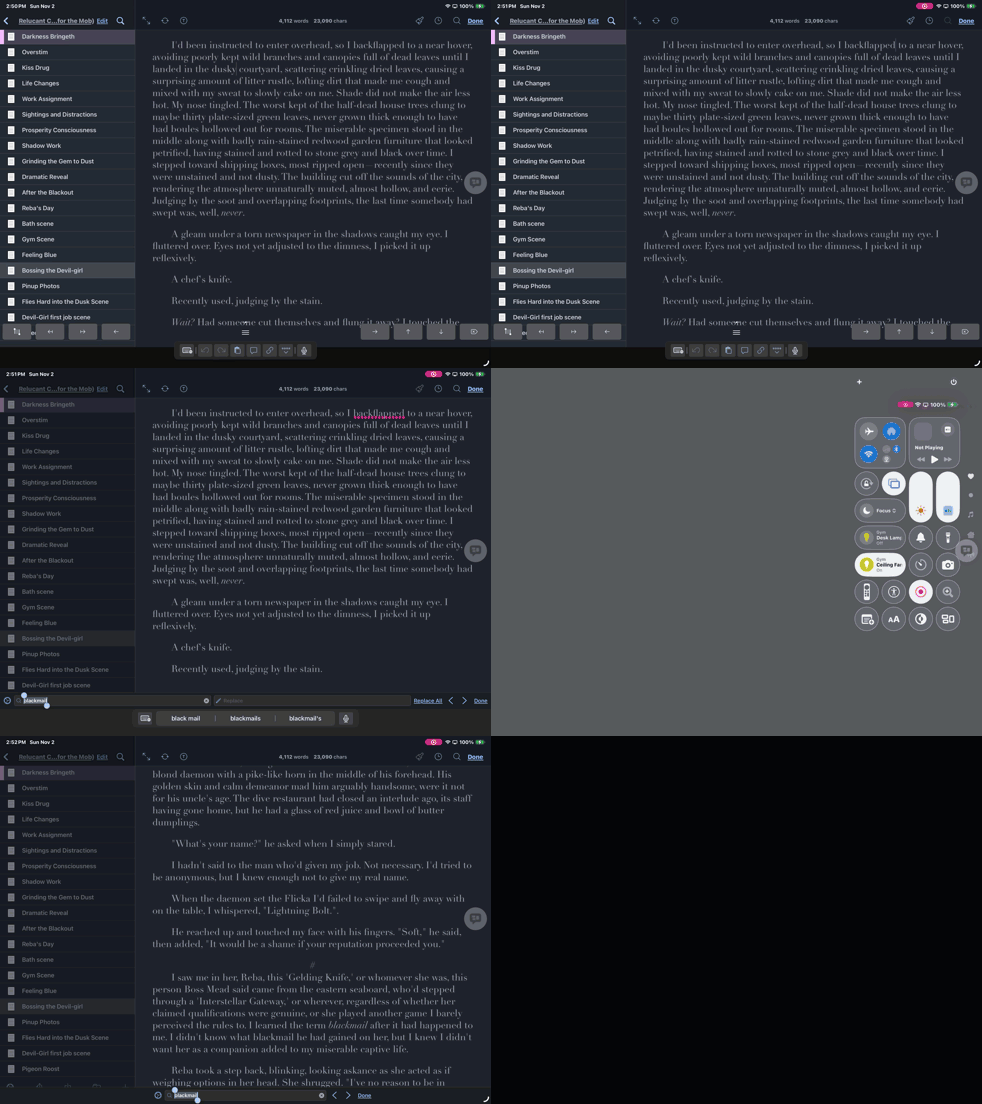
@narrsd Maybe TL;DR, but I am annoyed, partially as a professional author and partially as retired professional developer. Scrivener is a great product, but the iPad version feels like abandonware. Below, except for the first section that specifies the hardware I use, the rest is me talking about my frustration.
Maybe it occurs only on M-series iPads?
I recently switched to the M5 13”, but at the time I originally posted I was running a late 2019 Apple Silicon iPad Pro 12.9”. Same problem. My problem started with the 26.0 first public beta, and I should have reported it then, but I figured, you know, professional developers run the betas, too. When release 26.0 showed up, removing the legacy features available all through beta, the search bar went completely FUBAR breaking the workarounds I’d been using.
the kind of interface element Find appears in is almost assuredly a simple
Nothing in programming is simple, programmers know this, except for maybe fixing a typo—but then increasing a literal string length might overflow a variable, and, you know… boom! I understand Apple is a real pain to program for, maybe not as hard as Windows ActiveX was, but testing against each beta is SOP, even if for an hour. The ⌘F bug would have shown up.
using your writing practice to imagine just how difficult and long the travels involved in arriving at a cure for something like this often is, could be recommended.
Really, I’ve no choice other than to register my “discontent.” I can’t log in remotely and do overtime to fix the bug for them.
Authors aren’t necessarily patient. Nor developers. I was what they now call a full stack programmer, everything from the UI to the backend, including the interface to the IBM mainframe version of the app. Panic happens. Good programmers work to prevent panic.
I am not saying I never missed things. I put out my share of fires. I do know that my company reacted immediately when they got a nasty-gram. I’ve ignored various minor Scrivener issues and Mac-app parity needs—like a text document diff to disambiguate conflict documents being paramount, and I’ve requested that in this forum. I simply adjusted my writing practices, but a ⌘F failure is bad. It’s like not being able to use the insert signature feature in a PDF app for a business user. So yes, nasty-gram. Since it’s unlikely to bubble to the surface in the app store interface, it isn’t likely to impact the company much, but I know the developers will read it.
I hate to admit this, but I’ve been trialing other software, but Scrivener has capital-F Features I’ve grown to view essential, especially Dropbox sync which beats all iCloud solutions other products use, even Apple’s with which I’ve lost pages of work. The ⌘F issue is so serious for me, I’m very close to buying a bottom-of-the-line Mac Mini ($599) to use where I Airplay my iPad, simply to bypass this bug and get on with getting my work done!