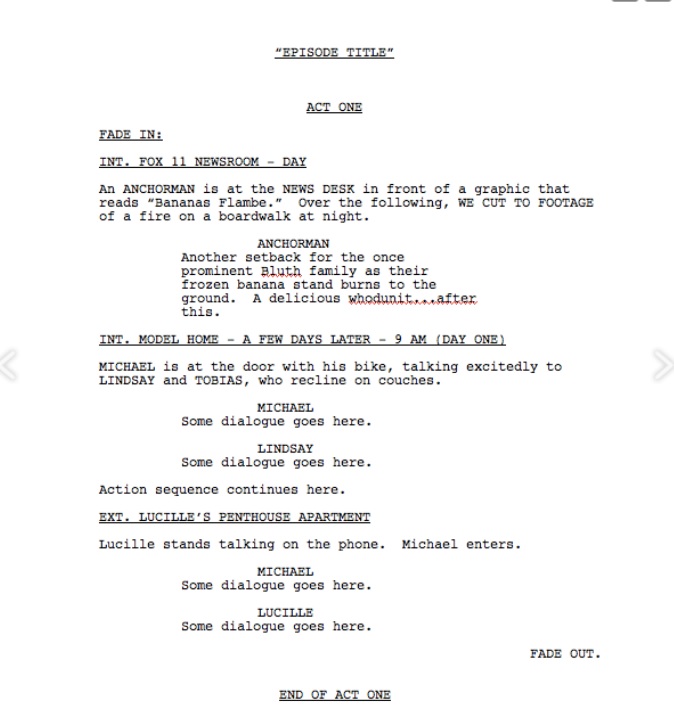
Hmm. This is a styles problem.
Per https://screenwriting.io/what-is-standard-screenplay-format/, speaker names should be 2.2 inches from margin, dialog 1" from margin, margin should be 1.5 from left (which means the Compile settings need to be adjusted; the default from Screenplay is 1 on all sides).
I’ll go through how to adjust these.
Pick a dialog section. Adjust the indent to 1" (or whatever measurement you need there). If you have trouble getting it exact, use the ZOOM feature to make the ruler much much larger and easier to adjust the indent. (I zoomed in to 300%; my mouse is finicky).
From the Menu, Format -> Style … -> New Style from Selection. Call this “Dialog”.
At the bottom of that dialog box is a Box titled “Next Style.” Open the down arrow and select “This style” which should be the first or second entry. Click that, then click OK.
Pick a Speaker name. Adjust the indent to 2.2" (or as above, whatever you need it to be). Again, Format -> Style … -> New Style from Selection. Call this “Speaker Name” (or whatever you want; style names are completely up to you). Since in scripts, speakers usually say something, then down at the bottom, “Next style” should be “Dialog”, which we just made (why we did it in this order).
That’s how to create the styles for your elements. Whatever attributes need to be part of the text, put them in before you define the style. If you get it wrong, don’t sweat it; you can “redefine the style from selection” in essentially the same way.
The page margin, evidently, should be 1.5" (per the reference above, which may or may not be accurate). We set that in Compile settings (NOT in the main editor).
File -> Compile (or Ctrl-Shift-E).
If you’ve already created a compile format, great; select it. If not, double-click on Script or Screenplay; it’ll ask you if you want to make a duplicate and edit it, click “Duplicate and Edit.”
On the first page that shows, go down to “Page Settings”, click.
Uncheck the “A4” box unless you’re using A4 paper. Click “Page Settings” and choose the paper you’re using.
Click the Margins box and edit the left margin to 1.5" (if, in fact, that’s what you want).
Click Save.
Hold Alt and click Save (the “Compile” should change to “Save” with the alt-key press).
Hope that helps?