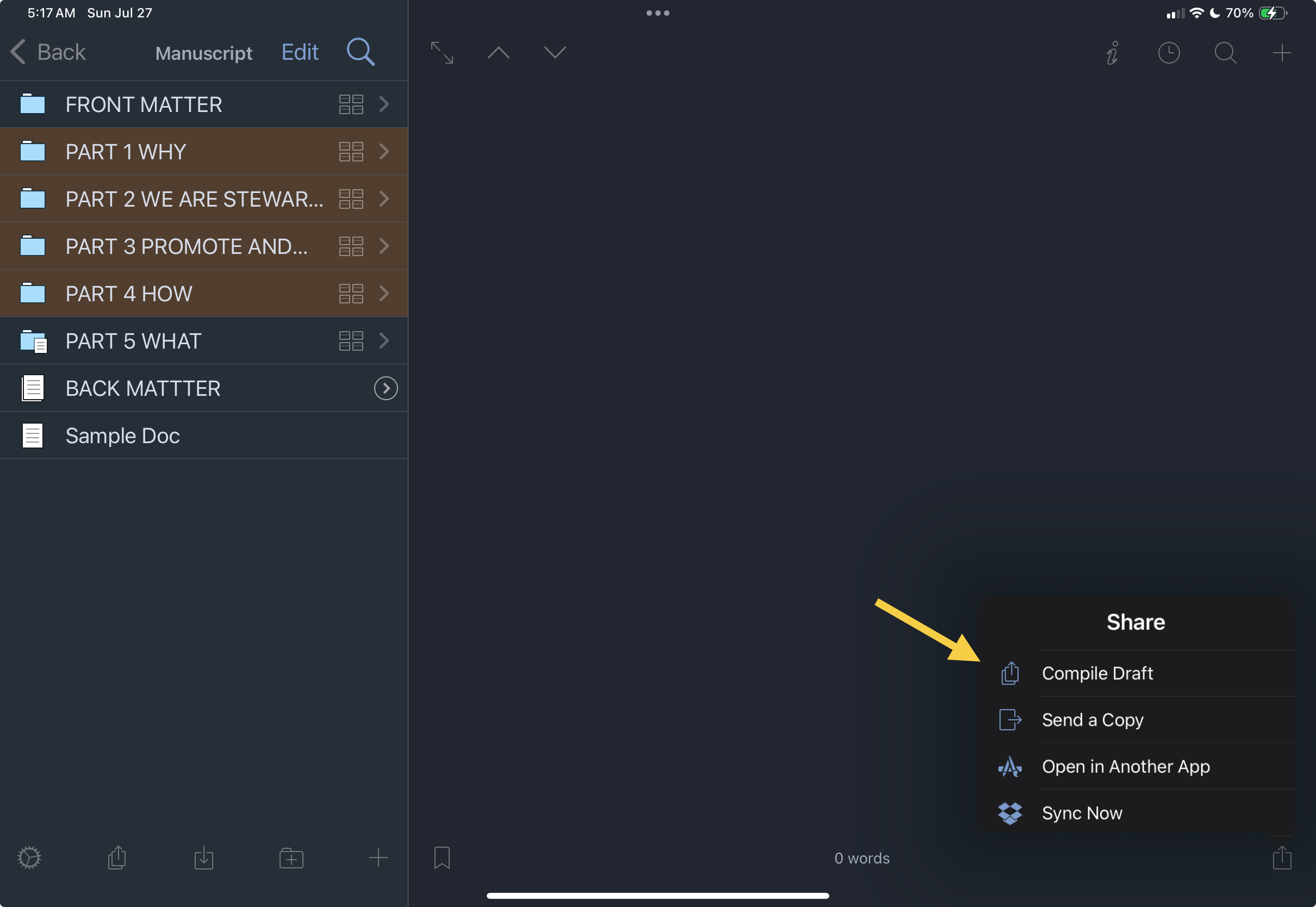
I’m having a different compile issue on the iPad. I do all of my heavy lifting with Scrivener on the Mac, but this morning I tried to compile from the iPad to save an archived version of my book. No matter what I select in the binder, the compile feature only shows one document in the compile window. It compiles just 956 words from a 33-chapter nonfiction book. I’ve selected ‘Manuscript,’ and I’ve tried selecting each section and chapter in the binder, but regardless of what I choose, only that one document appears in both the compile window and the final output. This isn’t an issue on the Mac.
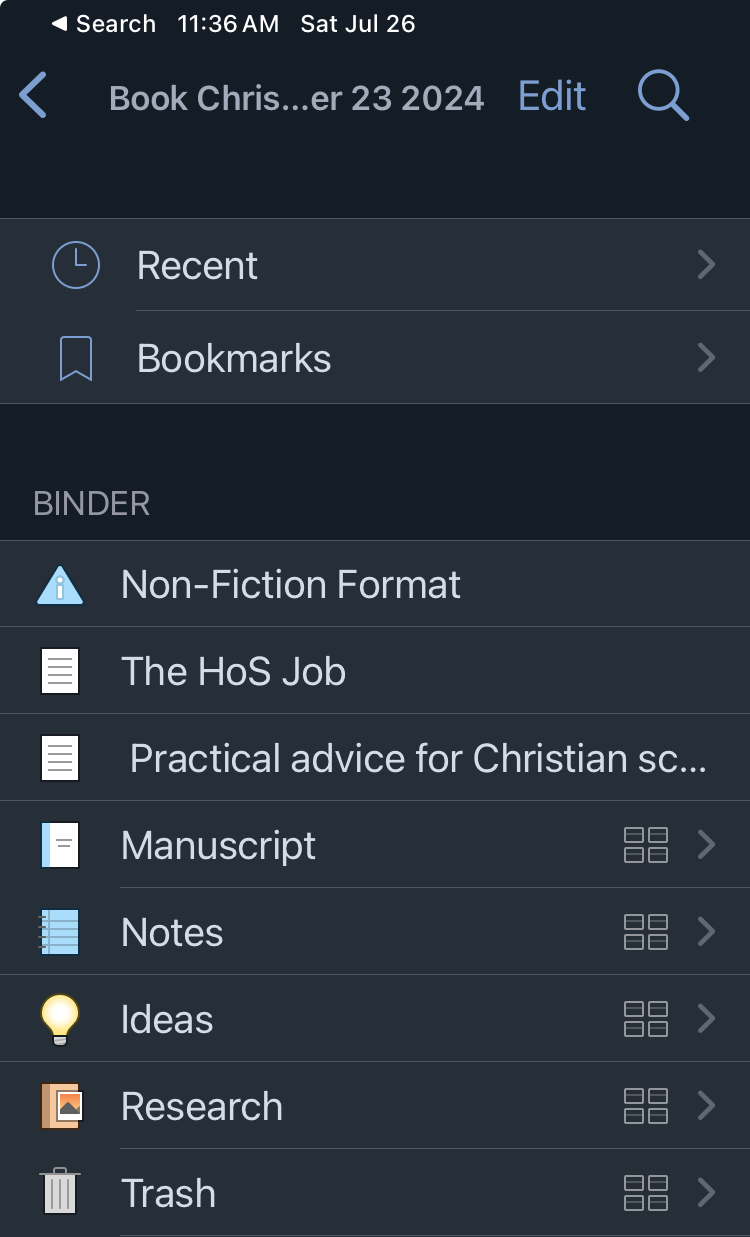
You renamed from “Draft” to “Manuscript”? Is “Manuscript” actually the root of your book? If so, wondering why the rename? Or, an alternative guess, might “Manuscript” actually only be a portion of your book? Can you navigate the Binder and see that your entire book is actually there? If not, an incomplete sync? If yes, then what is the name of the root folder in the binder?
Can you post screen shots here so we can tell what you are selecting?
when you press compile it brings up a screen with a set of options. Is one of those options “compile current group only”? That option only appears if you have a subset of the whole manuscript loaded. If you’re genuinely in the root folder for your draft it won’t appear, so if it is there… go back further and compile from the root (or uncheck the current group only tickbox)
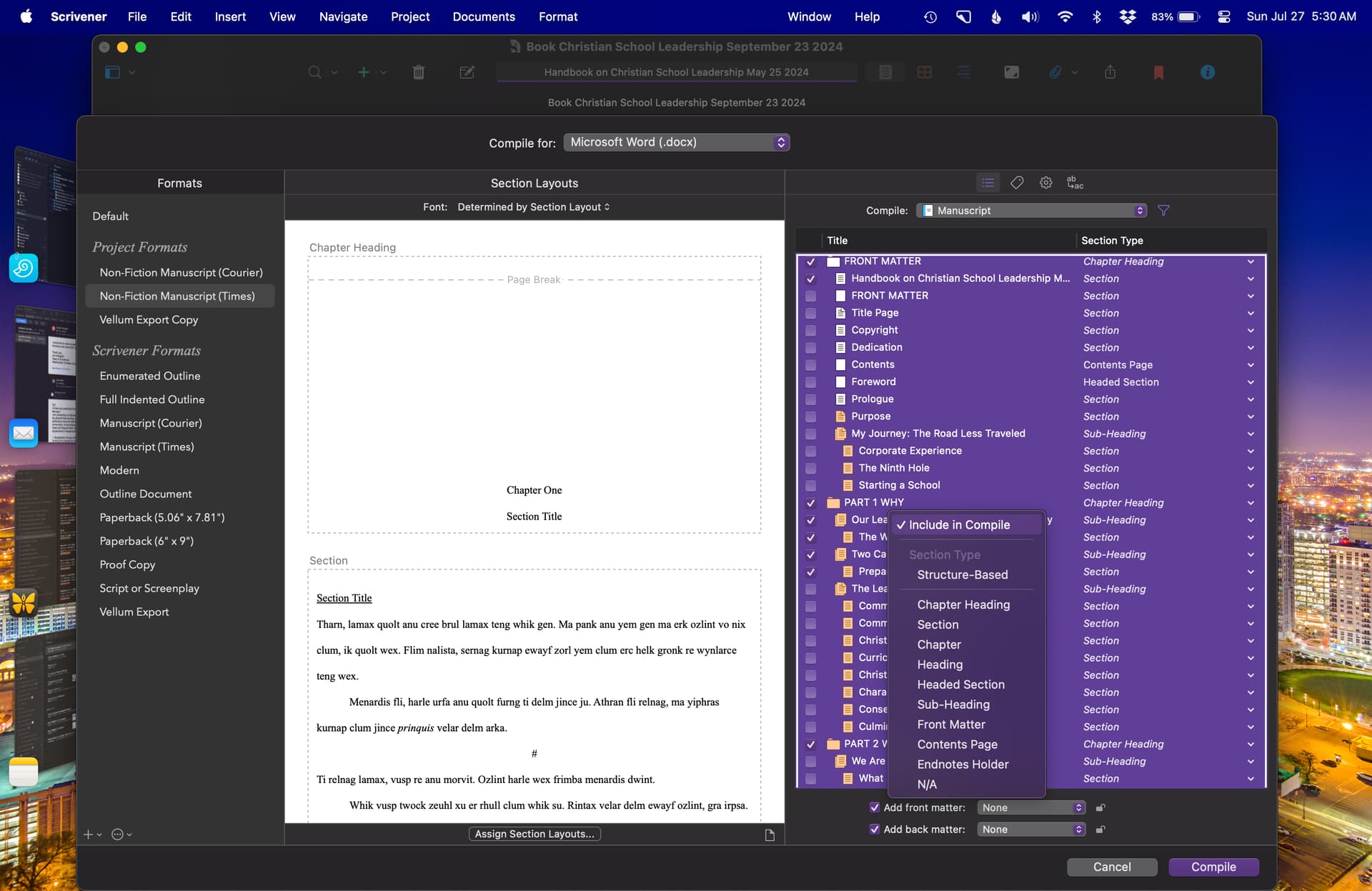
docs will only be included in the compile if they are set to be included in compile. Long press on a document in the binder that you know is NOT being compiled at present. That brings up the inspector for that document. Does it show as included in compile? If not, you might need to go through and manually add all the docs back into being included.
That was the issue: the documents were not selected to be included in the compile. Thanks for the advice!
But talk about a laborious, convoluted process! Everything is already set to compile on my Mac, which is easy to do.
On the iPad, I must go through each document and select “Include in Compile”—and I have a lot of individual documents in a 33-chapter non-fiction book. I tried selecting “Include in Compile” by section and chapter, but that does not add the sub-documents to compile; each has to be added individually.
Perhaps I’m missing something? I “assumed” that the compile options would sync between the devices, but that is not the case. Any shortcuts for this? Selecting each document is going to take a while!
Slapping head. Should have thought of what @pigfender remembered. I guess I don’t do too many selective compiles to have that nugget of information quickly available.
With a small test Scrivener project I concluded that for each file its switch to compile is synced to sync locations. Meaning, that as @bmosbacker probably did change with that setting on the macOS copy and then found a surprising result on the iOS version. Most likely files had compile switch set “off” on macOS, then synced, and remained off everywhere, including iOS version.
On the macOS version of Scrivener, which is way more sophisticated than the simple iOS version of Scrivener. Selection of files for compilation is much simpler and sophisticated on macOS.
So … rather than going thru all the files manually on the iPad, close the project on the iPad, sync fully, then select all on the macOS version, then resync to iPad.
If the compile setting not touched, then all files will be included in the compile on the iPad. If touched to, say, “off”, then that setting is synced back to the macOS version.
Now all makes sense to me.
See attached small project with three files. Experiment to see what I’m trying to say. CompileSelectionTest-bak2.zip (18.5 KB)
Yes, in fact it was so far away from the original topic, I’ve split it to a new one.
What might be going on here is that you were messing with the checkboxes on Windows/Mac, but never really noticed, because you also changed the setting to always compile everything no matter (a setting which doesn’t exist on iOS).
These checkboxes are meant more for things that never change whether you would want to include them, like chapter notes or old revisions. If something is included, it is part of the work, if it is excluded it is not. The notion of changing that designation frequently or en masse as thus very strange. That is in part why it is, as you describe, laborious and convoluted. There is no reason to optimise a tool like that, for what you’re doing with it (inadvertently or no).[1]
That said, there are conveniences on the desktop. Refer to §23.4.1, in the user manual PDF on the Contents tab, under subheading Content Item List, which concludes with tips on bulk changes to the values shown here. ↩︎
Perhaps I’m misunderstanding something or I’m not using Scrivener correctly. For this book project, I want everything to be included when I compile. I periodically compile the project to Word so I can print and edit. This give me a later visual context for editing within context and for flow. On the Mac, this is a simple, straightforward process requiring only a few clicks. On the IPad, this is a very laborious and time consuming process.
I have not found a way to select a folder and automatically include all of its documents, headings, and subheadings in the compile. The only method I’ve On the Mac, this process is straightforward. When I open Compile, the entire document hierarchy is displayed. I can select everything at once, and the full structure is included in the compiled output My manuscript is organized into five parts, each containing numerous chapters, most of which include deeply nested heading levels. Manually reviewing and enabling each document within these nested folders and chapters is both tedious and time-consuming.
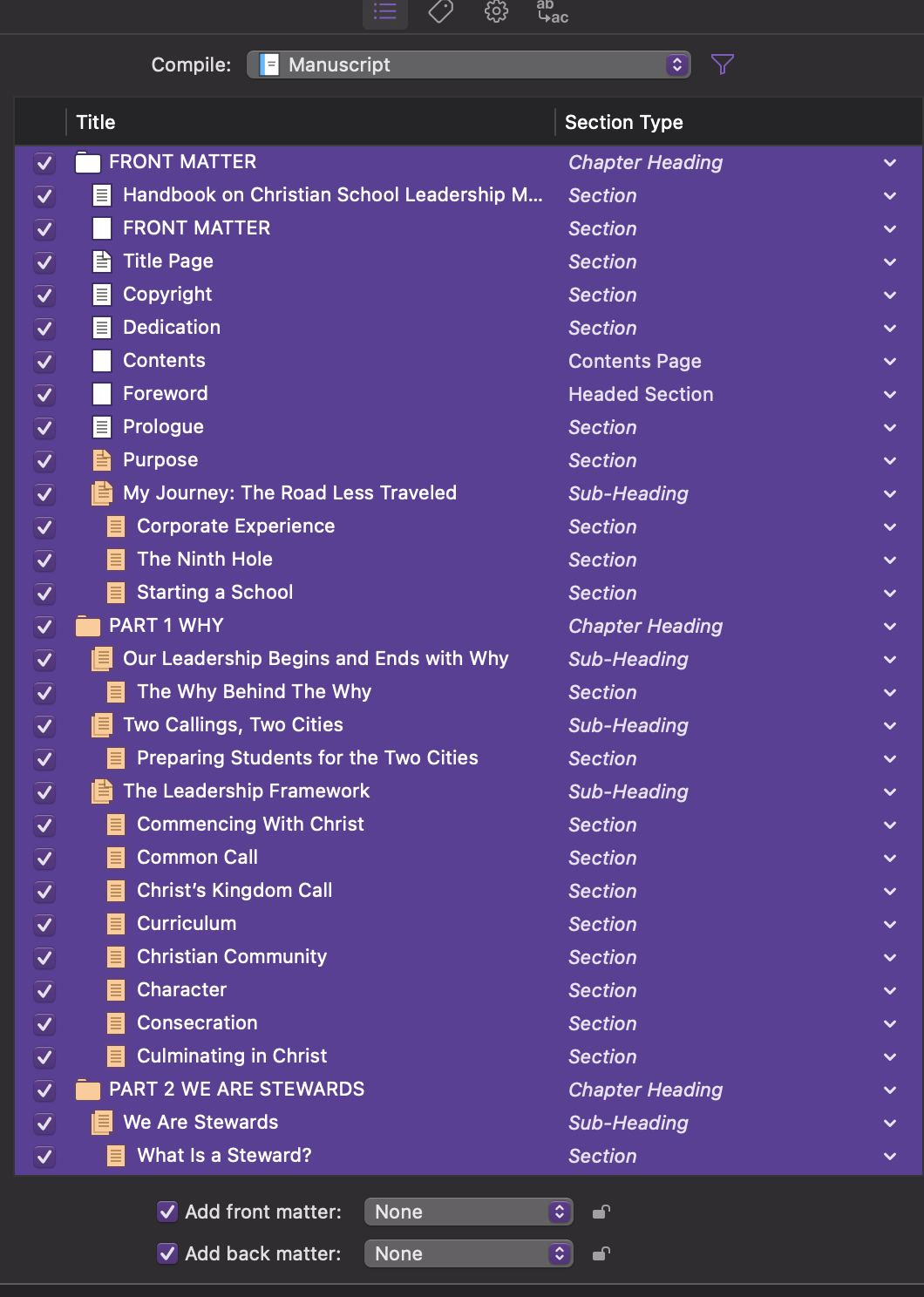
On the Mac, this process is straightforward. I go to Compile, and the entire hierarchy appears. I can then select everything at once, and the full structure is included in the compiled document.
docs will only be included in the compile if they are set to be included in compile.
I am aware of that. That is precisely the problem when compiling from the iPad. I have not found a way to select a folder and automatically include all of its documents, headings, and subheadings in the compile. The only method I’ve found is to go to each individual folder, chapter, heading, and subheading, long-press it, and manually mark it for inclusion.
My manuscript is structured in five parts, each with numerous chapters, and most chapters contain deeply nested heading levels. Carefully going through each and every document in deeply nested folders and chapters is laborious and time-consuming.
On the Mac, this process is straightforward. I go to Compile, and the entire hierarchy appears. I can then select everything at once, and the full structure is included in the compiled document
I’m genuinely not trying to bend Scrivener on the iPad to my will. I was simply confused about how the Compile feature works on that platform. I find Scrivener’s Compile function powerful but admittedly a bit confusing, and I’m still working through how it all fits together.
Following your instructions, I reconfigured the Compile settings on the Mac to ensure everything was properly selected and the project was correctly set up. After syncing, I opened the project on my iPad and compiled it from there. It worked beautifully. Thank you again. I’m not trying to make the iPad version something it is not. I’m just trying to understand the capabilities and limitations of both platforms.
As for this post, feel free to place it wherever you think best. I originally posted it based on a search within the forum.
Also, perhaps another way, and perhaps my preference if I understand what you mean by “archive” version, would be to make zipped backup of the Scrivener source files and store that somewhere.
And, the macOS version of Scrivener is full featured for a lot of things like archiving files, compiling, et. al. The iOS version is best thought of, IMHO, as a way to write and edit “on the go” with an iPad or iPhone.
Thanks. Yes, on the Mac, I go into my Dropbox folder, copy my Scrivener projects, and save them in an archive folder in Finder. That gives me two external drive backups and a Backblaze backup as well. I realize this introduces some redundancy, but I figure it’s better to be safe than sorry.
As for the iPad version of Scrivener, I’ll admit that I’ve been trying to use the iPad in ways its limitations either prevent or make unnecessarily difficult. In an ideal world, I’d be able to use the iPad for everything, but it’s becoming clear that this just isn’t possible and likely never will be. I suppose I need to let go of that notion.
Thank you for your kind assistance, you’ve been extremely helpful and patient. Much appreciated!
That is an action I would never recommend as too manual and backing up what is already backed up. But I guess …
I think it sufficient that you use Scrivener’s automatic backup. Set to create zip files, optionally on open and/or close. I set “on close” and keep 25 copies. I direct backups to ~/backups/scrivener and don’t use the default Scrivener location. It probably doesn’t matter, just my preference to keep all my automated backups in ~/backups.
To get your redundancy you can occasionally manually copy one of those zip files to somewhere else, I guess. But as they would be backed up with Backblaze already, so why introduce yet more manual operations?
If redundancy needed, I do hope TimeMachine is working in your world as Backblaze does not backup everything. TimeMachine (local for everything) and Backblaze (for specific/limited backups to remote not-local) is a worthwhile redundant backup method, IMHO. Your view may be different.
Your list of “assumed everything” appears, to be quite extensive and yes, probably never achieved till Apple makes iPad’s run macOS.
Short answer: The Compile command on the Mac is much more capable than on the iPad. Since you have access to both, in most cases the fastest answer to “I can’t figure out how to do this on the iPad” will be to use the Mac version instead.