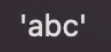
I’d really like for Scrivener to handle dialogue tags a bit differently from a standard text editor, in that it should smartly refrain from capitalising words after a ?’ or a !’ and similar things.
Often, those are followed by a ‘she asked’ or ‘he said’, and these are automatically capitalised so we wind up with ‘What do do think?’ She asked or ‘Wow, that’s horrible!’ He said.
The She and He shouldn’t be capitalised in those instances. I’ve searched through the options/settings/preferences and also looked online, but I can’t find a solution that doesn’t break other things.
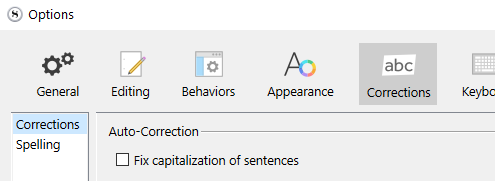
If you don’t want to turn it off, Ctrl-Z [Windows] and whatever the Mac key combo would be for UNDO, should fix it.
P.S. I just ran a quick test and with quote marks it doesn’t capitalize. So… Scrivener can’t guess, if you don’t use quote marks. Either turn off capitalization, or play a trick on Scrivener : write : Why? ,she said. …And then later auto-replace space-comma with a space for the whole document, or even for the whole project – after genererating a proper backup, that is.
I, too, was going to suggest turning off auto capitalization, but when I tested it on my Scrivener for Windows version, auto capitalization is on and yet I never encounter the kind of capitalization behavior described. In other words, I don’t get attribution capitalized when following a quotation mark.
I cannot replicate the phenomenon either. None of these trigger auto-capitalization on ‘she’ when typed with Scrivener’s capitalization function turned on.
"This is a quoted sentence," she said.
"This is a quoted sentence" she said.
"Is this a quoted sentence?" she said.
'Is this a quoted sentence?' she said.
'This is a quoted sentence', she said.

(Same results using curly quote marks.)
We don’t know what platform the OP is on. On the Mac, there is a system-wide setting for auto-capitalization (buried in the Accessibility settings), but turning this on does not produce the described behavior either.
So, I wonder if @LillyPip has some other software running in the background that might be playing a role.
Thanks for the suggestion! I’d really prefer to not turn that off, because I find it useful in other cases…
I think the reason I’m seeing this and others aren’t may be because I use international (not American) formatting for dialogue, with single quote marks, not double – as in this example copy-pasted from my manuscript:
‘What did you get?’ Asked Ellis.
‘All physics,’ said September. ‘You?’
What’s weird is it doesn’t capitalise after commas (as in the second line), but does after question or exclamation marks (as in the first line).
I can immediately undo (if I’m paying close attention), but I miss some if I’m typing fast. I’ll see if turning off auto-capitalisation is too offensive in other contexts, though.
Scrivener seems to handle this case fine if using double quote marks, just not with single quotes. So perhaps this is more of a bug?
edit: Oh, I forgot to mention, I’m on OSX Ventura, and I don’t have other software running that would influence this.
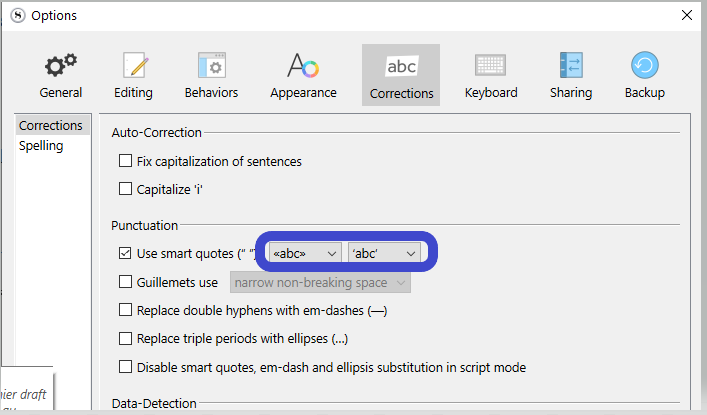
I am using the Windows version, so perhaps you don’t have this option, but if you do, see that it matches your usage. Perhaps that’ll fix it, say Scrivener doesn’t currently recognize your quote marks as such. (A theory.)
In all cases, you could also use a different quote mark that works, one that you can get used to and that isn’t too visually obtrusive to your taste, and have it replaced at compile.
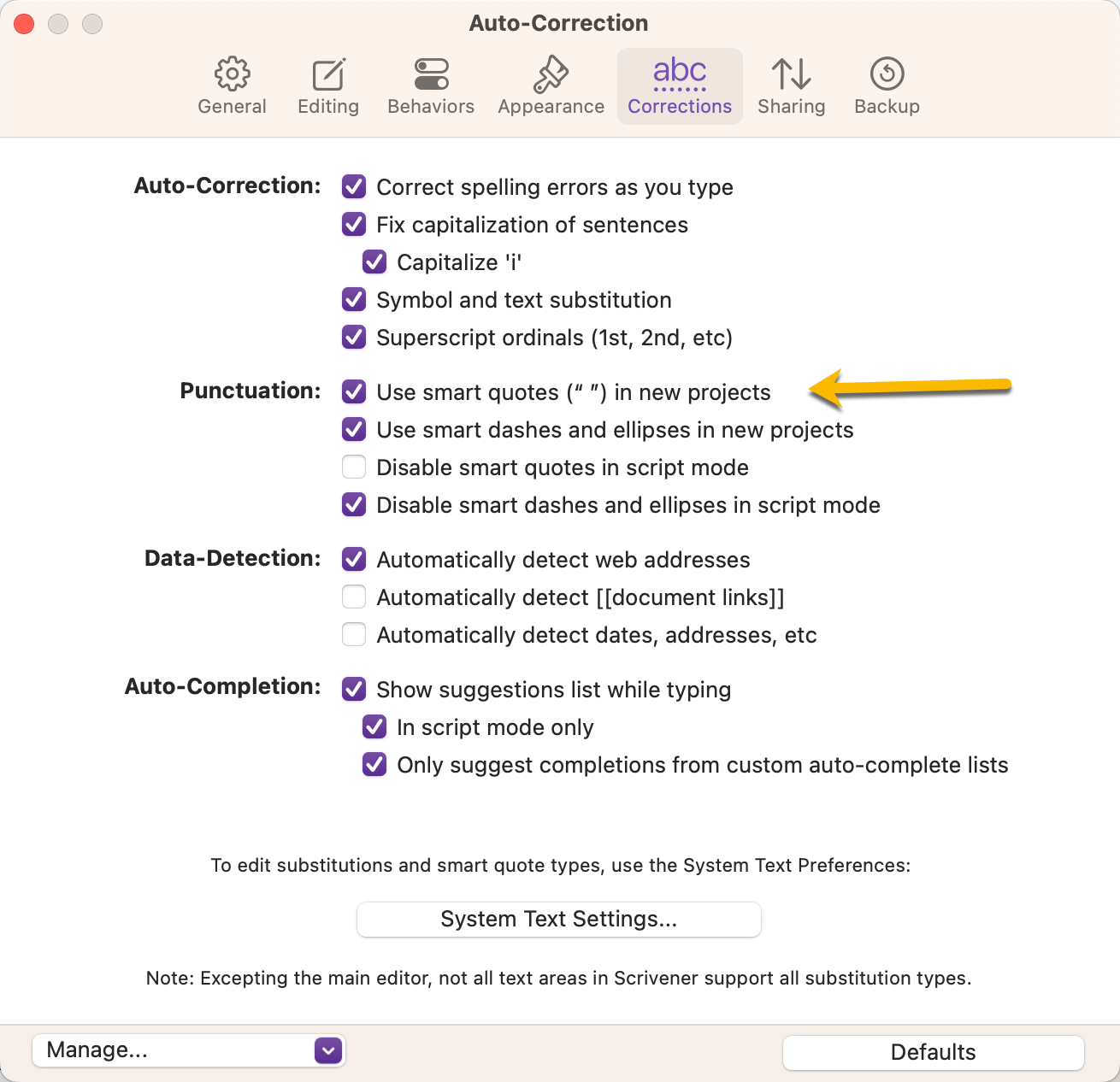
My options are different from yours, though – I don’t have options under ‘Use smart quotes’ other than the ability to turn them off and on. This has no effect on how Scrivener decides to capitalise the following word, unfortunately.
Also, I think it would be far more work for me to relearn a whole different way to use quote marks and then to replace them at compile for this one case; I think remembering to undo after every word following a ?’ or !’ is simpler, since I type that sequence far less often than other punctuation, which works fine.
I guess my main issue is that Scrivener is treating the ?’ and !’ cases differently than it treats the ?” and !” cases, because it doesn’t fully recognise nonAmerican dialogue tagging the same as the American style.
I wouldn’t give up just yet.
If you can make your sytem (or Scrivener) recognize ’ as your default/language quote mark, I wouldn’t be surprised if it’d instantly started to work as you want it to.
You need some Mac expert. I can’t help with that. @xiamenese@November_Sierra (and @gr of course, already in the thread.)
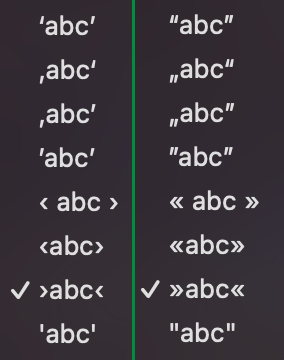
There’s a limited selection of options available for each, and it only allows you to assign “doubles to doubles” and “singles to singles”, so to speak. Even with “English (GB)” as an input language installed.
(Those are two separate menus, one containing only single quotation marks [left] and the other one only containing double quotation marks [right], with no way to pick one from the “other menu”.)
The user is using single quote marks, like I screenshoted out of your screenshot, and my huntch is that setting this as the default would fix the current issue.
Is there a distinction between an apostrophy and a single quote mark?
Could the user be using the wrong input key/key-combo? – ending up with a different character/symbol, yet looking similar?