I have been periodically finding that after I save/close and then reopen a Scrivener project, some tables in some documents have their layouts corrupted (and consequently data from one cell is getting put in with data from another cell). This happened consistently in certain documents but not in others. I’ve found it hard though to produce a testcase or a sequence of behaviour that reliable reproduces the problem. Though i think I may have finally cracked it.
The procedure is
- Copy and Paste a specific table into a particular Scrivener document from a Word doc. (This is just a quick way of creating the table in the first place - typing it by hand each time would be tedious).
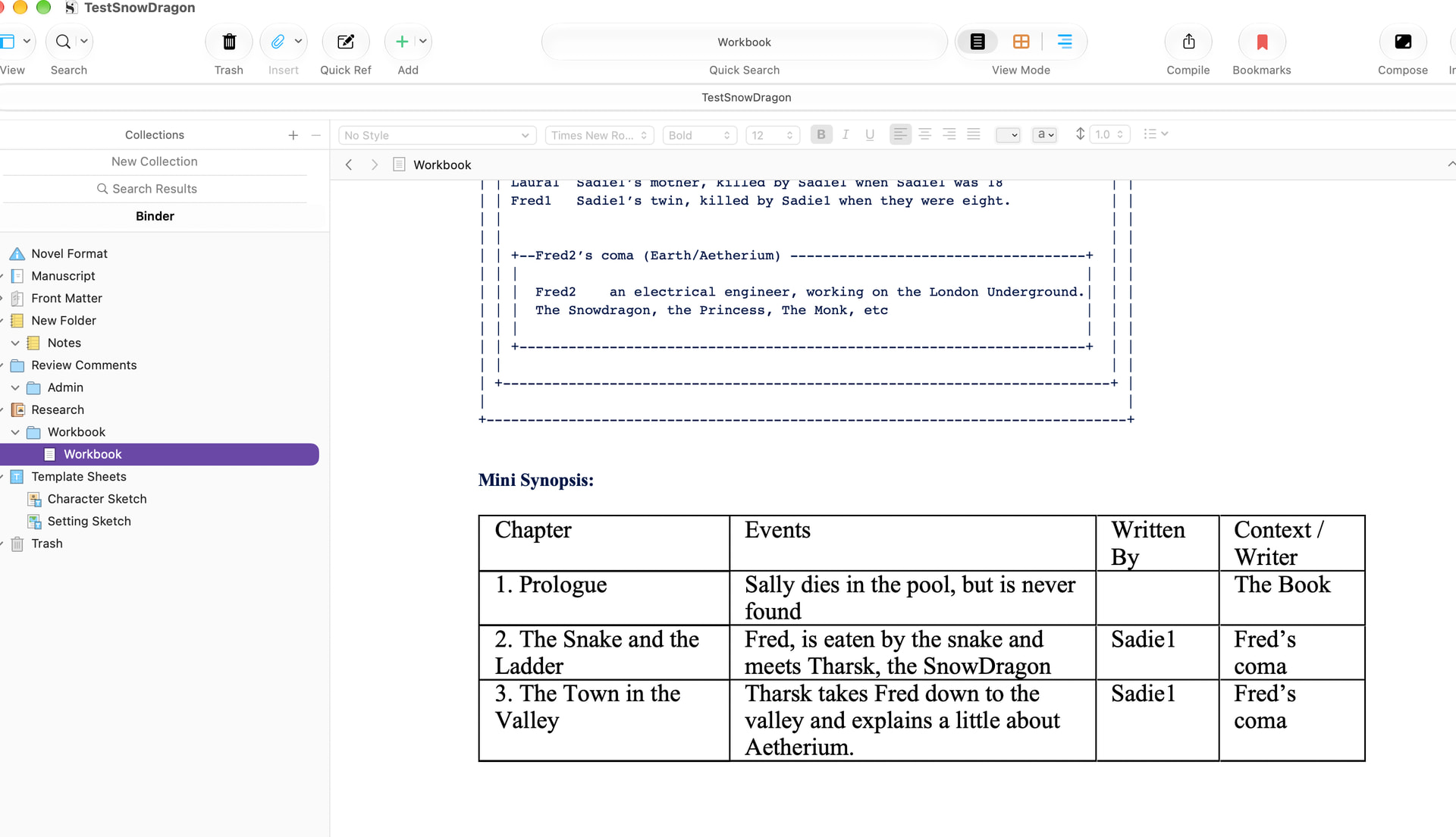
- File - Save
File - Close - File - Open recents and select the project I just saved and I get:
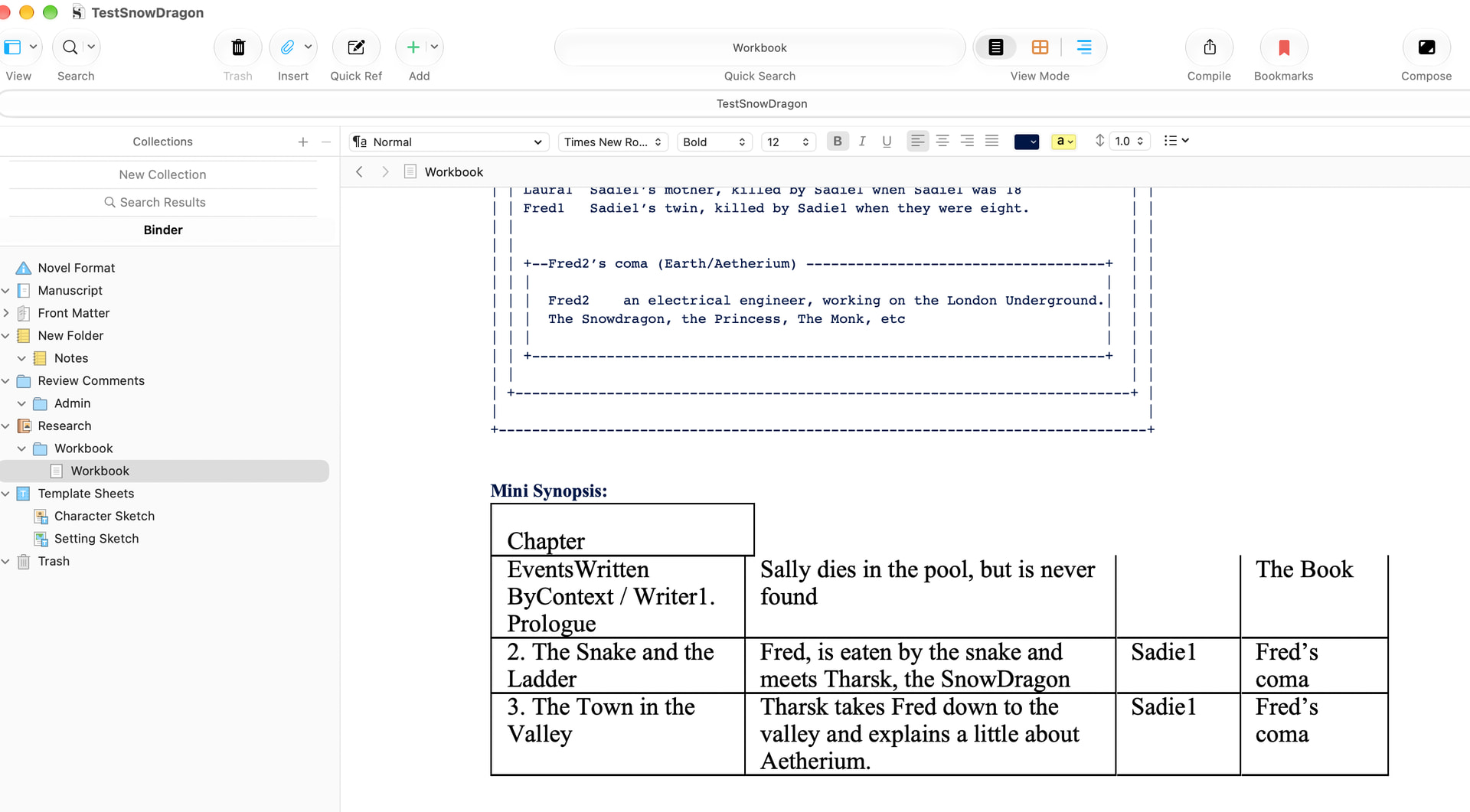
I’m using Scrivener 3.5.2 on a Macbook (M5) with Golden Gate 27.0.1
The project file is being saved to the local Downloads directory on my Macbook, not to the cloud.
The test project I have been using and the Word file with the table in it are relatively small - and I’m happy to provide them. Is this enough information to be able to have a go at debugging this problem?