
Custom Column (minus the plural) would be a custom metadata entry. Look at project settings and custom metadata to see what entries are there. by image only have the one your mouse is on.
By this, what are you referring to? I only ask because the question, of being unable to see something, is further described purely with an image and no words. Yet if you can take a screenshot of it, how can you not see it?
Sorry. I thought it might be patently obvious that yes, this was a screenshot.
The critical thing is it is not a screenshot of an editor page in any of the manuscripts I have created in Scrivener. It’s a screenshot of an existing Literature & Latte video instructing us how to use this little menu.
The reason I said, ‘I can’t see it’ is because it does not exist in any of my manuscripts. Only in that video. That’s why I took the screenshot in the first place and that’s why I took it from the video.
To clarify this further, here is an actual screenshot of one of my manuscripts:
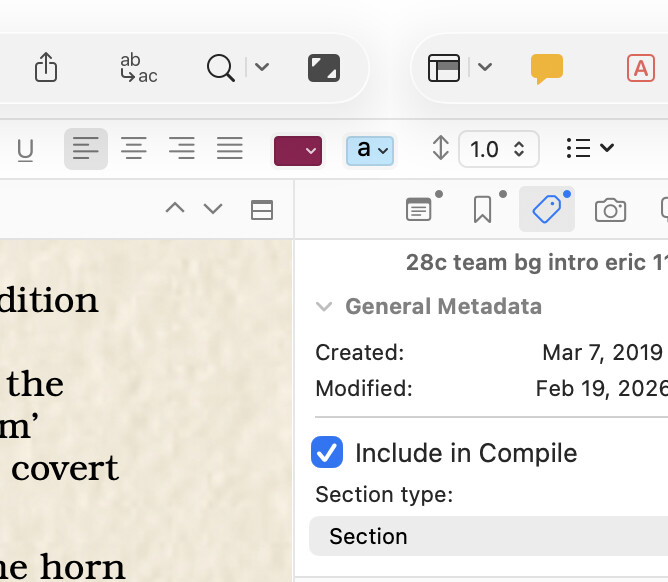
That little ‘sideways V’ caret at the top right corner of the editing page adjacent to the Inspector?
It is simply not there anymore, is it? Where could it have gone? It appears as if there is an entire horizontal ‘bar’ of some sort that seems to not be there anymore.
If this affects only me, hopefully someone can explain why. If it now affects all users of Scrivener, hopefully you can explain why.
I am a 10-year user. I’ve taken two separate online courses to learn Scrivener and paid dearly for them, I have watched all the videos, and I have scoured the thousand-page PDF manual for many hours that I actually could have been writing. I have a 30 year career as an engineer, and I have searched in vain for all permutations under ‘View’ in the menubar, and in the Appearance menu in Settings, and every single location I can think of that seems to be even subtly relevant. If there’s a solution there, this engineer has not been able to find the needle in that haystack.
I use lots of different configurations in the Outliner, so I would really like to have that little menu back.
I love Scrivener, but it is so complex that when I get something the way I want it to work, I don’t go in and meddle around with changes, so it’s highly unlikely it’s missing because of some arbitrary recent choice I might have made in the configuration.
Yet, it’s gone. The operative word in the question I asked, is ‘why’.
because you’re not viewing the “Outline”. That “sideways V” brings up the list of available columns for the outliner – and therefore only appears when you’re in the outline.
Press cmd-3 on the mac (or use the relevant button or the menu command).
I’ll confess that I also found absolutely nothing obvious in your initial post.
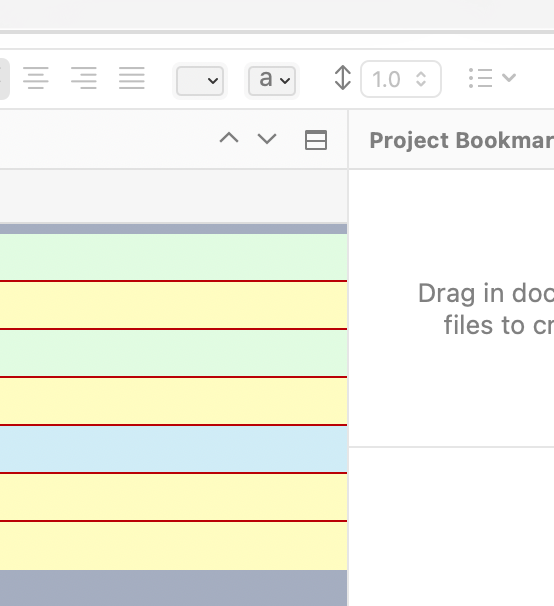
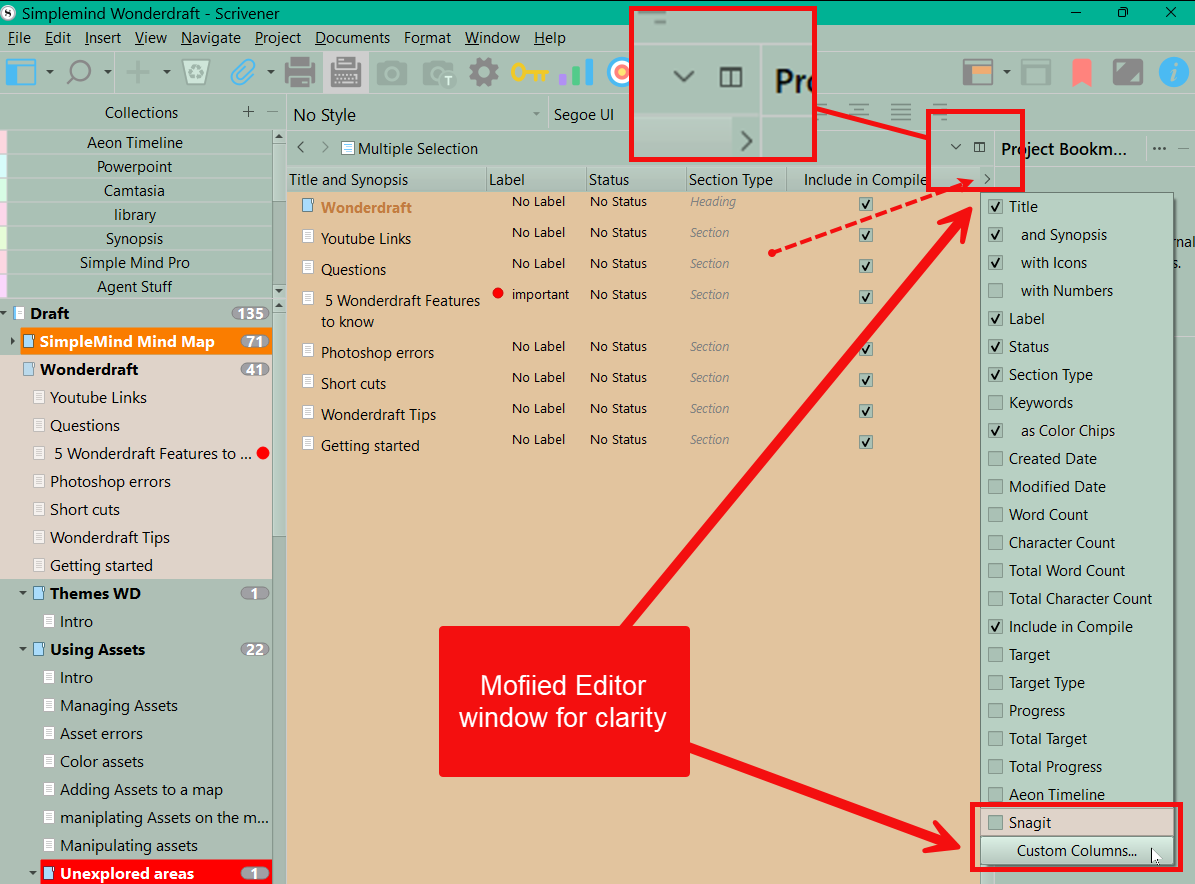
Not in the Mac version, it’s currently missing and that’s the issue here. See my links above.
Seems like you’ve removed the Title bar from your Editor?
It’s there in Tahoe 26.3 and Scrivener 3.5.2:
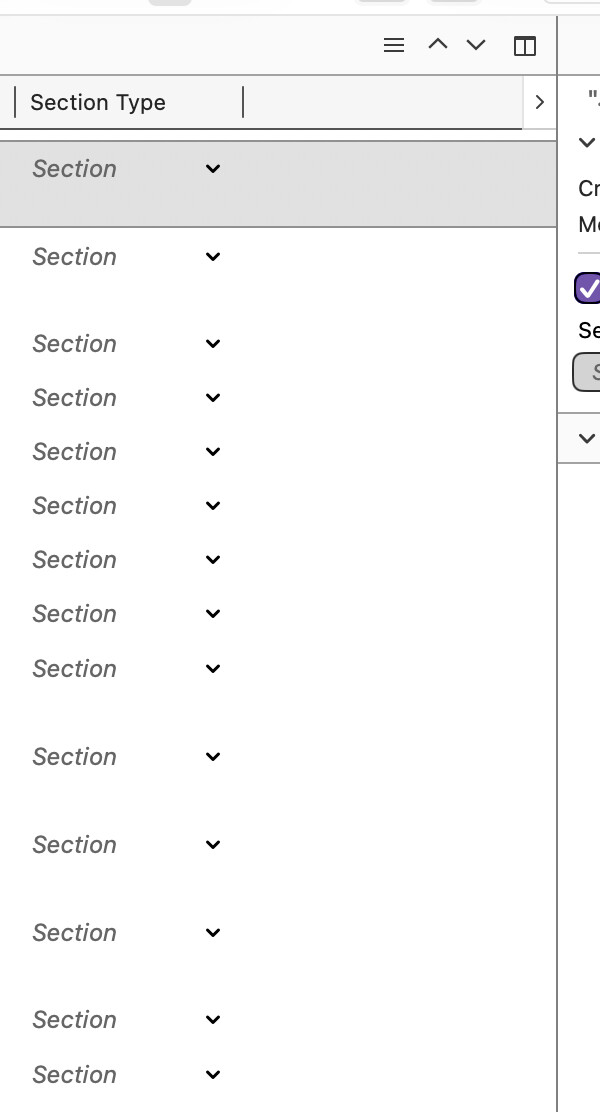
TBH, I don’t remember it being missing in Sequoia, so if it’s not working there now, perhaps it’s a bug introduced when Scrivener was updated for Tahoe?
Duplicate report of this bug.